40
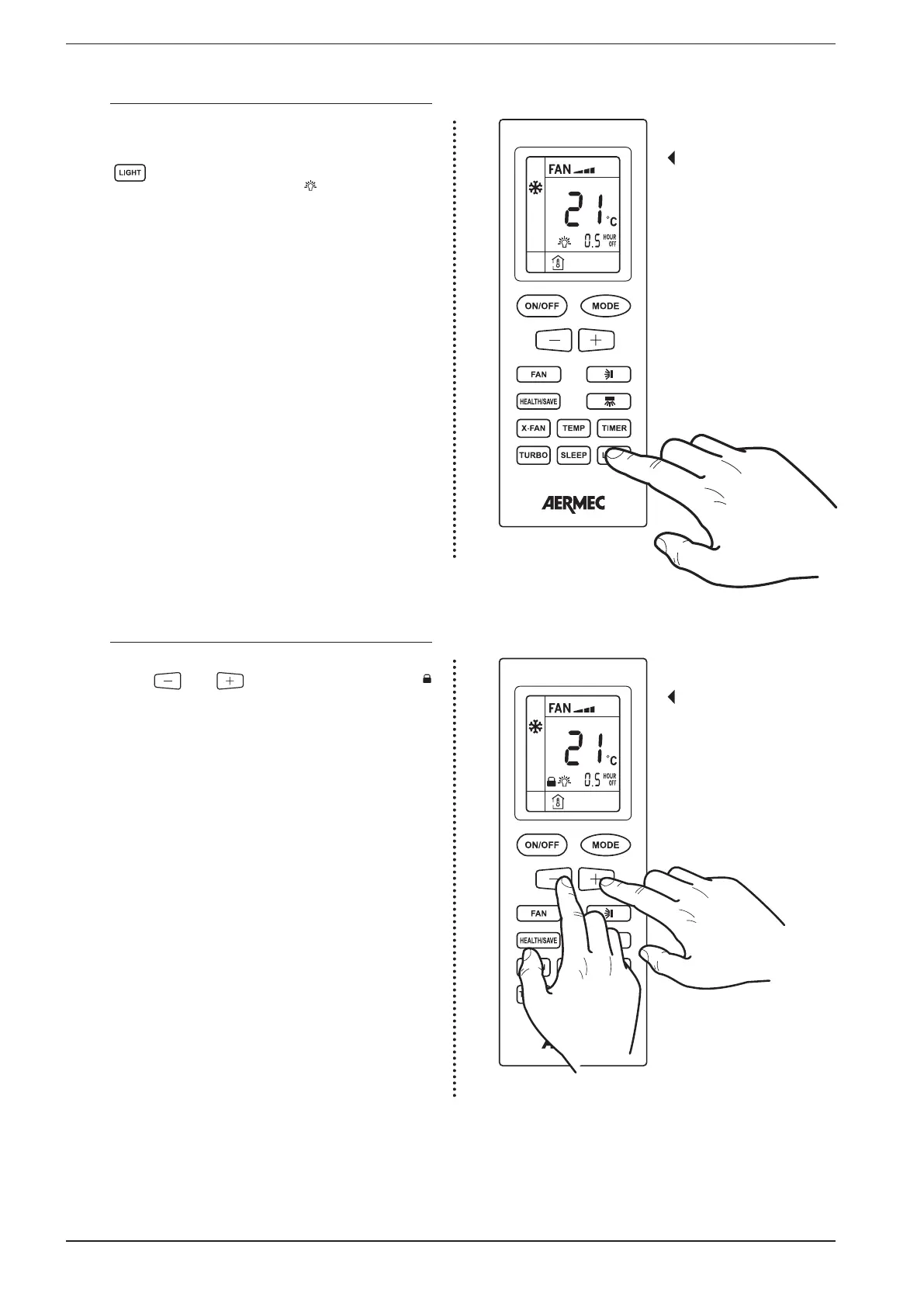
17.14. ACTIVATING / DEACTIVATING THE INDOOR UNIT’S DISPLAY
As described in paragraph 8.1, the display on the indoor unit
must be activated using the remote control;
To activate the displays on the indoor unit front panel press
the key on the remote control.
Once the button is pressed the symbol will appear on the
remote control’s display, indicating the activation of the dis-
play on board of the indoor unit. Pressing the button again
deactivates the display.
Activating the display on
board of the indoor unit
17.15. SETTING OR REMOVING THE BUTTON LOCK
To lock or remove the lock of the buttons on the remote con-
trol, press the and buttons simultaneously. The
icon on the remote control’s display shows that the keypad
of the remote control is locked.
Setting the button lock


 To Next Page