37
17.8. ACTIVATING / DEACTIVATING THE EXTENDED VENTILATION
During the operation in cooling mode, the condensate
caused by the humidity in the air is formed on the heat ex-
changer within the unit. This function allows the ventilation
to be extended for two minutes after the unit is switched off,
thereby drying the heat exchanger.
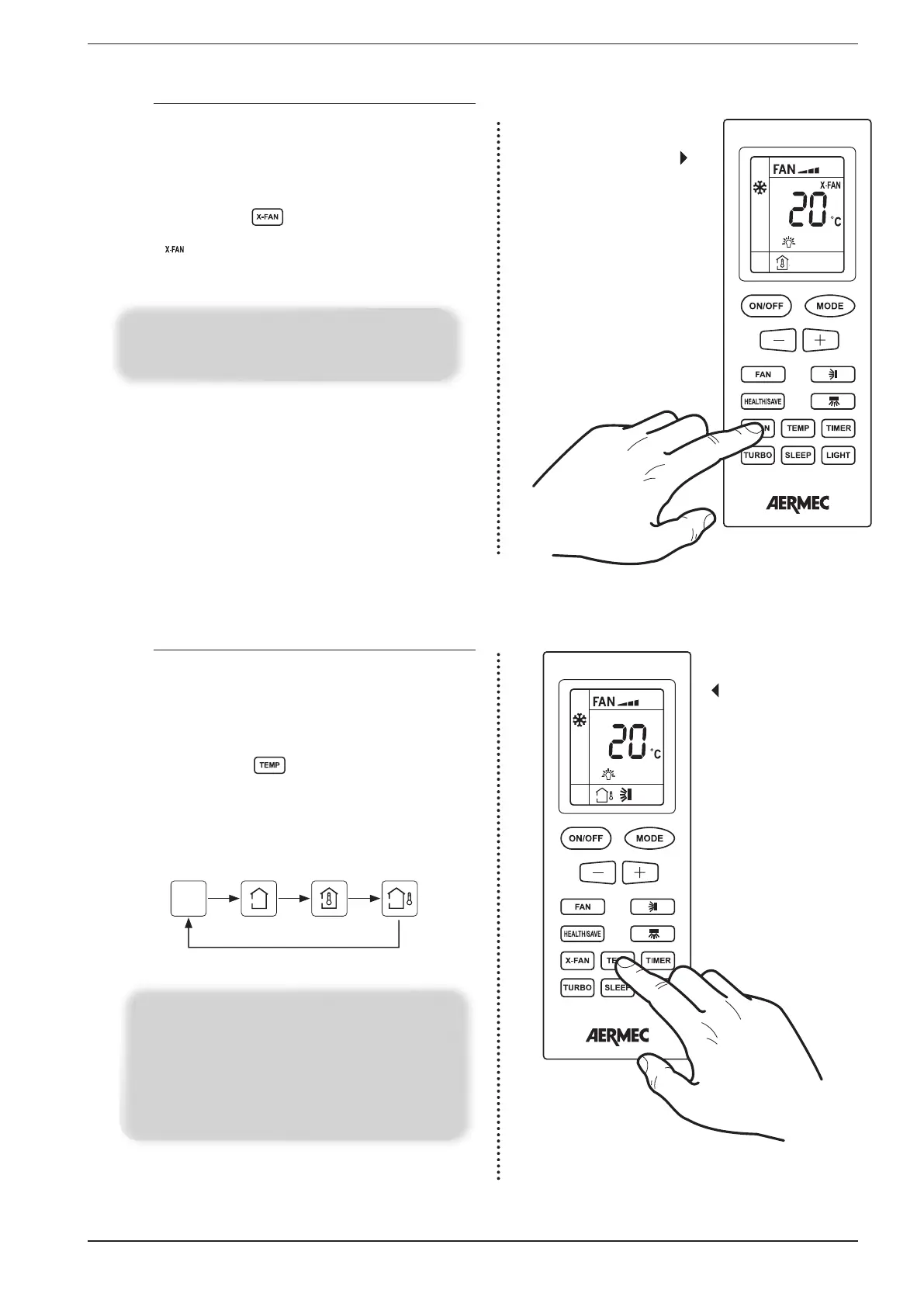
If the unit is on (and the cooling or dehumidification mode is
selected), pressing the button allows activating or de-
activating of this function. On the remote control the display
the icon will appear or disappear to indicate if the func-
tion is activated or deactivated.
Setting the extended
ventilation
function
NOTE:
If the unit is switched off the icon relating to this function
will still be visible (if this function is activated)
17.9. DISPLAYING THE ROOM TEMPERATURE OR THE OPERATING
SET-POINT (ON THE INDOOR UNIT DISPLAY)
Through the use of the remote control it is possible to display
the room temperature value read by the indoor unit, or dis-
play the current operating set-point used by the unit. This in-
formation is displayed on board the indoor unit’s display (par-
agraph 8.1).
If the unit is on and if the indoor unit display is enabled (para-
graph 8.1), pressing the key allows the display of the fol-
lowing values on the indoor unit’s display (successive pressing
passes from one to the next):
Display of room tem-
perature or operating
set-point of the
indoor unit
None
visualisation
Set-
point
Ambient
air
Not
used
NOTE:
The default display on the indoor unit’s display is the oper-
ating set-point; the room temperature value is displayed
for 3 seconds after which the display returns to the oper-
ating set-point. To display the room temperature again it
is necessary to select the corresponding symbol on the
remote control.


 To Next Page