36
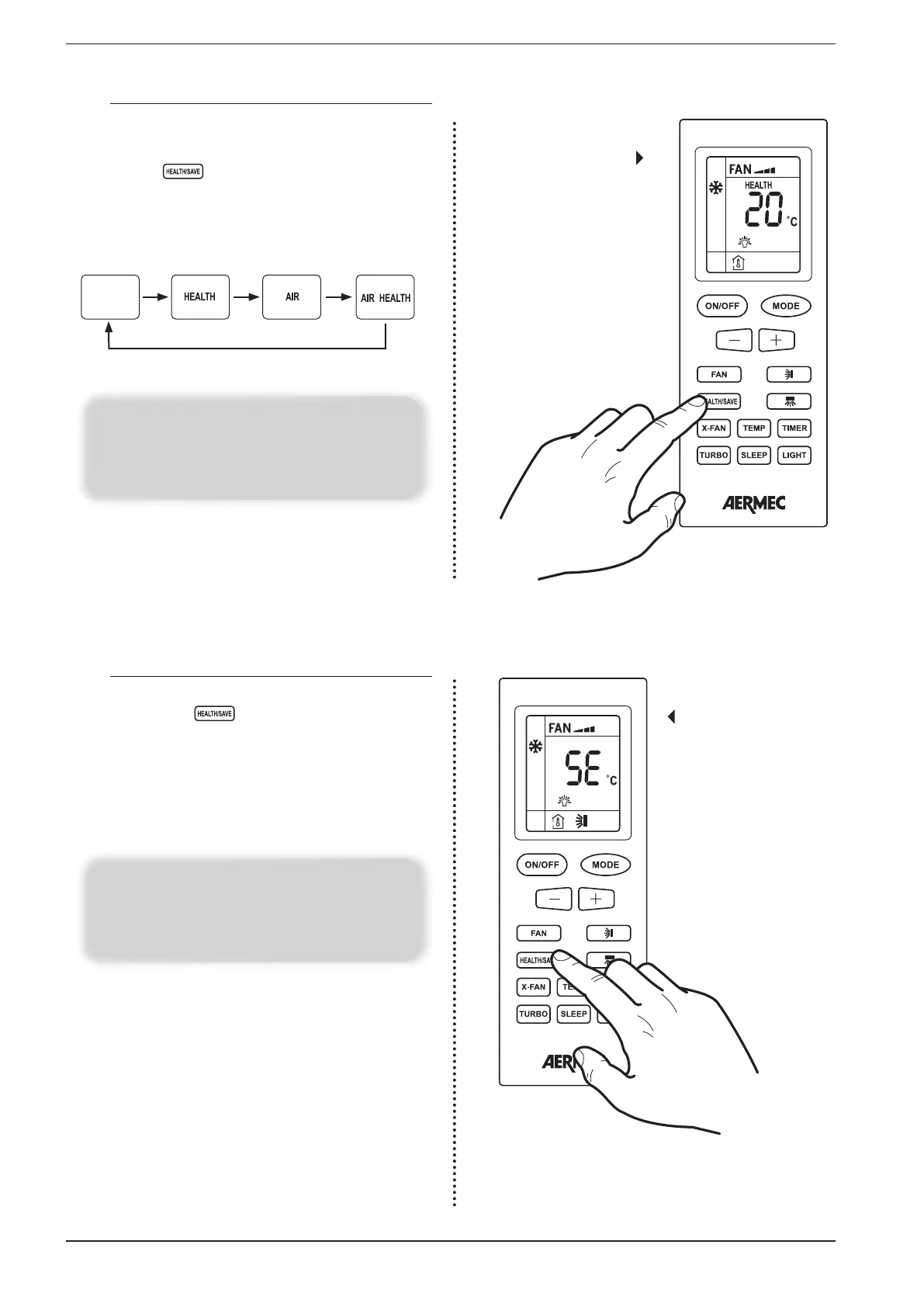
17.6. ACTIVATING/DEACTIVATING THE AIR IONIZER
These units are fitted with a device that can reduce the bac-
terial load of the air and reduce odours; if the unit is on, the
air ionizer can be set, enabled or disabled by pressing the left
side of the key ; below are shown the possible icons
(each subsequent press of the key allows to switch from one
to the other) displayed on the remote control display for the
relative status of the air ionizer:
Activate the
air ionizer
WARNING:
This key manages two different functions (ionizer and
energy saving), depending which side of the button is
pressed activates one or the other; press the left button to
enable the AIR IONIZER
Not active Active Not active Active
17.7. ENABLE/ DISABLE THE ENERGY SAVING
FUNCTION (COOLING)
If the unit is on (and the cooling mode is selected), pressing
the right side of key allows to enable or disable this
function. once this function is enabled, SE will appear on the
display of the unit and the temperature set-point or the speed
of the fans can no longer be changed, which will be set at
27° C with automatic fan speed, in order to decrease con-
sumption by dehumidifying the environment (an additional
key press will disable the function)
Setting the
cooling energy
savings function
WARNING:
This key manages two different functions (ionizer and ener-
gy saving), depending which side of the button is pressed
activates one or the other; press the right side of the button
to enable the COOLING ENERGY SAVING function


 To Next Page