28
Notes regarding the guided commissioning procedure
ATTENTION: The VXT units envision self-configuration on the basis of
the system features in which it has been inserted. This configuration
must be performed by skilled staff, following the indications supplied
below.
After having applied voltage, the first operation is that of selecting the
language. To successively perform the self-configuration, the mainte-
nance technician password must be entered, the value of this being
8430.
1
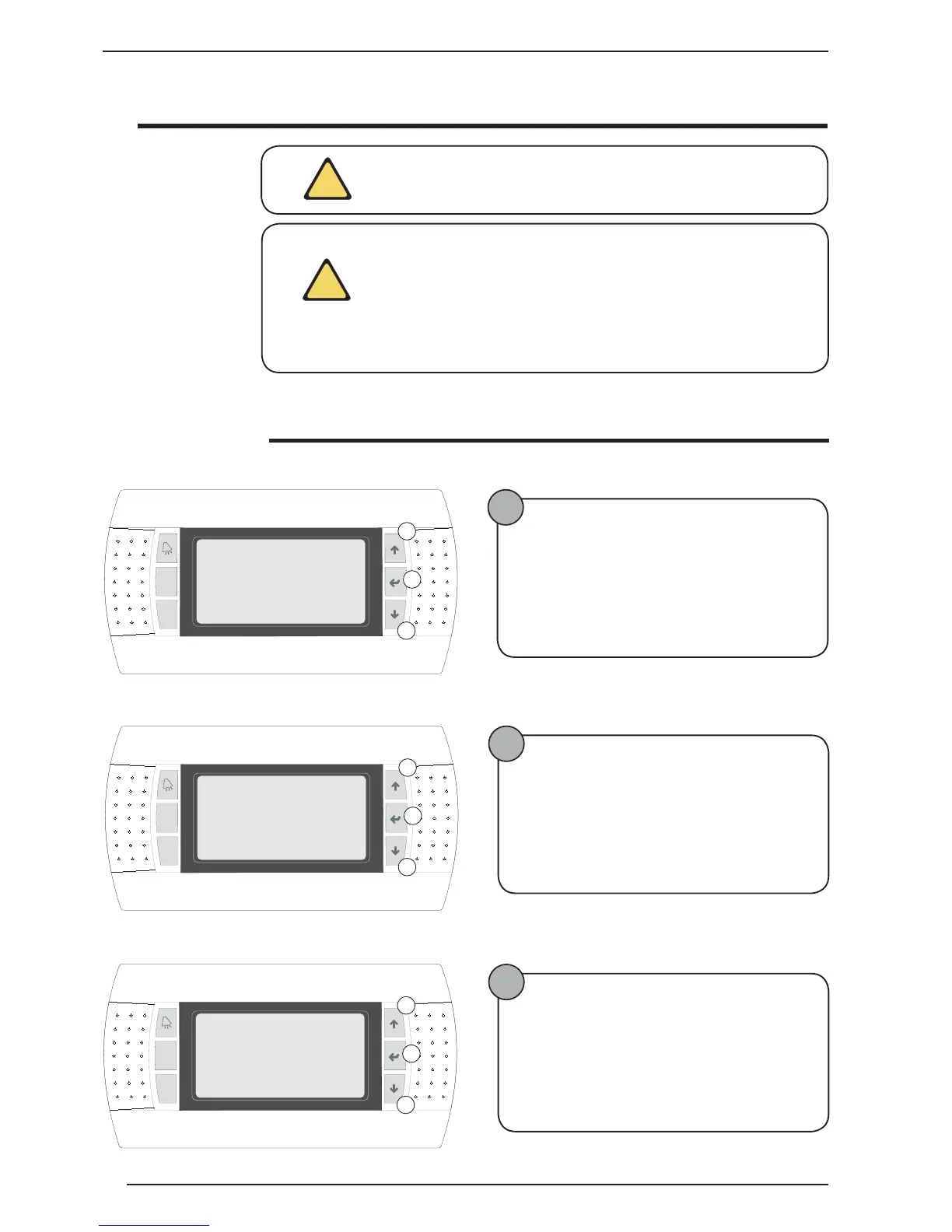
Enter maintenance technician password (8430)
The following operations must be performed:
• Press key B;
• Hold key C down until the value displayed is 8430;
• Press key B to confirm;
2
Selecting the types of heating terminals
The following operations must be performed:
• Press key B;
• Hold down key C or A to set the selection;
• Press key B to confirm;
• Press key C to pass to the next window;
Guided configuration procedure
3
Selecting the types of cooling terminals
The following operations must be performed:
• Press key B;
• Hold down key C or A to set the selection;
• Press key B to confirm;
• Press key C to pass to the next window;
ATTENTION: For successful selection of the options listed in the gui-
ded procedure, it is necessary to know the system (type, components
installed etc...) in which the unit has been installed.
!
!
Prg
Esc
Maintainer
Enter password
0000
A
B
C
Prg
Esc
Heating plant
1.Floor
A
B
C
I1
2.Fancoil
3.Radiator
2
Prg
Esc
Cooling plant
1.Floor
A
B
C
I2
2.Fancoil
3.Ceiling
1



 To Next Page