32
16
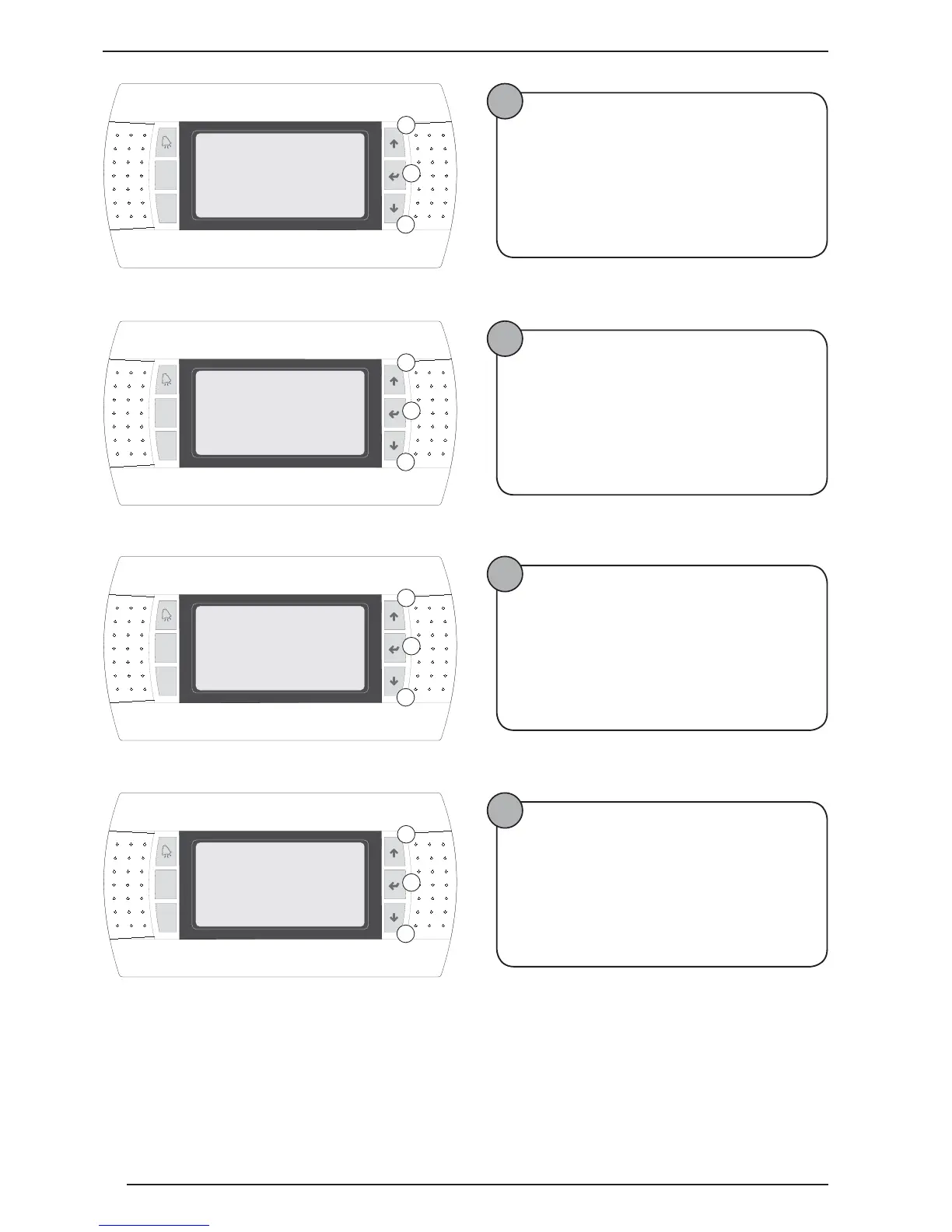
Enabling/Disabling On-Off from digital contact
The following operations must be performed:
• Press key B;
• Hold down key C or A to set the selection;
• Press key B to confirm;
• Press key C to pass to the next window;
17
Selecting the function assigned top the programma-
ble output
The following operations must be performed:
• Press key B;
• Hold down key C or A to set the selection;
• Press key B to confirm;
• Press key C to pass to the next window;
18
Selecting the Plan network connection function
The following operations must be performed:
• Press key B;
• Hold down key C or A to set the selection;
• Press key B to confirm;
• Press key C to pass to the next window;
19
Select management via BMS
The following operations must be performed:
• Press key B;
• Hold down key C or A to set the selection;
• Press key B to confirm;
• Press key C to pass to the next window;
Prg
Esc
Enable On-Off
A
B
C
I20
Digital input
No
Prg
Esc
1.Heat recovery
A
B
C
I21
2.Cooling/Heating
3.Alarm Output
Config. Output
1
Prg
Esc
Is the heat pump
A
B
C
I22
connected on
Plan network? No
Prg
Esc
Is the heat pump
A
B
C
I24
connected on
BMS network? Yes



 To Next Page