33
20
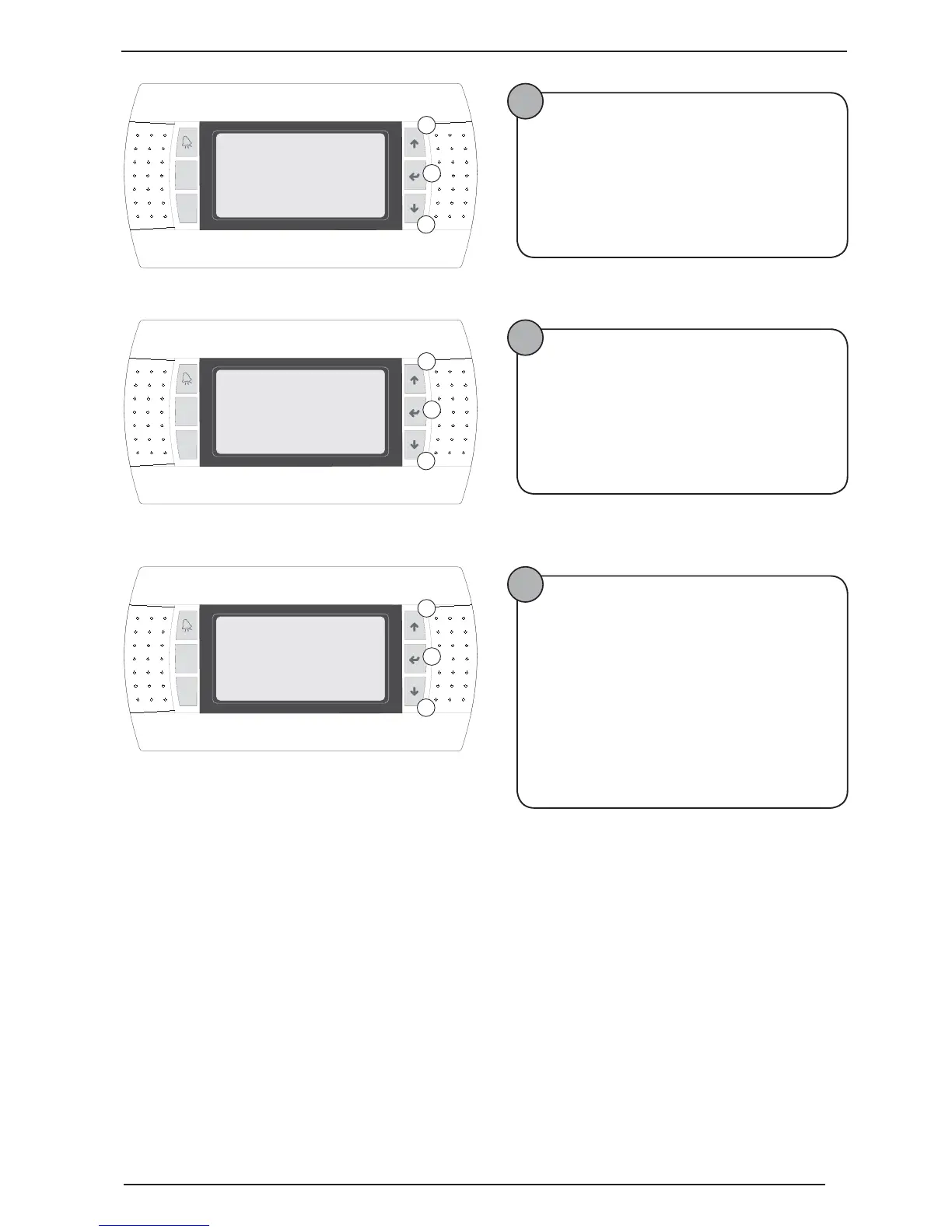
Selecting protocol for BMS
The following operations must be performed:
• Press key B;
• Hold down key C or A to set the selection;
• Press key B to confirm;
•
Press key C to pass to the next window;
21
Selecting address for BMS
The following operations must be performed:
• Press key B;
• Hold down key C or A to set the selection;
• Press key B to confirm;
• Press key C to pass to the next window;
22
Selecting saving settings
The following operations must be performed:
• Press key B;
• Hold down key C or A to set the selection;
• Press key B to confirm;
Selecting activation/deactivation of the guided procedure
The following operations must be performed:
• Press key B;
• Hold down key C or A to set the selection;
• Press key B to confirm;
Prg
Esc
for BMS:
A
B
C
I25
1.RS485 modbus
2.Pcoweb
Address pdc
1
Prg
Esc
Input
A
B
C
I26
BMS address
1
Prg
Esc
save the param.?
A
B
C
I28
Save configuration
YES
Do you want to
No



 To Next Page