Original Instructions Rev.1.0 User Manual – Isa 10/ 42
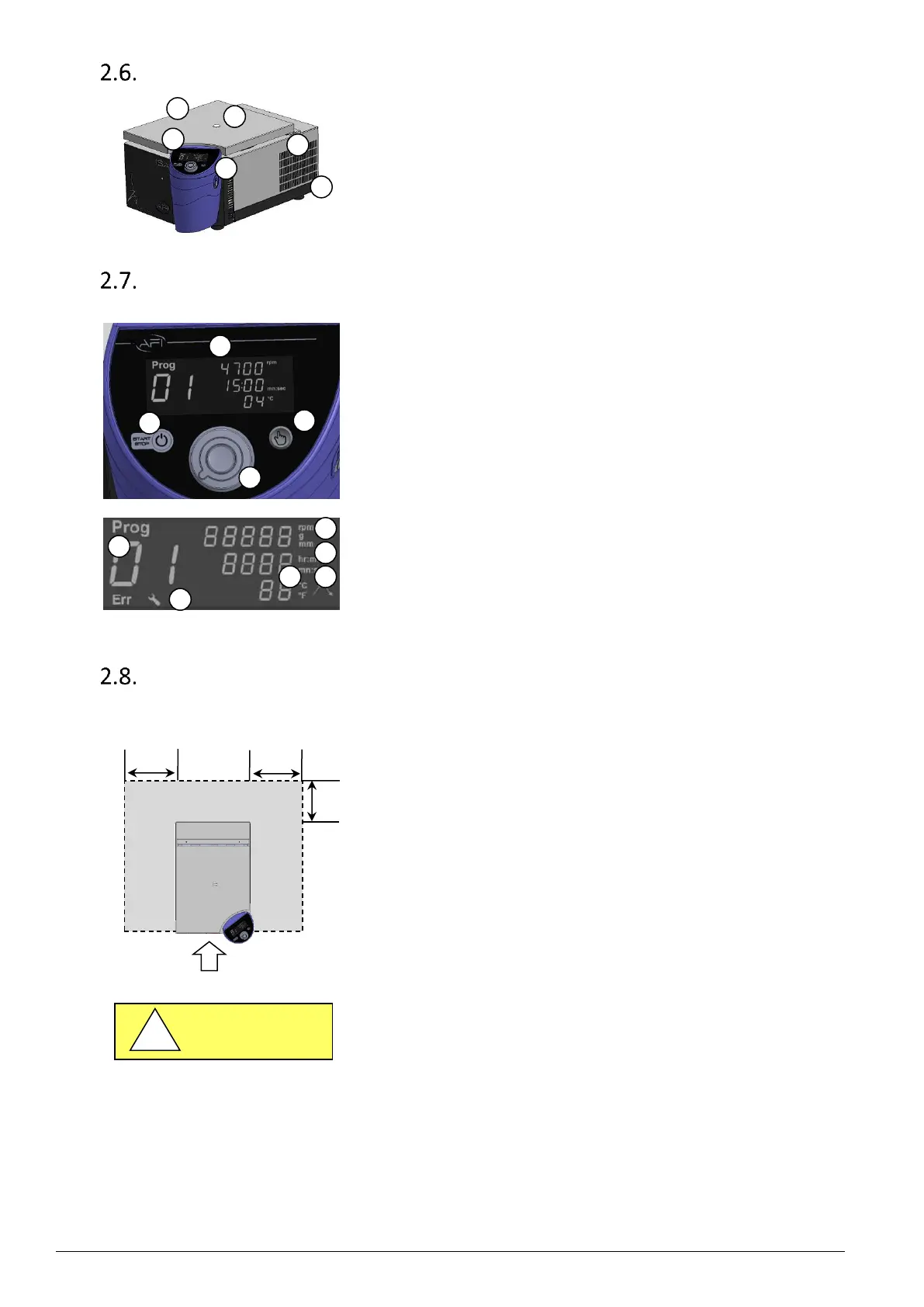
Machine Description
1. Lid
2. Window
3. Control panel
4. Opening lid button
5. Cooling unit
6. Electrical outlet
Interface description
1. Power ON-OFF, START-STOP, & cycle interruption button.
Can be activated through single press or press & hold action.
2. Display screen.
3. Validation button: Can be activated through single press or
press & hold action.
4. Setting knob. It is a lighting knob, giving information
concerning the centrifuge status, corresponding to colors changes.
5. Program number / Error number
6. Service key logo
7. Speed parameters : unit (rpm or xg), radius (mm)
8. Time unit : Hour / Minute or Minute / Second
9. Temperature unit (Celsius or Fahrenheit degree)
10. Slope parameters : Acceleration or Braking slope
Site preparation
Prepare a stable, clean and levelled support (e.g. laboratory bench). This support must be able to support the weight of the
centrifuge and its use, and be firm enough so as not to generate or maintain
vibration. Such vibrations would degrade the results of the centrifugation, and
may result in an unbalanced error.
A clearance envelope of 30 cm (11.8 inch) around the centrifuge should be
arranged according to IEC 61010-2-020: No potentially hazardous material,
nobody or no object shall be deposited within the free space.
Fig. 2 Open space around the centrifuge
It is recommended that no less than two people are present to manually lift the
centrifuge onto the laboratory bench.


 To Next Page