Original Instructions Rev.1.0 User Manual – Isa 18/ 42
Use a program to centrifuge
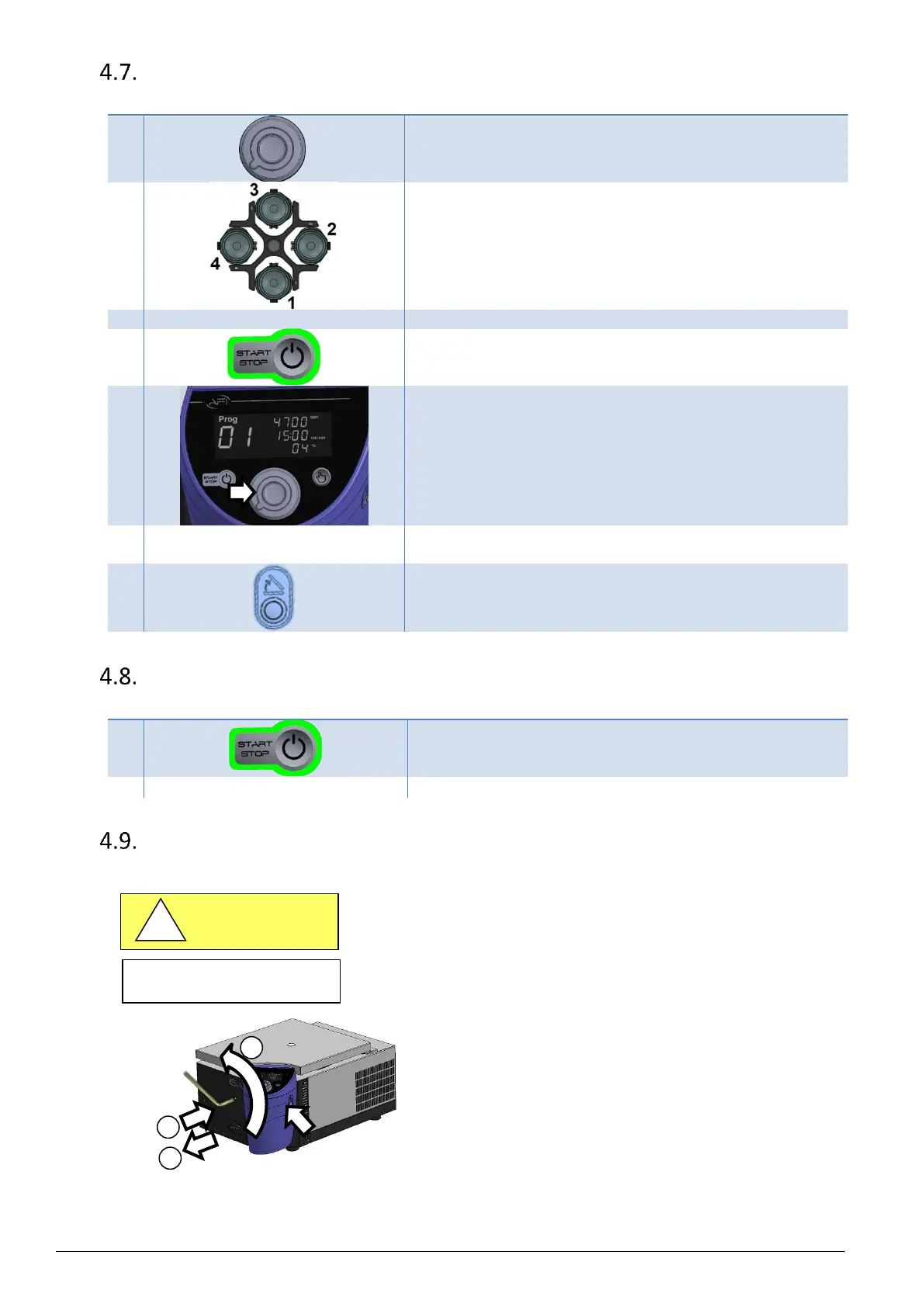
Spin the knob to select a program number.
Load buckets onto the rotor, following instructions in § 0
Rotor loading and balancing.
Press START to begin the cycle.
Note : For a "PULSE" mode use, press & hold the START button.
When released, the rotor brakes down and stops.
Centrifugation cycle starts.
A light blue light flashes under the knob.
As soon as the setting speed & temperature (for refrigerated
model) are reached, the light becomes deep blue.
At the end of the cycle, a green light flashes under the knob, and a
sound signal informs that the rotor is stopped.
Press onto the lid button to open.
The green light goes off.
Pick up the tubes.
Interrupt centrifugation
During a cycle, press onto STOP.
The rotor will start slowing down until complete stop.
During this step, an animated red light flashes under the knob.
At rotor stop, a red light blinks under the knob.
Open after an electric power failure / Emergency Stop
This operation must be performed by a person trained in
centrifugation-related risks.
In case of power failure, the lid cannot be opened by the engine
unlocking control.
You must wait 15 minutes for the rotor to come to a complete stop
before opening manually.
While using the provided wrench, in any case, do not force.
1. Insert fully into the cavity the wrench provided.
2. Turn it counterclockwise to release the lid (~ 2 tours).
3. After lid releasing, go on turning counterclockwise 1 & ¼ tour.
4. Remove the wrench.
5. Unload samples.
6. Once powered on, close the lid. Press onto the lid button to
initialize the lock.
Following a manual release, the wrench must be removed from its housing to prevent accidents related to the
rotation of the wrench during the activation of the locking mechanism.


 To Next Page