Original Instructions Rev.1.0 User Manual – Isa 21/ 42
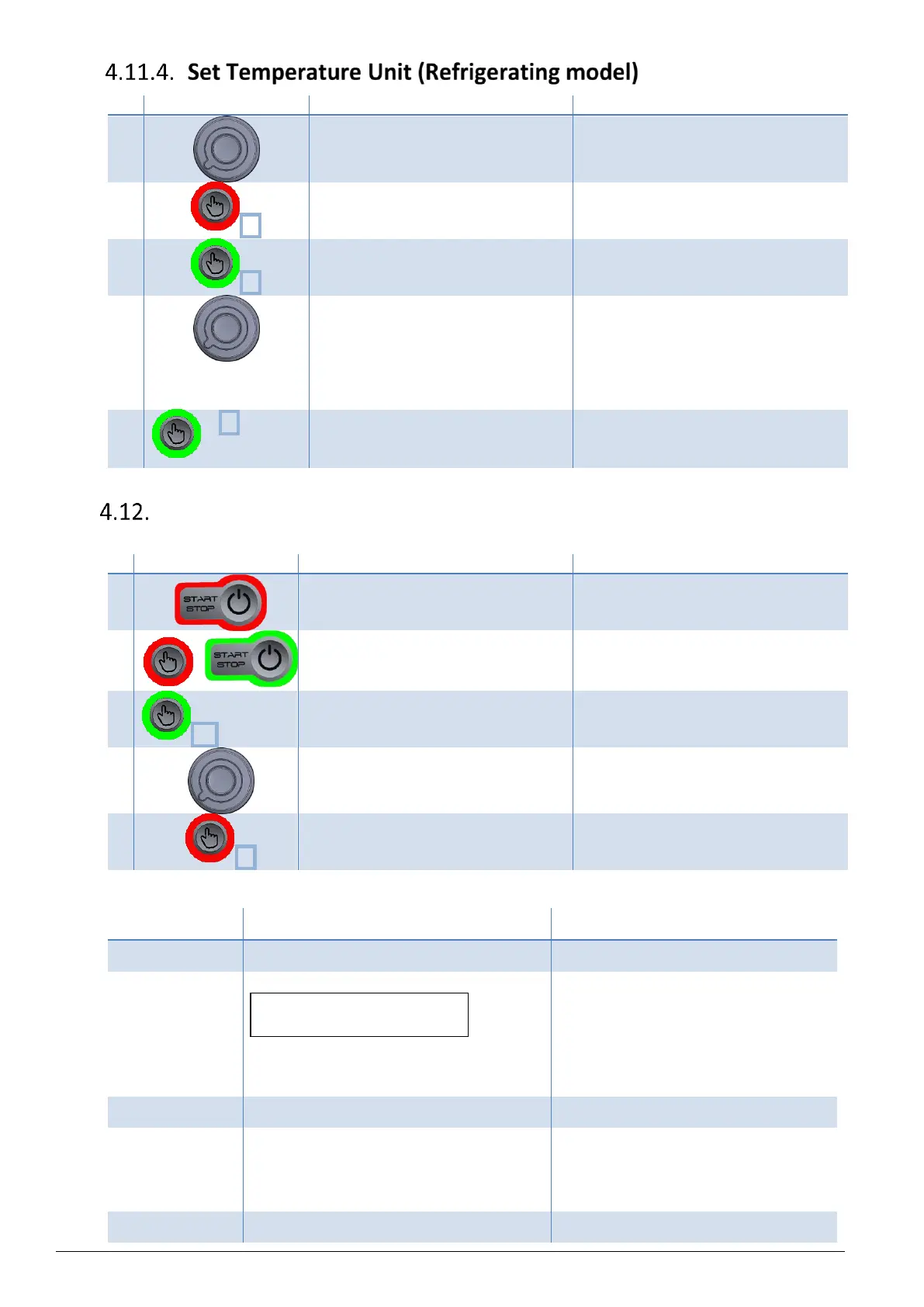
Select the program number spinning
the knob.
The program number is displayed under
"Prog".
The selected program is now in Setting
mode.
Speed value is now blinking.
Press 3x to access to temperature unit
parameter.
(On ventilated model, press 2x)
Temperature Unit is now blinking.
Modify blinking value spinning the
knob.
Possible values :
- Celsius degree, noted "°C" (by
default)
- Fahrenheit degree, noted "°F".
Temperature unit is modified.
Press 2x to quit Setting Mode.
The modification of the selected
program is saved.
Advanced parameters
To access to advanced parameters menu, follow instructions :
Press & hold START/STOP button to
switch to sleep mode.
Press & hold validation button & press
START button to access to advanced
parameters.
The software revision is displayed.
Press validation button as many times as
necessary to access following
parameters.
Modify value spinning the knob.
Advanced parameter setting is
modified.
Press & hold validation button to save &
exit advanced parameters mode.
The modification of the selected
parameter is saved.
Displayed codes are listed bellow :
Microcontroller software release
Imbalance setting (Default value : 350)
The higher the value, the bigger
imbalance is tolerated.
CAUTION : Only certified technicians
are authorized to adjust this value.
Any damage can occur in case of
unfollowed instructions.
Temperature offset (± 5 degrees)
Countdown starting at speed (On/Off)
On : Timer starts when the rotor
reaches the set speed.
Off : Timer starts as soon as rotor
begins spinning (default value).
End of cycle sound signal (On/Off)


 To Next Page