Original Instructions Rev.1.0 User Manual – Isa 22/ 42
Alarm sound signal (On/Off)
Available program number setting
(20 or 40 or 99)
Speed adjusting step setting
(50 or 100 rpm)
RCF adjusting step setting
(50 or 100 rcf)
Time adjusting step setting
(15 or 30 min/sec)
Default value : 15 min/sec
Total number of high speed cycles
Running hours counter – all cycles
Running hours of high speed cycles
counter
Cooling unit starts counter
Cooling unit running hours
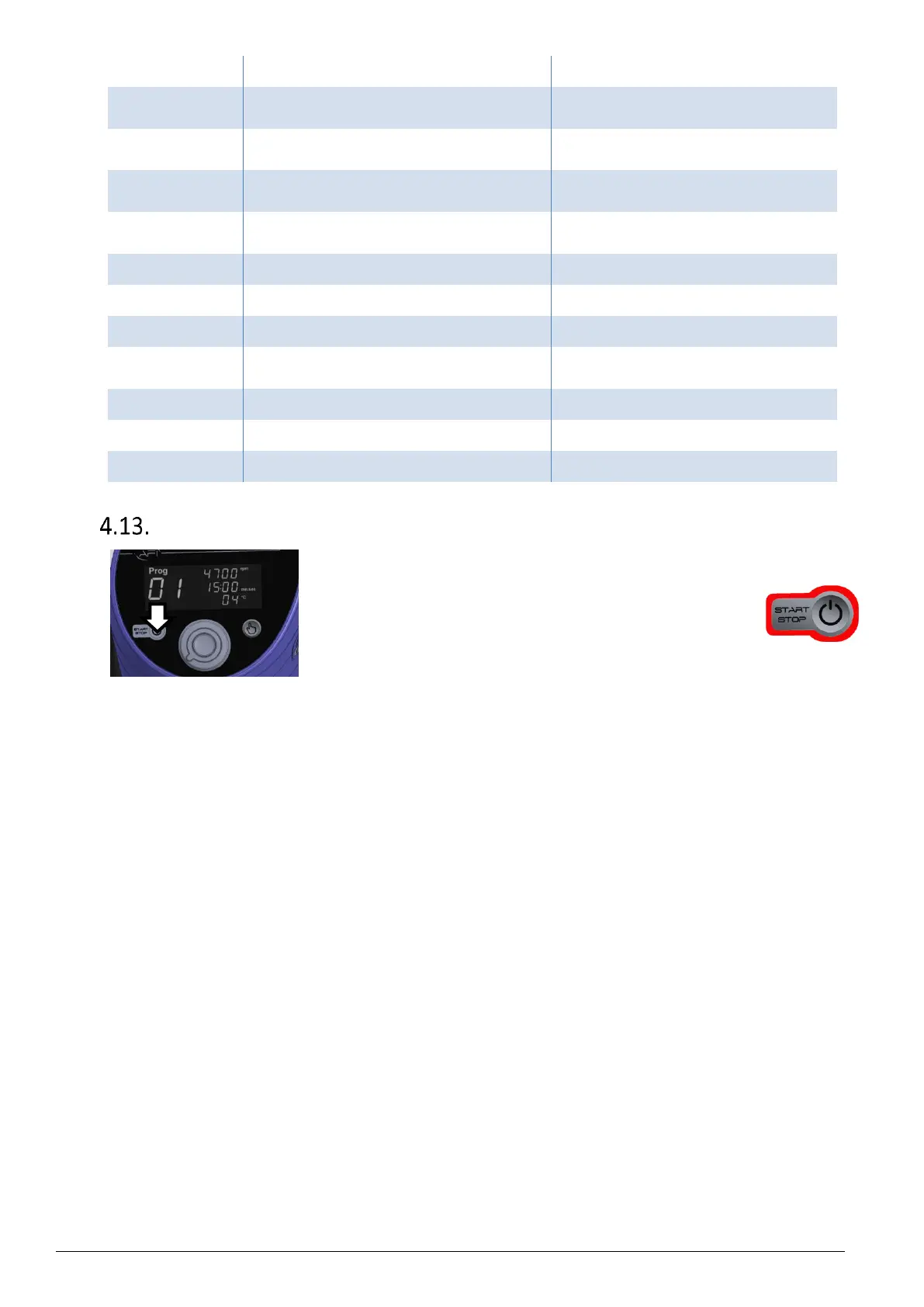
Sleep mode
To enter Sleep– or standby - mode, press and hold the "START-
STOP" button on the control panel until the display goes off. Only
the knob remains bright.


 To Next Page