Original Instructions Rev.1.0 User Manual – Isa 20/ 42
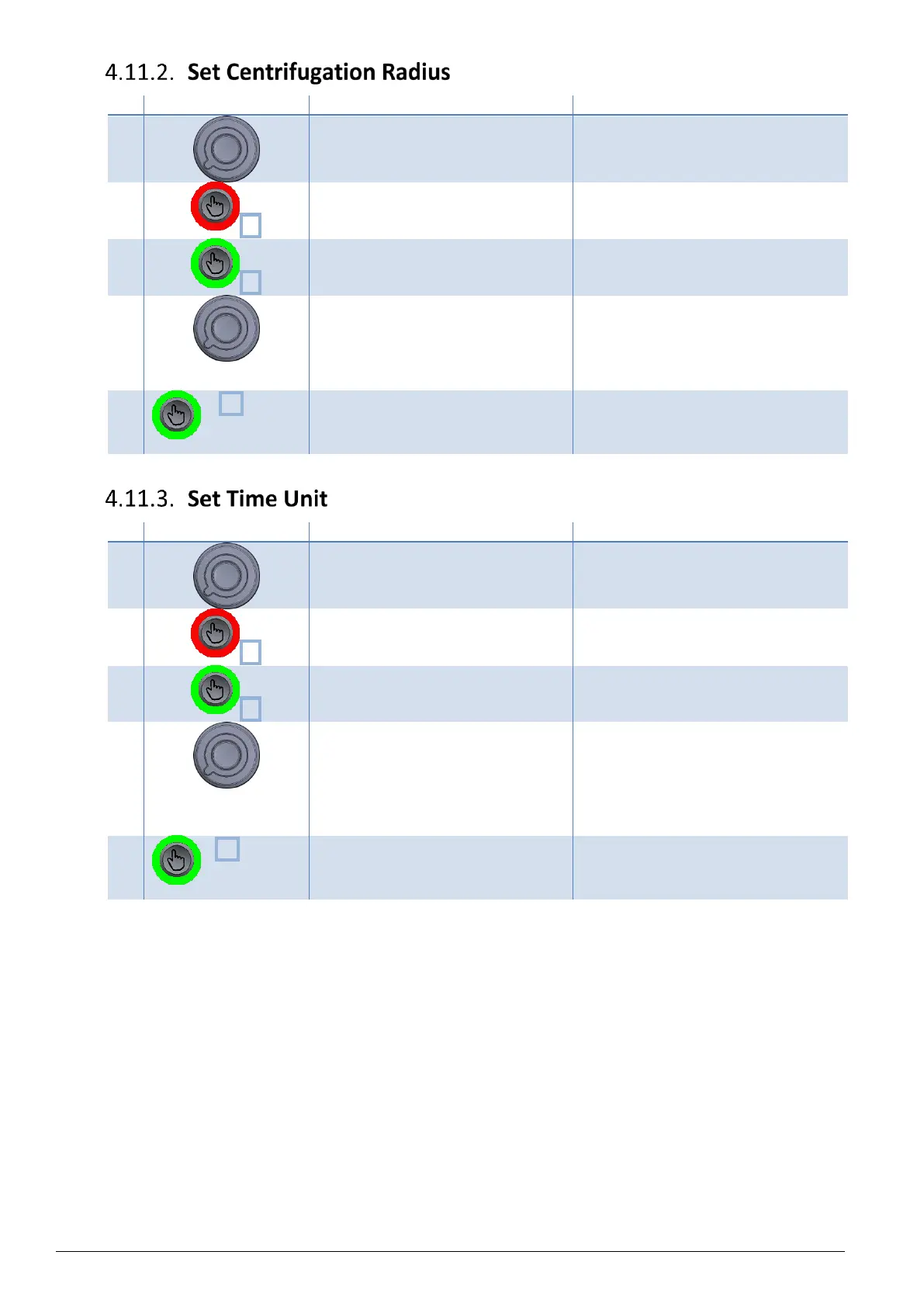
Select the program number spinning
the knob.
The program number is displayed under
"Prog".
The selected program is now in Setting
mode.
Speed value is now blinking.
Press 1x to access to radius unit
parameter.
The radius value is now blinking.
Set value in mm. Refer to § 9 Annex 1:
Accessory Specifications.
Modify blinking value spinning the
knob.
Note : Rotor radius are preset for each
rotor. Refer to §9 Annex 1: Accessory
Specifications for inserts radius.
Radius , in millimeter, is modified.
x4 (on
refrigerating
model)
Press 4x to quit Setting Mode.
(On ventilated model, press 3x)
The modification of the selected
program is saved.
Select the program number spinning
the knob.
The program number is displayed under
"Prog".
The selected program is now in Setting
mode.
Speed value is now blinking.
Press 2x to access to time unit
parameter.
Time Unit is now blinking.
Modify blinking value spinning the
knob.
Possible values :
- "Minute: Seconds", noted "mm:ss"
(by default)
- "Hour : Minutes", noted "hh:mm"
x3 (on
refrigerating
model)
Press 3x to quit Setting Mode.
(On ventilated model, press 2x)
The modification of the selected
program is saved.


 To Next Page