Original Instructions Rev.1.0 User Manual – Isa 19/ 42
Precooling
A "Pre-cooling" cycle prior to centrifugation allows to cool the centrifuge down to 4 degrees Celsius so it is ready for
temperature sensitive samples.
Select Program 0. "Cool" message is displayed : Precool program is selected.
Load buckets onto the rotor, following instructions in § 0
Rotor loading and balancing.
Press START to begin the cycle.
Precooling program is set to 4°C, at 2000 rpm. Parameters are build-in, and not
adjustable.
The cycle ends when the temperature of 4°C is reached.
Setting Mode
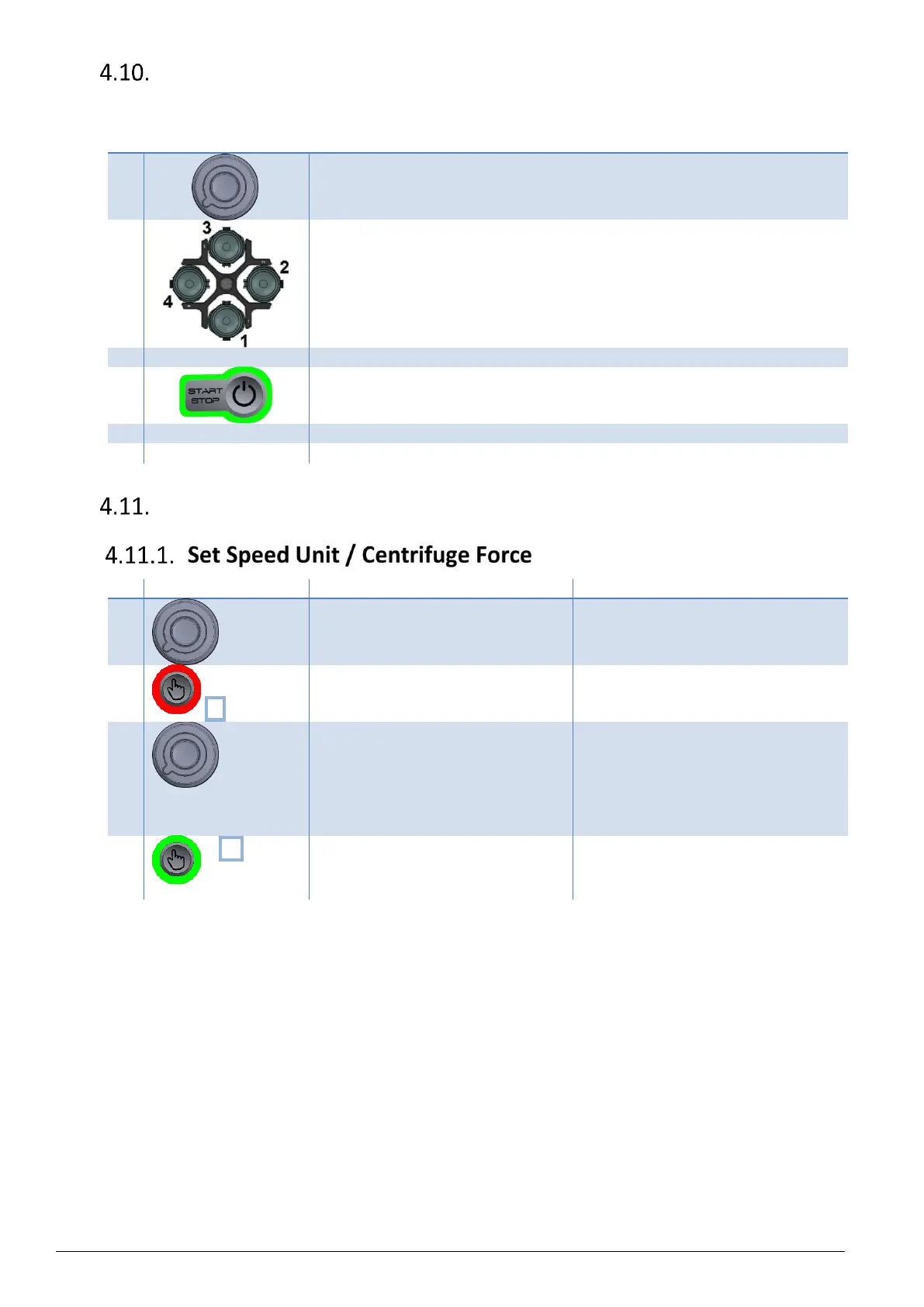
Select the program number spinning
the knob.
The program number is displayed under
"Prog".
Press & hold validation button twice.
The selected program is now in Setting
mode.
Speed unit value is now blinking.
Modify blinking value spinning the
knob.
Possible values :
- rotation per minute noted "rpm" (by
default)
- relative centrifugal force, noted "rcf"
Speed unit is modified.
In case of selecting "rcf" unit, the
centrifuge radius has to be set,
following next paragraph.
x5 (on
refrigerating
model)
Press 5x to quit Setting Mode.
(On ventilated model, press 4x)
The modification of the selected
program is saved.


 To Next Page