Originale Instructions- Rev.1.3 User Maunal– Loreena 20/ 68
4. Operating
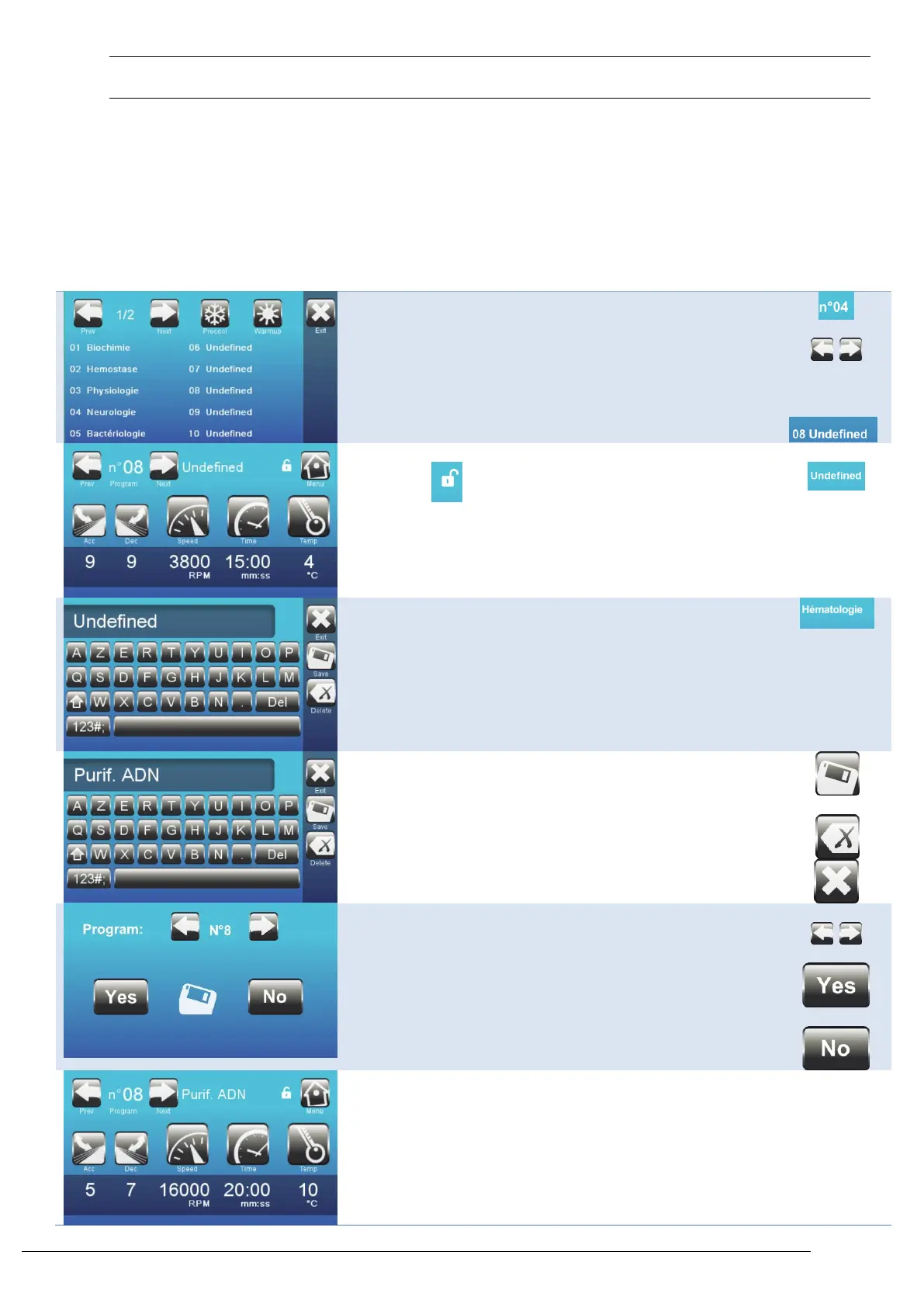
4.1. Settings
This section is accessible through the Admin section. It allows the creation and/or modification of a program and the
customization of the centrifuge.
4.2. Create / edit a program name
Select the program to create/edit
Note: 99 programs are available,
from 01 to 99.
The program can be modified when the protection icon is an
open lock:
Edit the title screen by pressing on the title.
Enter the new title
Save the new title by pressing "ok".
Note:
To delete the entire text:
To exit the menu without saving changes:
Enter the program number you wish to create
Confirm saving
Note:
Accept without saving changes:
The program has been saved.
(The lock is not activated).



 To Next Page