Originale Instructions- Rev.1.3 User Maunal– Loreena 23/ 68
4.5. Protect the settings of a program
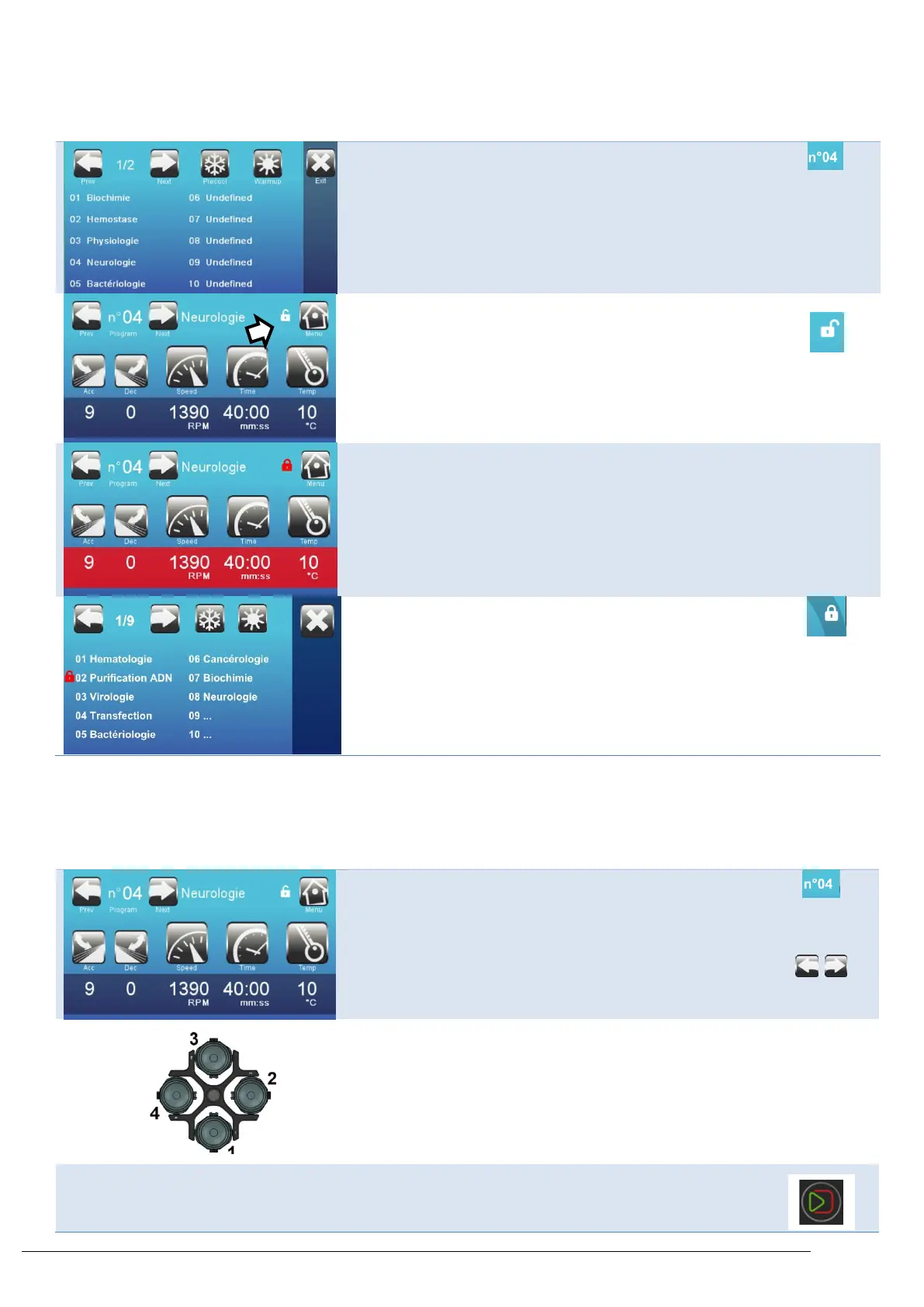
Select the program to lock
Press on the open lock for 4 seconds.
The lock is now closed.
The program is now protected.
In the list of programs, a lock appears in front of the program.
Note: To remove the protection, enter the program through an
Admin user profile and press on the closed lock for 3 seconds.
It will then re-open. You are now able to modify the program.
4.6. Centrifuge: Use a program
Turn on the centrifuge. The switch is in the lower right portion. Any user can access a program (user, admin, service tech)
Select the program you want to use
Load the rotor and buckets as instructed in § 3.2
Close the lid



 To Next Page