Originale Instructions- Rev.1.3 User Maunal– Loreena 21/ 68
4.3. Set program settings
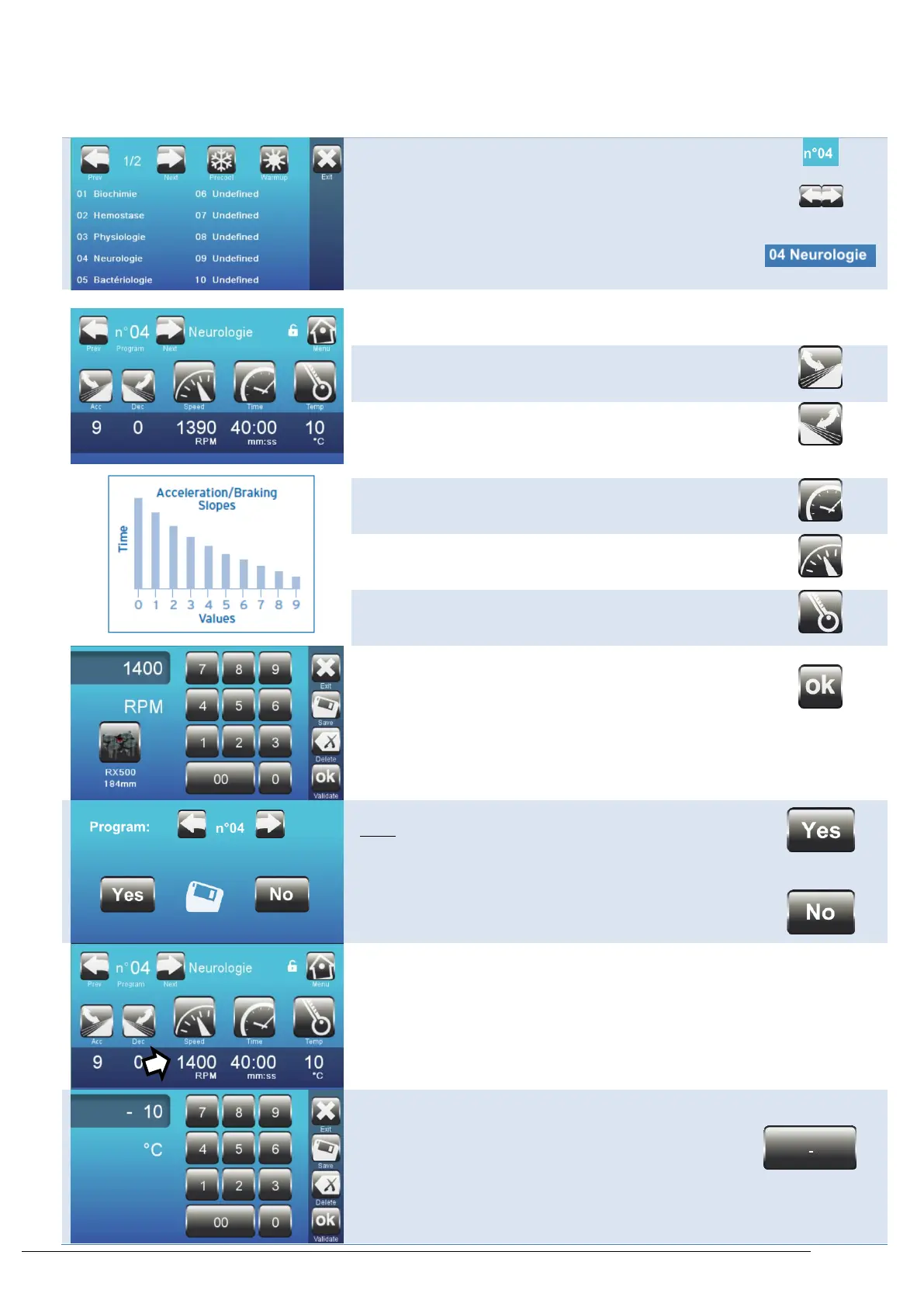
Select the program to edit
Select the desired parameter by pressing the icon:
Acceleration slope (from 1 to 9)
1: slowest acceleration
9: fastest acceleration
Braking slope )from 0 to 9)
0: no braking at all
1: slowest deceleration
9: fastest deceleration
Centrifuge speed (in RPM or RCF)
Setpoint temperature (only on the refrigerating model)
Change the value (e.g. speed).
Confirm
Confirm settings
Note:
To validate without saving the changes in the program, press
the "No" button.
The middle program then becomes the routine program,
noted "..." This data is saved automatically in this routine
program.
The program has been saved.
The new set value appears under the pictogram.
Note :
In the case of a temperature setpoint, it is possible to set a
negative value using the key opposite.
The minimum value is -10 ° C.



 To Next Page