Originale Instructions- Rev.1.3 User Maunal– Loreena 35/ 68
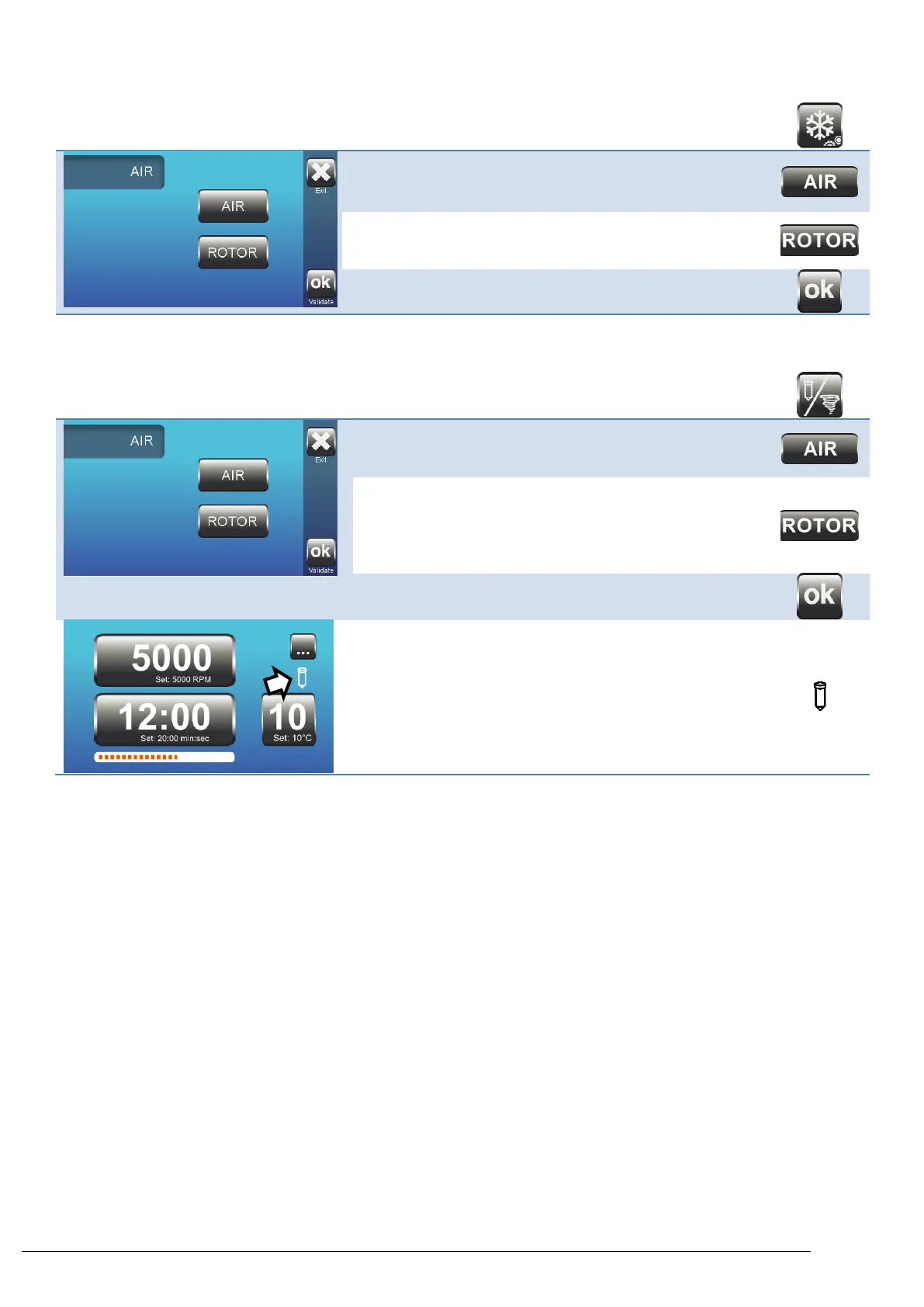
4.12.16. Pre Cool Function
Allows Pre Cool to 4⁰C in air or rotor mode.
AIR: Cooling to the temperature in the bowl.
This is the default.
ROTOR: Cooling for 22 minutes.
At this point the rotor and accessories
are cooled.
4.12.17. Temperature Display Mode
Allow for display of air or rotor temperature.
AIR: The temperature displayed is the
temperature of the air in the bowl.
This is the default
ROTOR: The temperature displayed is
that of a sample in a tube. The
sample must have been
previously stored at the same
temperature.
During Centrifugation:
If the Rotor mode is selected the tube appears.
If the Air mode is selected no logo appears.
Pressing the temperature button can temporarily change
the display mode.



 To Next Page