2.6.0 Final installation checklist
Power must remain off until all cables are connected and checked.
The power cable to the harness and console should have a 5-amp inline fuse.
The Power supply should be 12 to 24 VDC with a 5 Amp supply approved circuit breaker.
The breaker needs to be accessible as to FFA or Transport Canada regulations.
Cable routed with no disruption and tight bends.
All cables secured as to FFA or Transport Canada regulation.
The remote switch cable routed with no shorts or damage through to the control grip as to where the
remote switch is mounted.
At no time, should there be any voltage applied to these two wires of the boom switch, this will result in
damage to the Main Computer (console).
The boom switch should be mounted to be accessible by the operator.
The connectors for the guidance indicator are labelled to mate with the unit and the harness. Insure that
the connectors lock well together as labelled. Insure that the cables and connectors are well secured.
The GPS system cable will have three connectors one for data communication, one for power and the
third connects to the console harness.
Connect both ends of the Antenna Cable TNCs. One to the Antenna and other to the GPS receiver.
Insure all cables are connected correctly as to the manual and the main harness is connected securely to
the platinum console.
If installing a flow system as well, please see flow install manual regarding cabling and power breaker.
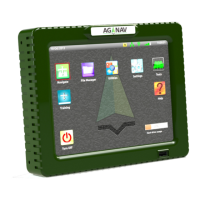
If all is checked then the system can be powered. Press the power button on the front of Platinum
console (AGNAV symbol).


 To Next Page