BRIDGE LIVE Video I/O and Streaming Appliance v1.12 119 www.aja.com
Chapter 13 – Troubleshooting
What if BRIDGE LIVE fails?
Chromium has an ability to restart itself. However, we restricted this for
BRIDGE LIVE because there is a possibility to get into an infinite loop due to a bad
config file. Instead, you should use system tools to (re)start the BRIDGE LIVE using
the command:
sudo systemctl stop transcoder-base
in order to turn off the service. Use the following command to investigate service
logs; alternatively you can also edit config .json files (located /opt/transcoder/).
sudo journalctl –u transcoder-base
and start the service again
sudo systemctl start transcoder-base
In case this procedure fails to reinitiate the correct operation of BRIDGE LIVE,
please try to also reboot the whole machine. If the problem is still not gone,
contact Support.
How do I access the system administration environment?
You can access the system administration environment only through the local
interface. It is not available through remote browser.
Use the CentOS standard shortcut Ctrl + Alt + F1 in order to switch the view. Here
you can use Unix commands to operate the system. Using Ctrl + Alt + F2 will bring
you back to the web UI.
How can I collect BRIDGE LIVE log files?
You can see logs in the folder:
/opt/transcoder/transcoder/logs/
If you need to send logs to Support, please copy the contents of the folder,
archive them and share.
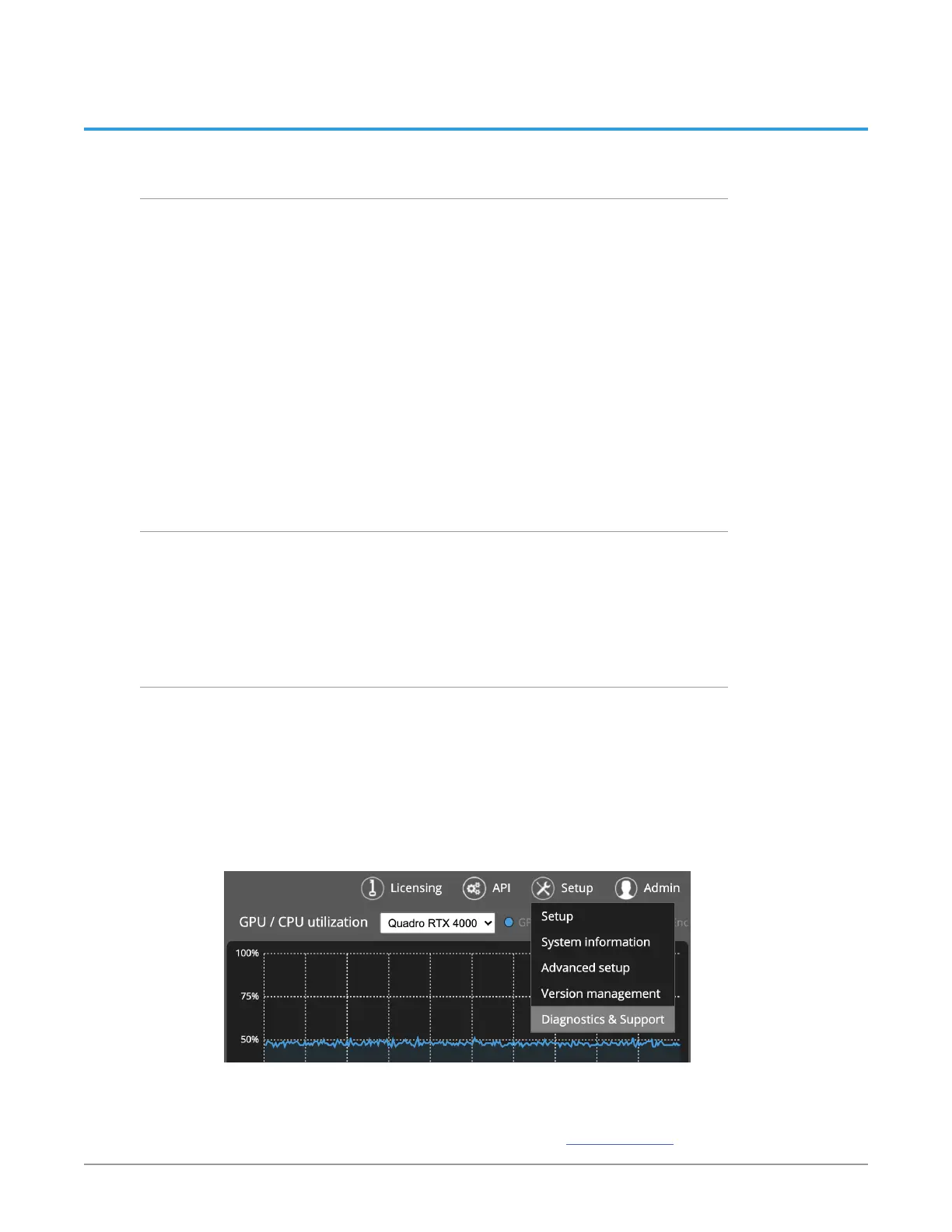
Alternatively, you can download them from the Diagnostics and Support page.
To access the page, select Diagnostics & Support from the Setup menu in the
upper right area of Dashboard.
Figure 174. Accessing Diagnostics and Support page from the Setup menu
From the Diagnostics and Support page, click Create and download diagnostic
report. The diagnostic report will download to your computer. The report
contains system information, pipeline configuration information, and system
logs. Please send the diagnostic report to AJA Support (support@aja.com).



 To Next Page