BRIDGE LIVE Video I/O and Streaming Appliance v1.12 49 www.aja.com
Remote Truck: Transmitting to Production Studio
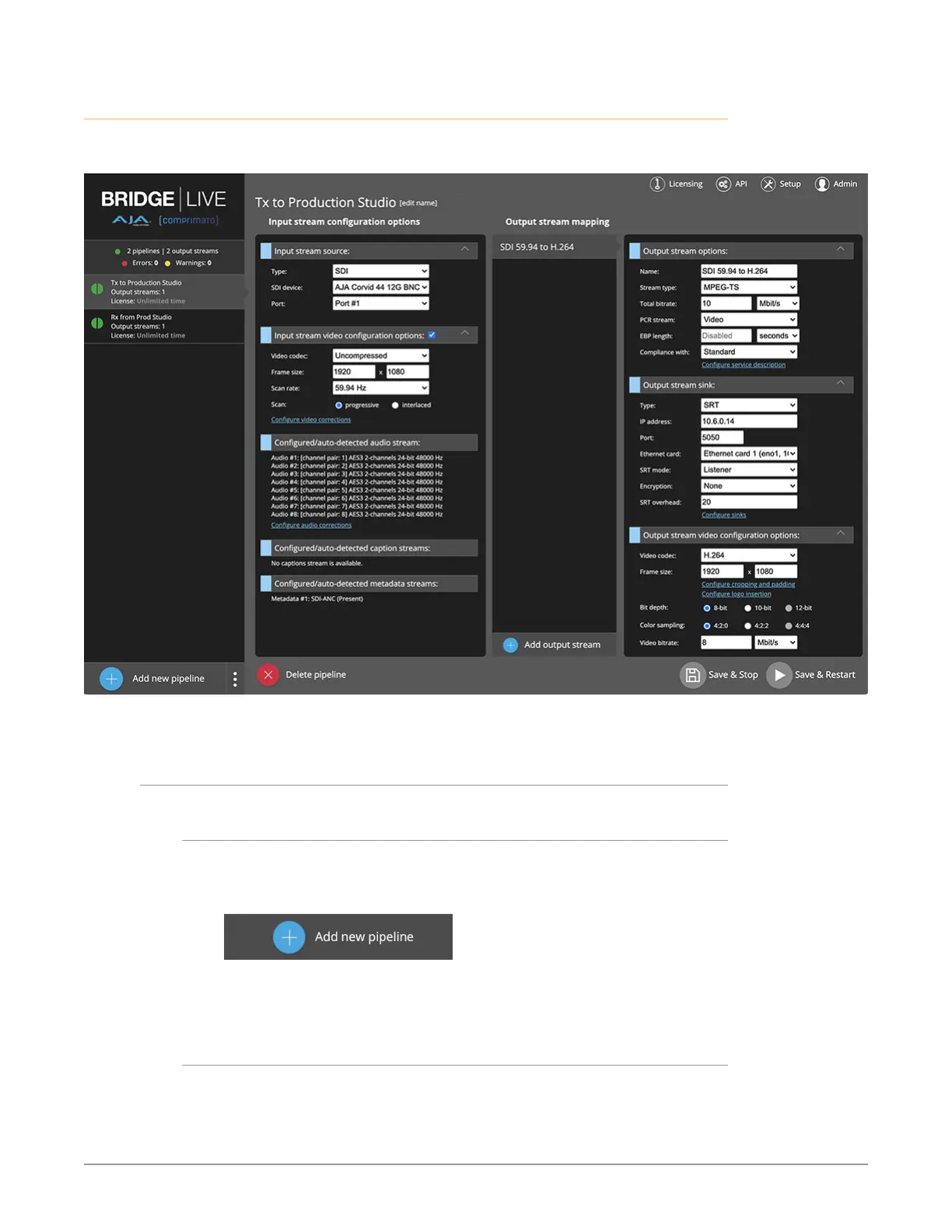
Figure 56. Pipeline View of Remote Truck Encoding Uncompressed SDI to H.264
for Transmission to Production Studio
Steps for Creating a Pipeline to Encode Uncompressed SDI
Camera Feed to Streams
Adding New Pipeline to the Remote Truck BRIDGE LIVE
From the Remote Truck BRIDGE LIVE Dashboard, click Add new pipeline in the
lower left corner.
Figure 57. Add new pipeline button
Dashboard displays a page that presents Input and Output stream configuration
options.
Naming the Pipeline
From the top of the Input stream configuration options column, click edit
name, found immediately to the right of the text "Name your Pipeline."



 To Next Page