BRIDGE LIVE Video I/O and Streaming Appliance v1.12 50 www.aja.com
Figure 58. The edit name button
The Edit pipeline name pop-up window displays.
Figure 59. The Edit pipeline pop-up window
Enter a name for your new pipeline in the Edit pipeline name field. For this
example, we are using "Tx to Production Studio" as the new pipeline name. Use a
simple name that your users will understand.
NOTE: There is a 24 character limit on the pipeline name. If you use more than 24
characters, an error message indicates you have exceeded the 24-character limit,
and you will not be able to save the name.
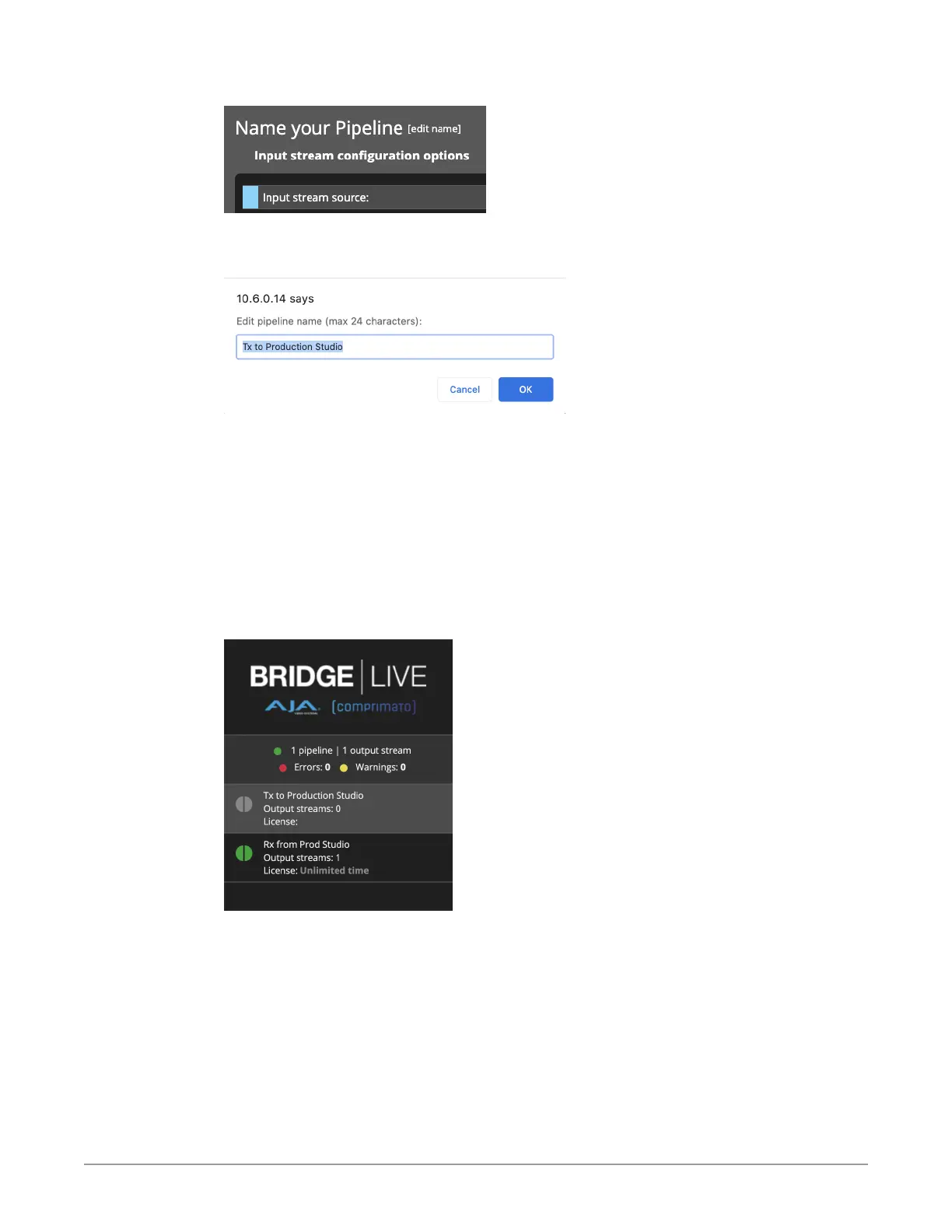
After clicking OK, the new pipeline will be shown in the left column of Dashboard.
Both half circles are gray indicating that the Pipeline is not active yet.
Figure 60. The left column of Dashboard showing the newly named pipeline
that you are setting up



 To Next Page