BRIDGE LIVE Video I/O and Streaming Appliance v1.12 51 www.aja.com
Selecting the Input Stream Source (SDI Channel)
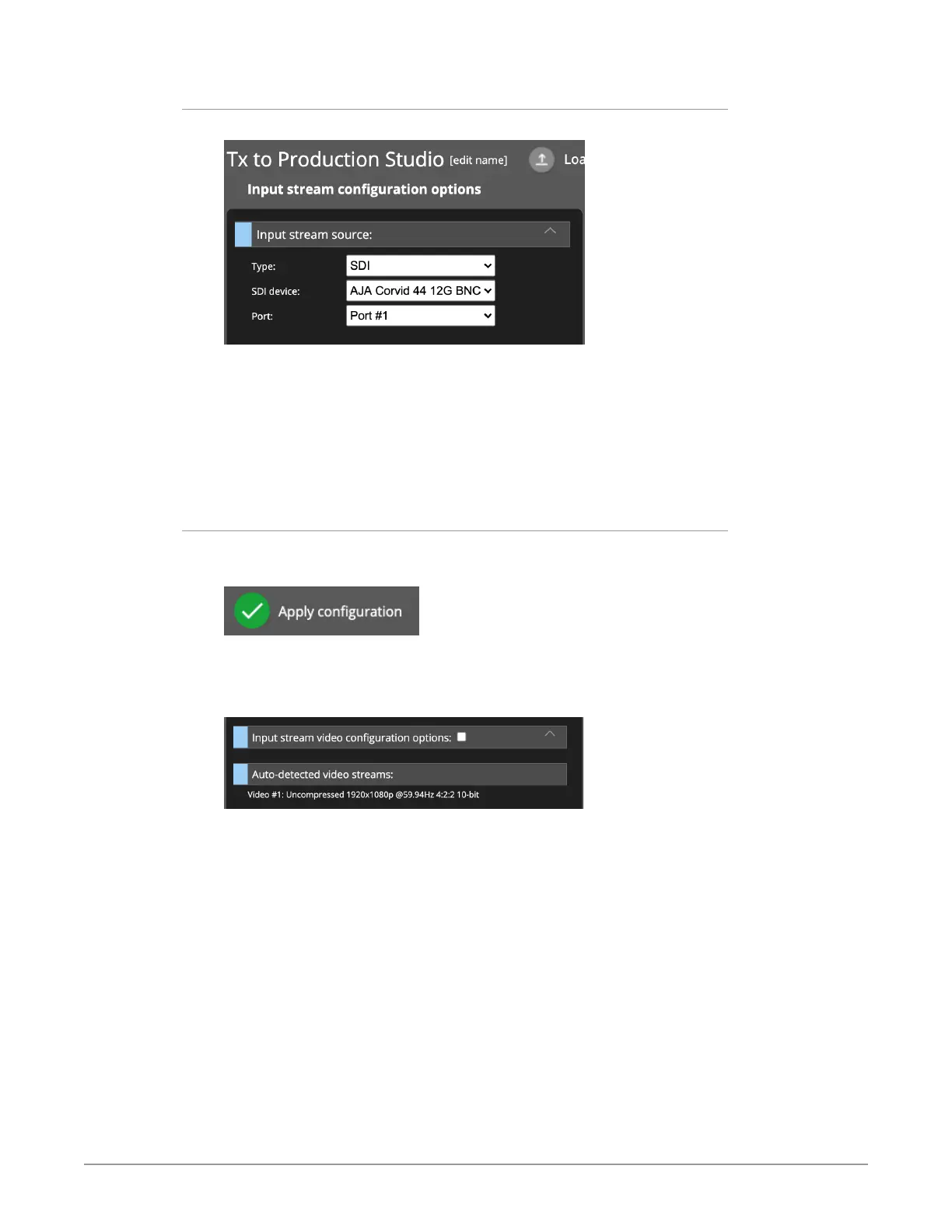
Figure 61. Input stream source selection
For the Input stream configuration options, make selections for Type, SDI device,
and Port. In this example, the HD camera feed for the Remote Truck is connected
to Port #1 of the BRIDGE LIVE device. So the following selections were made:
• Type: SDI
• SDI device: AJA Corvid 44 12G BNC
• Port: Port #1
Auto-Detecting Video Streams
In the lower-right area, click Apply configuration.
Figure 62. Apply configuration button
The Input stream configuration options column updates to show a new heading
called "Auto-detected video streams."
Figure 63. New heading displays called "Auto-detected video streams"
Beneath the heading, what is shown is "Video #1: Uncompressed 1920x1080p
@59.94Hz 4:2:2 10-bit.
Click the signal that is listed. The Input stream video configuration options
section expands and is auto-populated with the auto-detected video stream
properties.



 To Next Page