BRIDGE LIVE Video I/O and Streaming Appliance v1.12 35 www.aja.com
Adding an Output Stream for YouTube
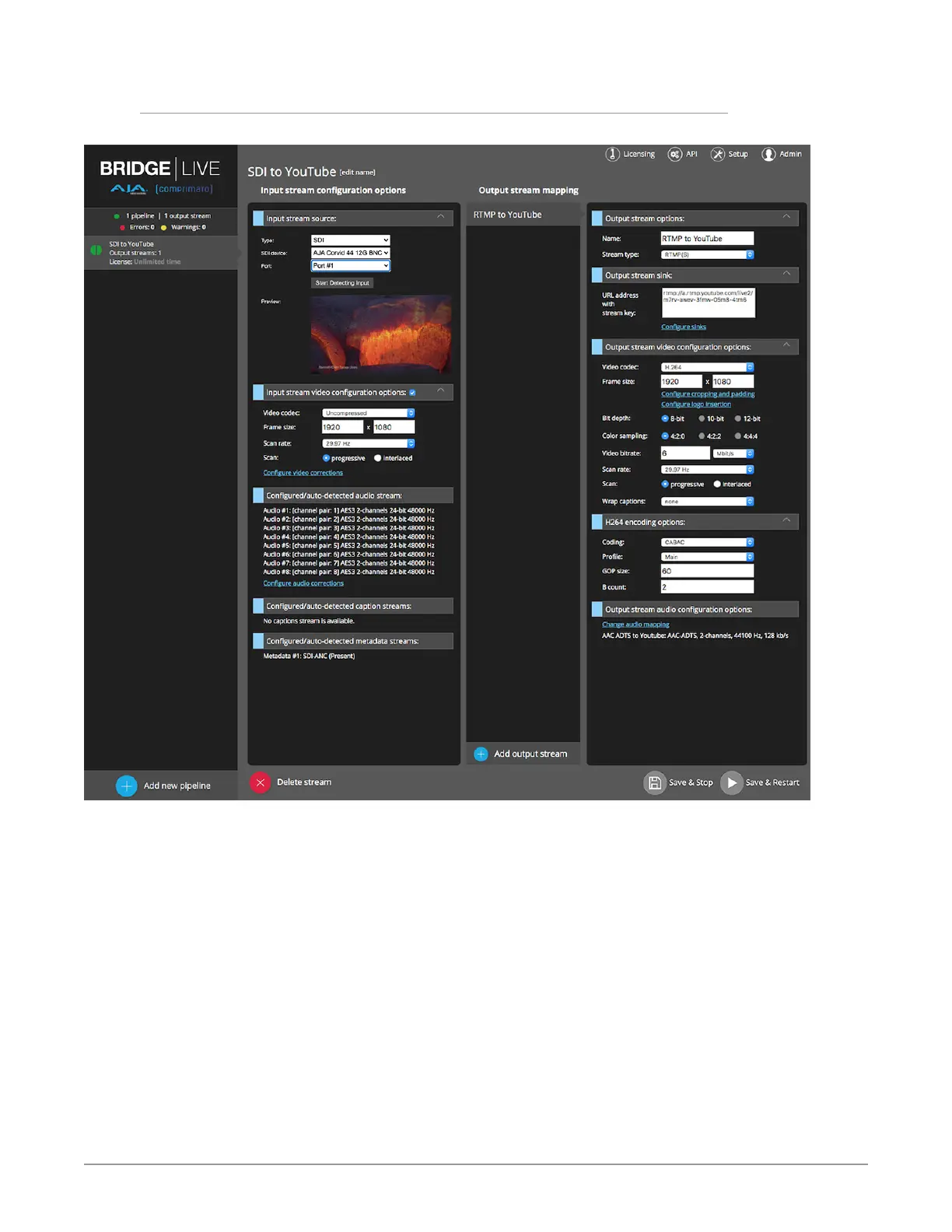
Figure 36. Configuring a new output stream for streaming to YouTube
1. Click Add output stream.
2. Under Output stream options, provide a name for your new output stream.
3. Set Stream type to RTMP(S).
4. Under Output stream video conguration options, set Video codec to
H.264.
5. Set Frame size to your desired YouTube resolution, for example, 1920x1080.
6. Set Bit depth to 8-bit.
7. Set Color sampling to 4:2:0.
8. Set Video bit rate to the YouTube recommended rate of 3 to 6 Mbit for
1080p23.98 to 1080p30.
9. Set Scan rate to match the video input scan rate (can be half for high frame
rate inputs if desired).
10. Set Scan to progressive (YouTube prefers progressive video).
11. Under H.264 encoding options, set Coding to CABAC.



 To Next Page