BRIDGE LIVE Video I/O and Streaming Appliance v1.12 98 www.aja.com
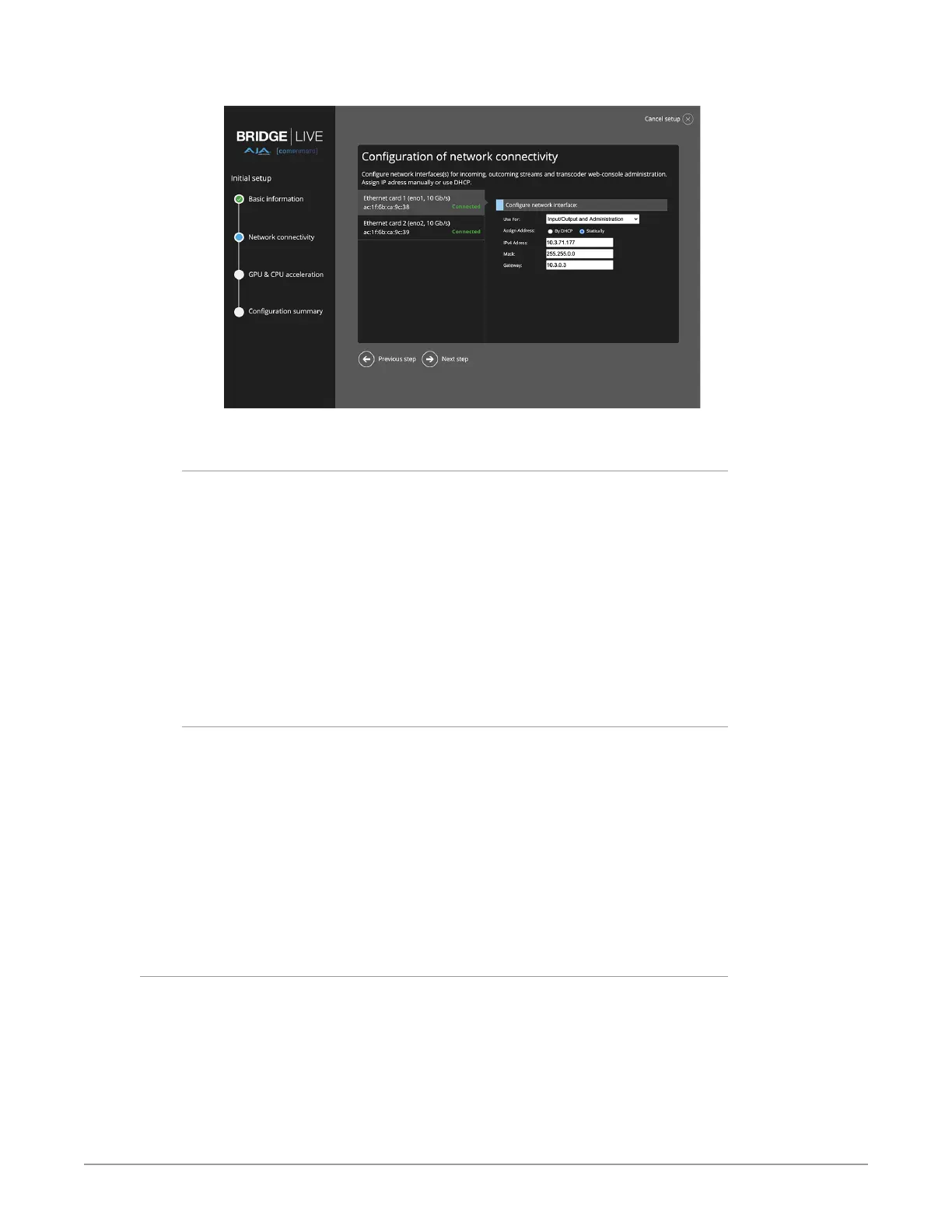
Figure 148. Configuring network connectivity
Use For
Select one of the following from the pull-down menu:
• Don't Use
• Administration
• Input/Output
• Input/Output and Administration
NOTE: Typically Administration is applied to only one port. If applied to more than one
port, you will see a warning message (but not an error).
NOTE: With a dual NIC setup, you cannot have both NICs connected to the same
network.
Assign Address
Select one of the following:
• DHCP
• Static
• IPv4 Address
• Mask
• Default gateway
• Mask
• Gateway
Click Next step.
Configuration of GPU and CPU Acceleration
This section is informational only. It reports detected GPUs and CPUs for
acceleration of video frame decoding and encoding.



 To Next Page