BRIDGE LIVE Video I/O and Streaming Appliance v1.12 30 www.aja.com
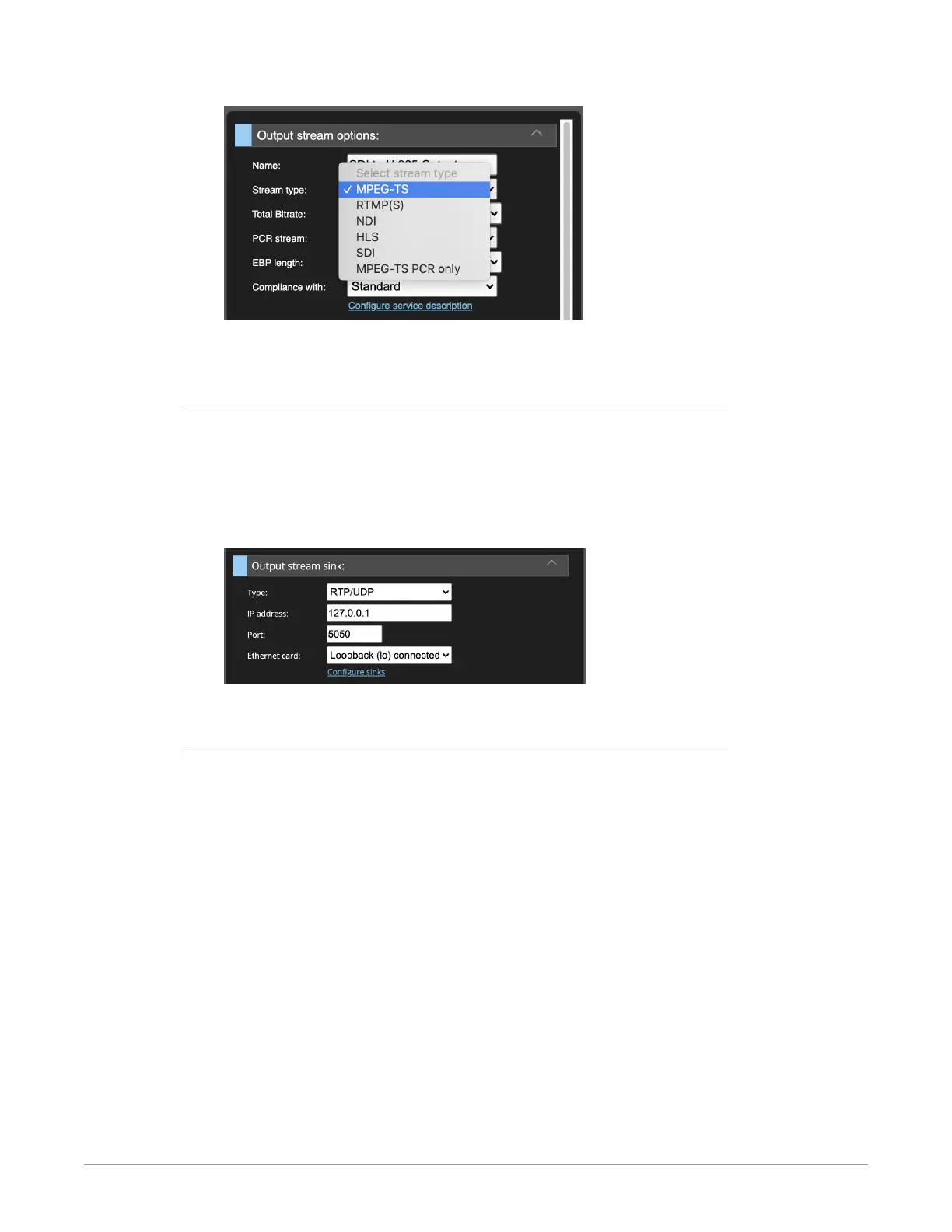
Figure 30. Selecting Stream Type MPEG-TS
In this example, we are using MPEG-TS.
Selecting the Output Stream Sink
Under the Output stream sink heading, select the Output stream sink type. In this
example, we are using RTP/UDP.
In this case, we are setting up a Loopback output stream for testing purposes. The
IP address is 127.0.0.1 (for localhost), and the Port is 5050.
The Ethernet card selection is Loopback (Io) connected.
Figure 31. Output stream sink configuration
Output Stream Video Configuration Options
Next, under the heading Output stream video configuration options, for Video
codec, select H.264.



 To Next Page