FS3 Frame Synchronizer/Converter v1.1r1 17 www.aja.com
you’re controlling when multiple units are operated from a single computer. The
ID LEDs on the front and rear panels perform the exact same function. No matter
which side of a rack you’re facing, you’ll be able to see one of the LEDs.
ALARM (red)
An alarm event has been detected. Press the STATUS button for information.
The Alarm LED may light because of a disconnected or failed power supply,
other hardware failure, video incompatibilities, or loss of reference. (Any of these
conditions may be suppressed using the Alarm Suppress parameters.)
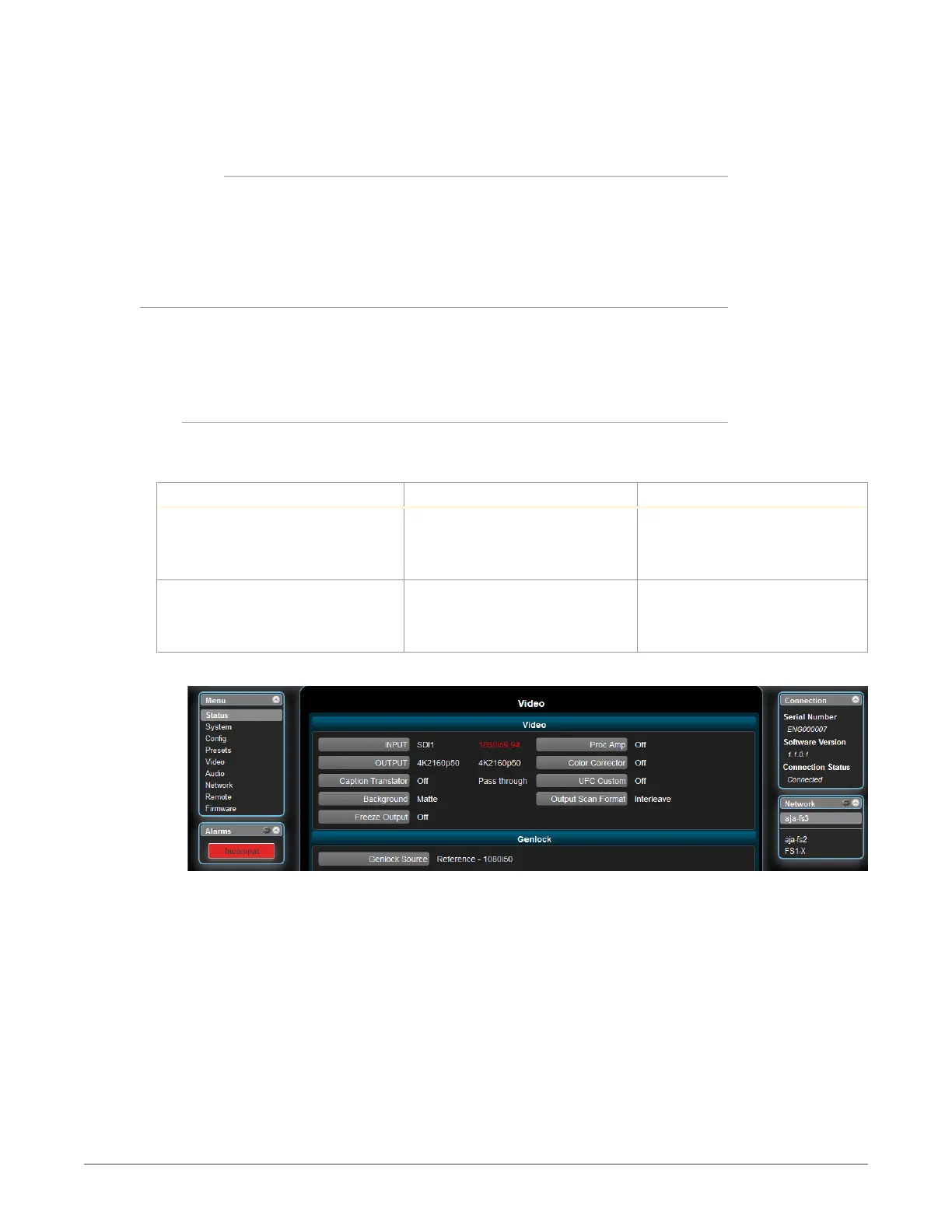
Incompatibility Alarms
The FS3 produces signal incompatibility alarms for a number of reasons. For
example, incompatible conversion alarms can occur because the FS3 cannot
convert between frame rate families (59.94/29.97/23.98, or 50/25, or 24).
Example Alarms
Video incompatibilities that the FS3 may detect include the following examples:
Table 2. Video Incompatibility Example
Video Incompatibility Detected Alarm Status screen will show Video Status screen will show
Genlock Source is set to “Reference”,
but no Reference signal is detected.
In this example the cable has been
disconnected.
IN SDI 1 OK
BKGD Matte OK
GEN Ref No Ref
OUT1 1080i59
IN SDI 1 1080i59
BKGD Matte
GEN Ref No Input
OUT1 UHDp59
Reference signal format is not
compatible with selected Output
Format. In this example the reference
signal is 50 Hz but output is 59.94 Hz.
IN SDI 1 OK
BKGD Matte OK
GEN Ref incompat
OUT 1080i59
IN SDI 1 1080i59
BKGD Matte
GEN Ref 1080i50
OUT1 UHDp59
Figure 4. Web Page Example of Un-Supported Signals Alarm



 To Next Page