EasyManua.ls Logo

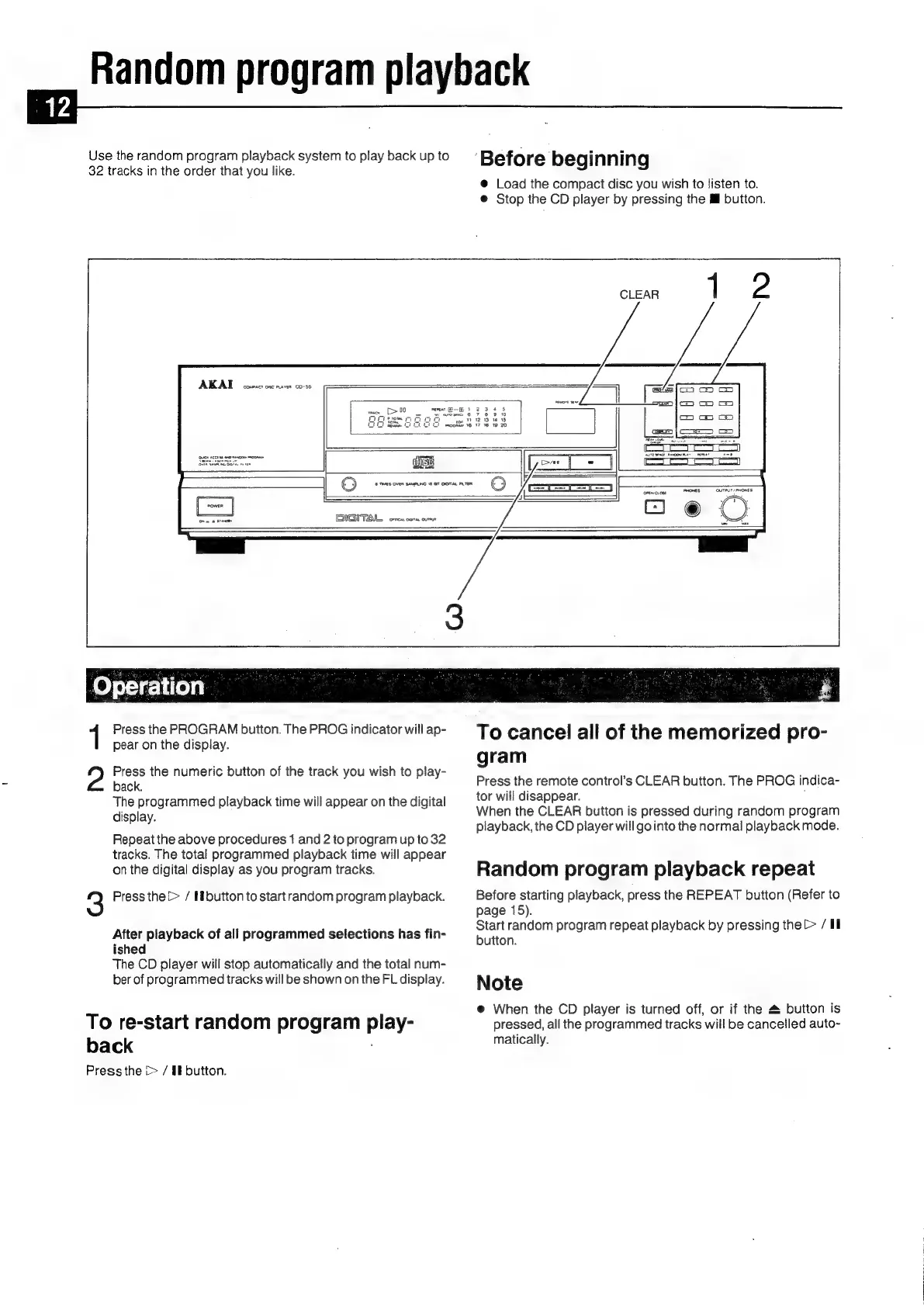
Akai CD-55 - Random Program Playback

Akai CD-55
24 pages
Print Icon
To Next Page IconTo Next Page
To Previous Page IconTo Previous Page
Loading...
Random
program
playback
Use
the
random
program
playback
system
to
play
back
up
to
:
j
i
32
tracks
in
the
order
that
you
like.
Before
beginning
@
Load
the
compact
disc
you
wish
to
listen
to.
@
Stop
the
CD
player
by
pressing
the
Mf
button.
AKAL
cosescs
osc
nana
00-38
DIGITAL
crea
com
oun
1
Press
the
PROGRAM
button.
The
PROG
indicator
will
ap-
To
cancel
all
of
the
memorized
pro-
pear
on
the
display.
gram
Press
the
remote
control’s
CLEAR
button.
The
PROG
indica-
tor
will
disappear.
:
When
the
CLEAR
button
is
pressed
during
random
program
playback,
the
CD
player
will
go
into
the
normal
playback
mode.
2
Press
the
numeric
button
of
the
track
you
wish
to
play-
back.
The
programmed
playback
time
will
appear
on
the
digital
display.
Repeat
the
above
procedures
1
and
2
to
program
up
to
32
tracks.
The
total
programmed
playback
time
will
appear
on
the
digital
display
as
you
program
tracks.
Random
program
playback
repeat
3
Press
the
>
/
Hbutton
to
startrandom
program
playback.
Before
starting
playback,
press
the
REPEAT
button
(Refer
to
page
15).
Start
random
program
repeat
playback
by
pressing
the
[>
/
Il
After
playback
of
all
programmed
selections
has
fin-
ished
The
CD
player
will
stop
automatically
and
the
total
num-
ber
of
programmed
tracks
will
be
shown
on
the
FL
display.
Note
button.
@
When
the
CD
player
is
turned
off,
or
if
the
4
button
is
To
re-start
random
program
play-
pressed,
all
the
programmed
tracks
will
be
cancelled
auto-
ba
ck
.
matically.
Press
the
(>
/
if
button.

Related product manuals