EasyManua.ls Logo

Akai CD-55 - Music Selection; Direct Search; Manual Search

Akai CD-55
24 pages
Print Icon
To Next Page IconTo Next Page
To Previous Page IconTo Previous Page
Loading...
Music
selection
Direct
search
playback
Starting
playback
from
a
specific
track
Press
the
numeric
button
(remote
control)
of
the
track
you
wish
to
play
back.
Example
To
start
playback
of
track
number
4
Press
the
numeric
button
4.
To
start
playback
of
track
number
12
Press
the
numeric
buttons
10
+
and
2.
Playback
of
a
track
number
above
20
Example
To
play
back
track
number
25
Press
the
10+
button
twice,
then
press
the
5
button.
To
play
back
track
number
30
Press
the
10
+
button
three
times,
then
press
the
0
(zero)
but-
ton.
Note
e@
|fanumeric
button
is
pressed-when
the
disc
drawer
is
open,
the
disc
drawer
will
automatically
close
and
playback
of
the
selected
track
will
begin.
@
|lfanumeric
button
higher
than
the
highest
track
number
on
your
compact
disc
is
pressed,
the
CD
player
will
start
play-
back
from
the
beginning
of
the
last
track
on
the
compact
disc.
Search
operations
during
playback
Skip
search
To
skip
back
to
the
beginning
of
the
track
currently
play-
ing
Press
the
kd
button
once.
If
you
wish
to
continue
skip
search
and
return
to
the
beginning
of
other
tracks
located
before
the
track
you
are
listening
to,
continue
pressing
the
@<
button.
To
skip
ahead
to
the
beginning
of
the
next
track
Press
the
I
button
once.
If
you
wish
to
continue
skip
search,
and
continue
on
to
the
be-
ginning
of
other
tracks
located
in
front
of
the
track
you
are
lis-
tening
to,
continue
pressing
the
Ph
button.
Manual
search
To
search
for
a
point
before
the
current
playback
point
Keep
the
<4
button
depressed
until
you
come
to
the
piace
you
wish
to
listen
to.
To
search
for
a
point
ahead
of
the
current
playback
point
Keep
the
®
button
depressed
until
you
come
to
the
place
you
wish
to
resume
playback.
During
manual
search,
the
playback
volume
will
be
reduced.
If
the[>
/
Ibuttonis
pressed
before
starting
the
manual
search
operation,
the
sound
will
be
cut
completely
and
the
search
speed
will
be
increased
by
approximately
2
times
the
normal
speed.
To
re-start
playback,
press
the
[>
/
il
button
once
again.
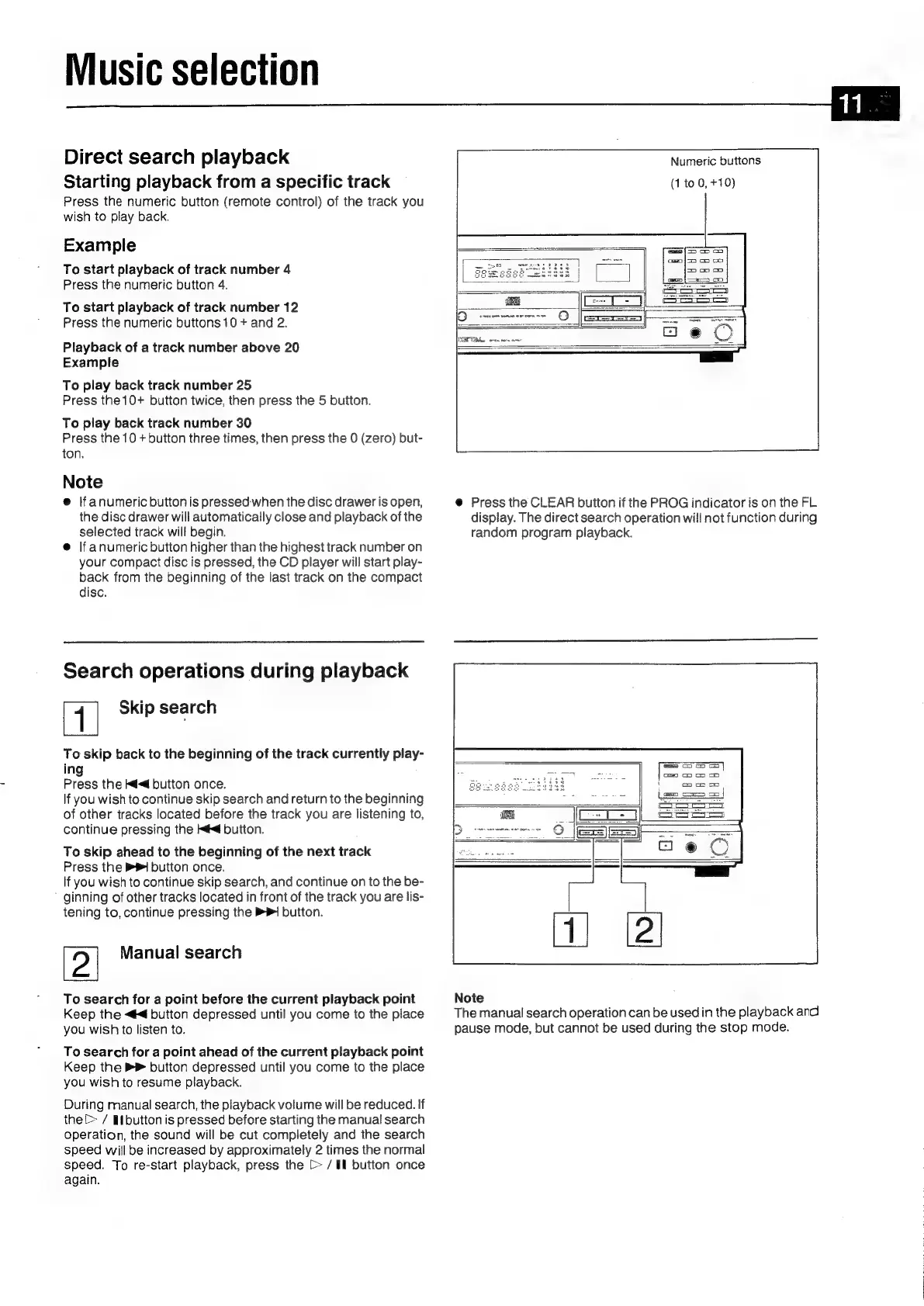
Numeric
buttons
(1
to
0,
+10)
‘s)
epermeeeretrs
ae
VTE
wren
nore
ame
@
Press
the
CLEAR
button
if
the
PROG
indicator
is
on
the
FL
display.
The
direct
search
operation
will
not
function
during
random
program
playback.
Note
The
manual
search
operation
can
be
used
in
the
playback
and
pause
mode,
but
cannot
be
used
during
the
stop
mode.

Related product manuals