EasyManua.ls Logo

Akai CD-55 - Page 10

Akai CD-55
24 pages
Print Icon
To Next Page IconTo Next Page
To Previous Page IconTo Previous Page
Loading...
Compact
disc
playback
Before
beginning
e@
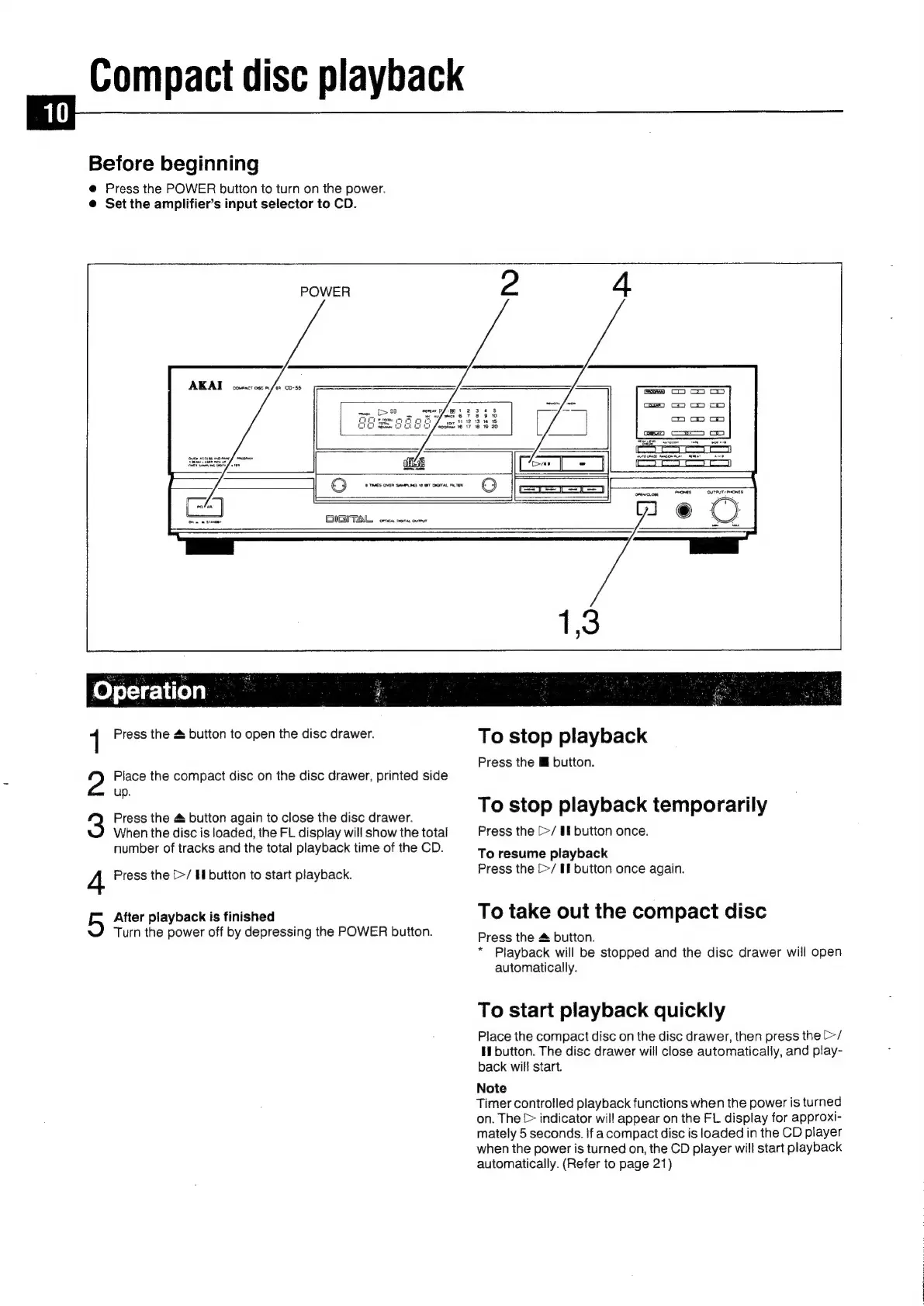
Press
the
POWER
button
to
turn
on
the
power.
@
Set
the
amplifier’s
input
selector
to
CD.
==
T=
cael
DUTPUT
DOnes.
orewovone
DIGITAL,
ores
sora
curt
FeO
foyetetireyy
1
Press
the
&
button
to
open
the
disc
drawer.
2?
Place
the
compact
disc
on
the
disc
drawer,
printed
side
up.
Press
the
&
button
again
to
close
the
disc
drawer.
When
the
disc
is
loaded,
the
FL
display
will
show
the
total
number
of
tracks
and
the
total
playback
time
of
the
CD.
After
playback
is
finished
4
Press
the
[>/
Hl
button
to
start
playback.
5
Turn
the
power
off
by
depressing
the
POWER
button.
To
stop
playback
Press
the
lf
button.
To
stop
playback
temporarily
Press
the
[>/
If
button
once.
To
resume
playback
Press
the
[>/
If
button
once
again.
To
take
out
the
compact
disc
Press
the
&
button.
*
Playback
will
be
stopped
and
the
disc
drawer
will
open
automatically.
To
start
playback
quickly
Place
the
compact
disc
on
the
disc
drawer,
then
press
the
[>/
H
button.
The
disc
drawer
will
close
automatically,
and
play-
back
will
start.
Note
Timer
controlled
playback
functions
when
the
power
is
turned
on.
The
>
indicator
will
appear
on
the
FL
display
for
approxi-
mately
5
seconds.
If
a
compact
disc
is
loaded
in
the
CD
player
when
the
power
is
turned
on,
the
CD
player
will
start
playback
automatically.
(Refer
to
page
21)

Related product manuals