EasyManua.ls Logo

Akai CD-55 - Random Playback; Auto Space Playback

Akai CD-55
24 pages
Print Icon
To Next Page IconTo Next Page
To Previous Page IconTo Previous Page
Loading...
Random
playback
Using
the
random
playback
mode,
the
CD
player
can
be
set
to
automatically
re-arrange
the
normal
playback
order
of
the
tracks
on
a
CD.
This
mode
is
similar
to
the
random
program
playback
mode
except
that
programming
is
not
necessary.
The
CD
player
randomly
rearranges
the
track
order
as
play-
back
proceeds.
To
start
random
playback
Press
the
RANDOM
PLAY
button.
The
“rnd”
indicator
will
appear
on
the
digital
display.
When
playback
has
started,
the
track
number
of
the
track
being
played
back
will
disappear
from
the
music
calendar.
After
all
tracks
have
been
played
back
The
CD
player
will
stop.
To
stop
random
playback
Press
the
MM
button.
To
skip
to
the
next
track
after
random
playback
has
already
started
Press
the
I
button.
@
The
Ke
button
cannot
be
used
during
random
playback
operation.
Note
@
Random
playback
cannot
be
performed
while
the
CD
player
is
in
the
random
program
playback
or
auto
edit
pro-
gram
playback
modes.
Press
the
CLEAR
button
if
the
PRO-
GRAM
and
EDIT
indicators
are
on
the
FL
display.
AUTO
SPACE
The
auto
space
function
allows
you
to
set
all
the
blank
intervals
between
tracks
to
a
specific
amount
of
time
(approximately
4
seconds),
for
uniform
recording
of
a
random
program
or
auto
edit
program.
Press
the
AUTO
SPACE
button
before
playback
of
a
ran-
dom
program
or
auto
edit
program
for
recording
The
AUTO
SPACE
indicator
will
appear
on
the
FL
display.
To
cancel
the
AUTO
SPACE
function
Press
the
AUTO
SPACE
button
once
again.
The
AUTO
SPACE
indicator
will
disappear
from
the
FL
display.
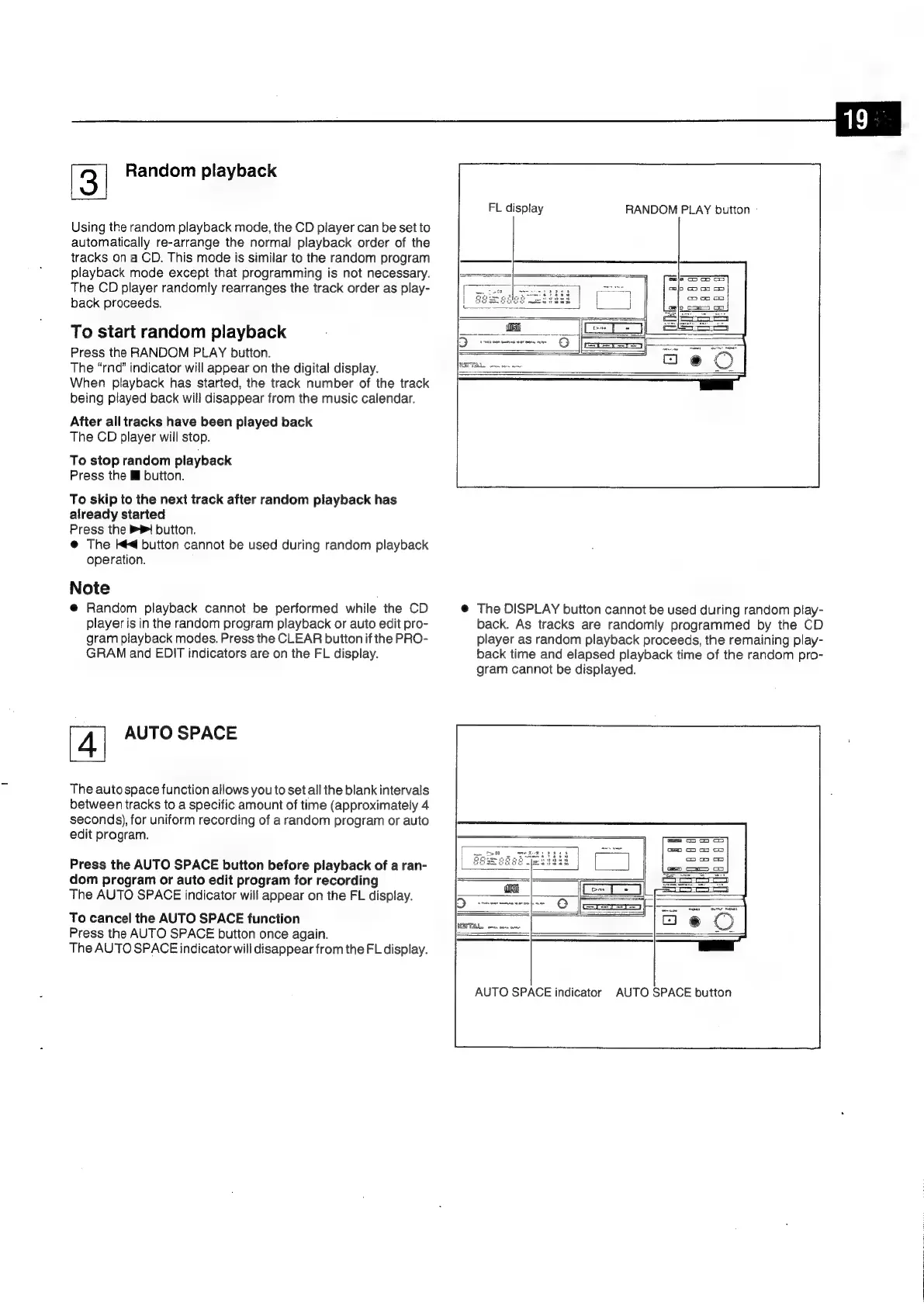
RANDOM
PLAY
button
-
FL
display
@
The
DISPLAY
button
cannot
be
used
during
random
play-
back.
As
tracks
are
randomly
programmed
by
the
CD
player
as
random
playback
proceeds,
the
remaining
play-
back
time
and
elapsed
playback
time
of
the
random
pro-
gram
cannot
be
displayed.
AUTO
SPACE
indicator
AUTO
SPACE
button

Related product manuals