EasyManua.ls Logo

Akai CD-55 - Sample Programming for Random Program Playback

Akai CD-55
24 pages
Print Icon
To Next Page IconTo Next Page
To Previous Page IconTo Previous Page
Loading...
$$
______
1
Sample
programming
for
random
program
playback
Example
random
program
of
6
selections
from
a
compact
disc
containing
15
tracks.
Programming
is
for
playback
of
the
fol-
lowing
tracks
in
the
order
shown:
e459
11
SS
S44
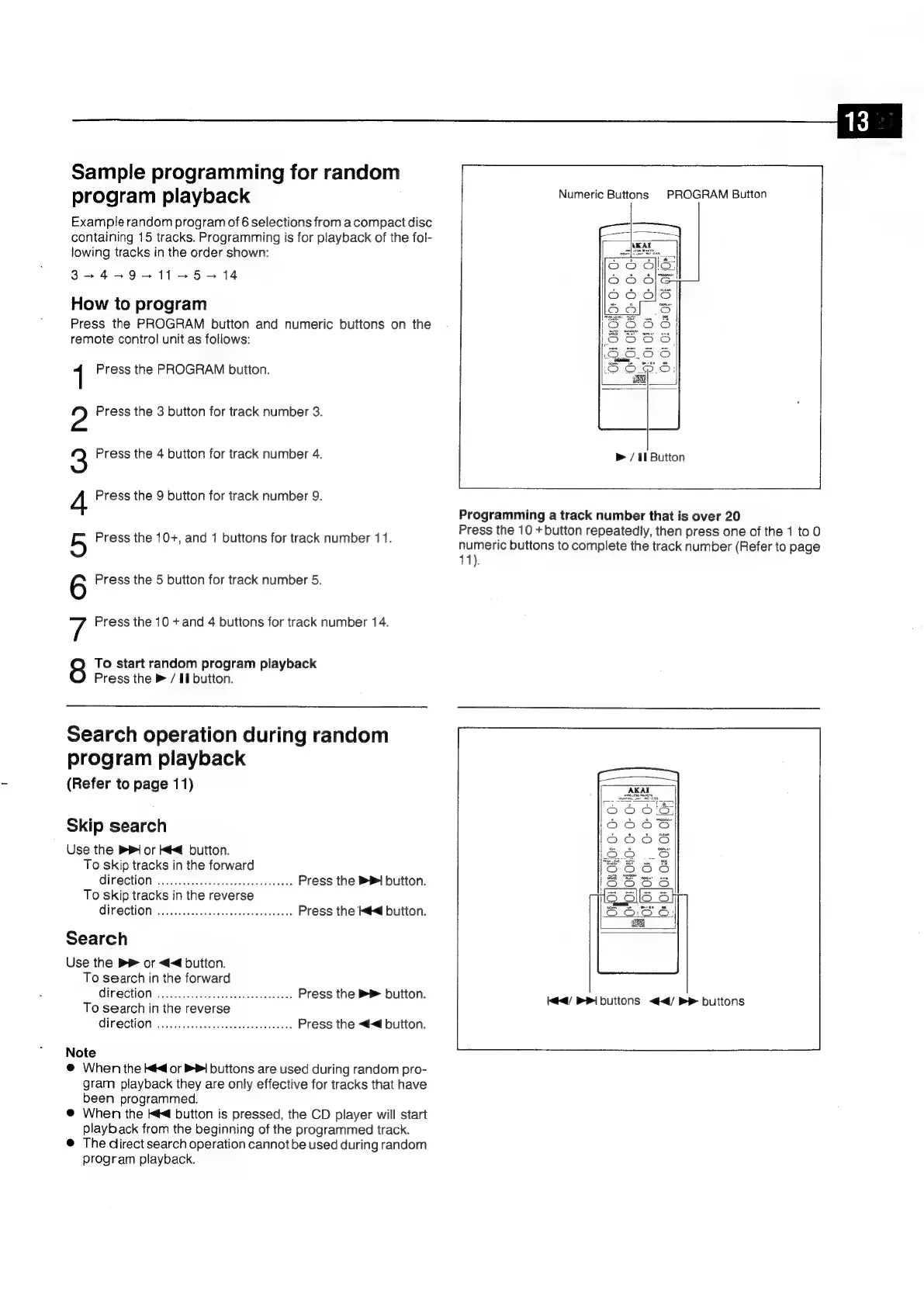
Numeric
Buttons
PROGRAM
Button
2
g
How
to
program
Press
the
PROGRAM
button
and
numeric
buttons
on
the
remote
control
unit
as
follows:
08.0:
O08
OF
1
Press
the
PROGRAM
button.
Press
the
3
button
for
track
number
3.
Press
the
4
button
for
track
number
4.
>
/
1b
Button
Press
the
9
button
for
track
number
9.
Programming
a
track
number
that
is
over
20
Press
the
10
+button
repeatedly,
then
press
one
of
the
1
to
0
numeric
buttons
to
complete
the
track
number
(Refer
to
page
Press
the
10+,
and
1
buttons
for
track
number
11.
41).
Press
the
5
button
for
track
number
5.
Press
the
10
+
and
4
buttons
for
track
number
14.
To
start
random
program
playback
Press
the
>
/
If
button.
CONDO
BW
PO
Search
operation
during
random
program
playback
(Refer
to
page
11)
Skip
search
Use
the
PI
or
Kf
button.
To
skip
tracks
in
the
forward
GIPECHOMN:
ccc
tcascomndvardesenerobianeass
Press
the
1
button.
To
skip
tracks
in
the
reverse
Col
¢-\e1
|
[0]
9
Press
the
kd
button.
Search
Use
the
®
or
<<
button.
To
search
in
the
forward
direction
she
vatuateeeteueteteavaaatehay
ss
Press
the
®
button.
ié4/
PI
butions
<4/
Be
buttons
To
search
in
the
reverse
OIF
SCHON:
vivssecesescued
sdettestooes
sac.
Press
the
<<d
button.
Note
@
When
the
¢<d
or
PI
buttons
are
used
during
random
pro-
gram
playback
they
are
only
effective
for
tracks
that
have
been
programmed.
@
When
the
i
button
is
pressed,
the
CD
player
will
start
playback
from
the
beginning
of
the
programmed
track.
®
The
direct
search
operation
cannot
be
used
during
random
program
playback.

Related product manuals