EasyManua.ls Logo

Akai CD-55 - Page 17

Akai CD-55
24 pages
Print Icon
To Next Page IconTo Next Page
To Previous Page IconTo Previous Page
Loading...
a
To
change
the
tape
length
setting
for
auto
edit
programming
Press
the
CLEAR
button
to
cancel
the
automatic
edit
pro-
gram.
Repeatedly
depress
the
TAPE
button
until
the
desired
tape
recording
time
appears
on
the
digital
display.
3
Press
the
AUTO
EDIT
button.
To
confirm
the
program
after
the
AUTO
EDIT
button
has
been
pressed
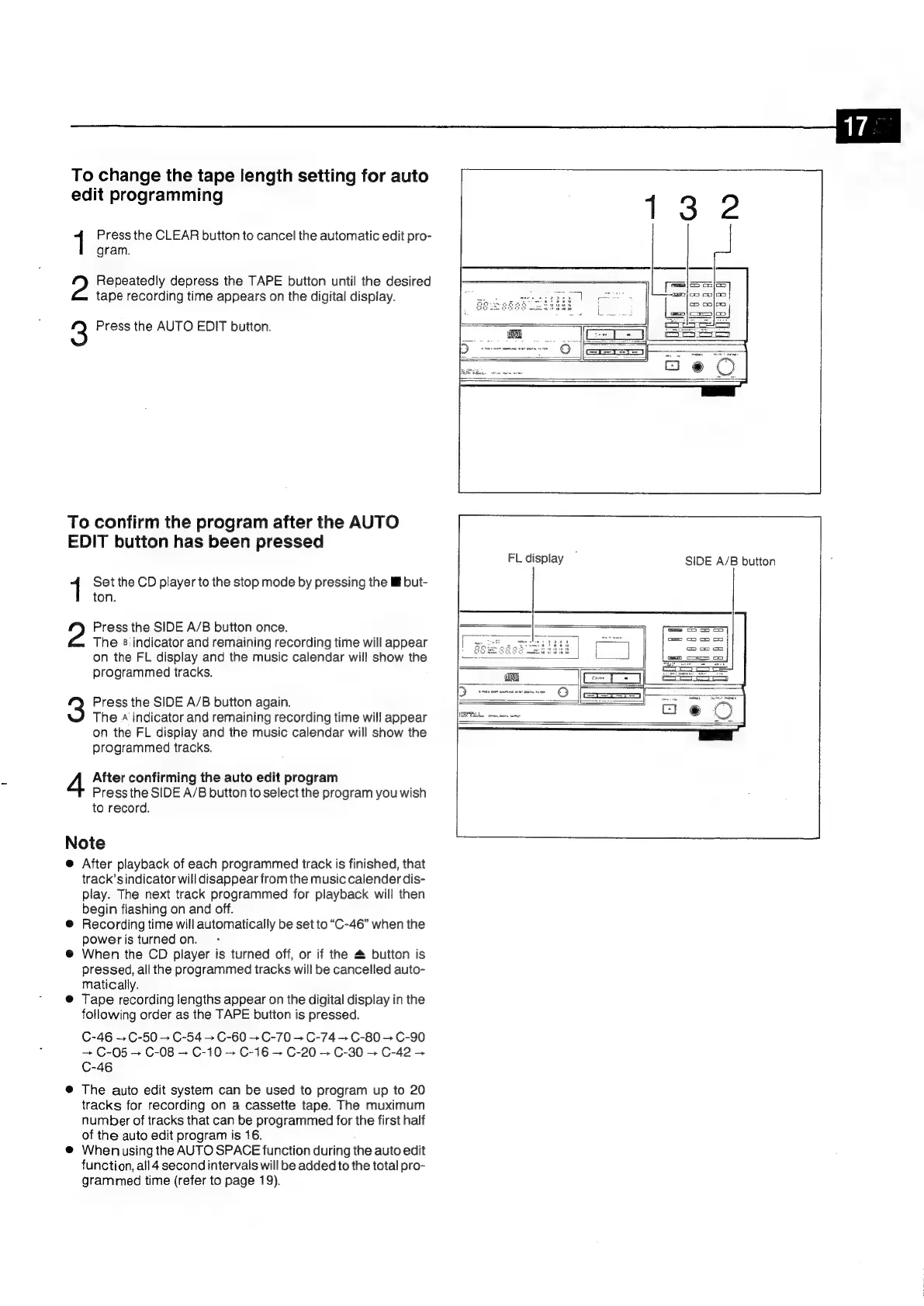
FL
display
SIDE
A/B
button
1
Set
the
CD
player
to
the
stop
mode
by
pressing
the
ll
but-
ton.
2?
Press
the
SIDE
A/B
button
once.
The
8:
indicator
and
remaining
recording
time
will
appear
on
the
FL
display
and
the
music
calendar
will
show
the
programmed
tracks.
3
Press
the
SIDE
A/B
button
again.
The.
indicator
and
remaining
recording
time
will
appear
on
the
FL
display
and
the
music
calendar
will
show
the
programmed
tracks.
4
After
confirming
the
auto
edit
program
Press
the
SIDE
A/B
button
to
select
the
program
you
wish
to
record.
Note
@
After
playback
of
each
programmed
track
is
finished,
that
track’sindicator
will
disappear
from
the
music
calender
dis-
play.
The
next
track
programmed
for
playback
will
then
begin
flashing
on
and
off.
®@
Recording
time
will
automatically
be
set
to
“C-46”
when
the
power
is
turned
on.
@
When
the
CD
player
is
turned
off,
or
if
the
&
button
is
pressed,
all
the
programmed
tracks
will
be
cancelled
auto-
matically.
@
Tape
recording
lengths
appear
on
the
digital
display
in
the
fotlowing
order
as
the
TAPE
button
is
pressed.
C-46
=C-50
>
C-54
>
C-60
+
C-70
C-74
C-80
+
C-90
—~
C-05
+
C-08
+
C-10
>
C-16
C-20
C-30
C-42
C-46
@
The
auto
edit
system
can
be
used
to
program
up
to
20
tracks
for
recording
on
a
cassette
tape.
The
muximum
number
of
tracks
that
can
be
programmed
for
the
first
half
of
the
auto
edit
program
is
16.
.
@
Wheniusing
the
AUTO
SPACE
function
during
the
auto
edit
function,
all
4
second
intervals
will
be
added
to
the
total
pro-
grammed
time
(refer
to
page
19).

Related product manuals