Operator station (OS) Basic features
20 /45 8AL90627ENAA ed02
2 Operator station (OS) Basic features
2.1 Putting the Attendant set in Service
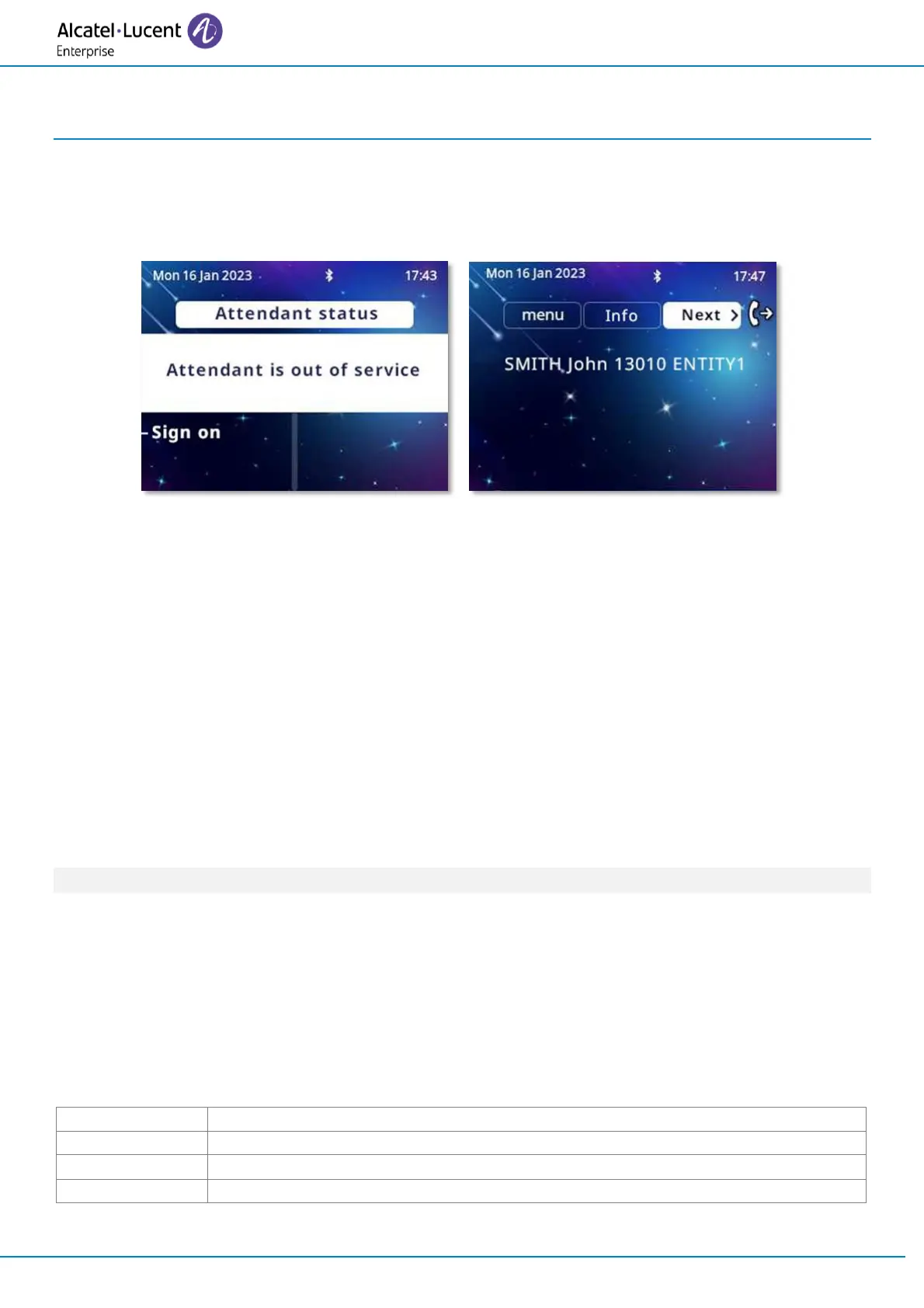
When the attendant set is powered up, at the end of an initialization period, the screen displays the
Attendant status page. This indicates that the attendant is out of service.
• Sign on
• The Attendant set is in service. The following page is displayed: next.
2.2 Making a call
2.2.1 Direct dialing
The attendant dials the user's number directly on the dialing keypad.
To reach an external number, the attendant first dials the external prefix before the external
number.
2.2.2 Calling using your personal directory
The personal directory is used to select an internal (or external) user via a softkey - without having
to dial the full destination number.
The number called may be an internal, external, or speed dialing number.
Call by personal directory can be performed with the attendant set in idle state or when the
attendant set is already in conversation.
The Perso page or the add-on keypad modules if they exist, display the personal directory entries
already created.
When calling the user, a telephone area corresponding to the user you want to call is displayed on
the screen. This area gives the status of the user.
If the user is free for example, the following softkeys are available:


 To Next Page