Chapter 3 Management from the attendant set
3-6 3BA 19875 ENAA - Ed. 02 - April 2000 - Alcatel 4035 - Attendant set
3-1-3-2 Programming the attendant set
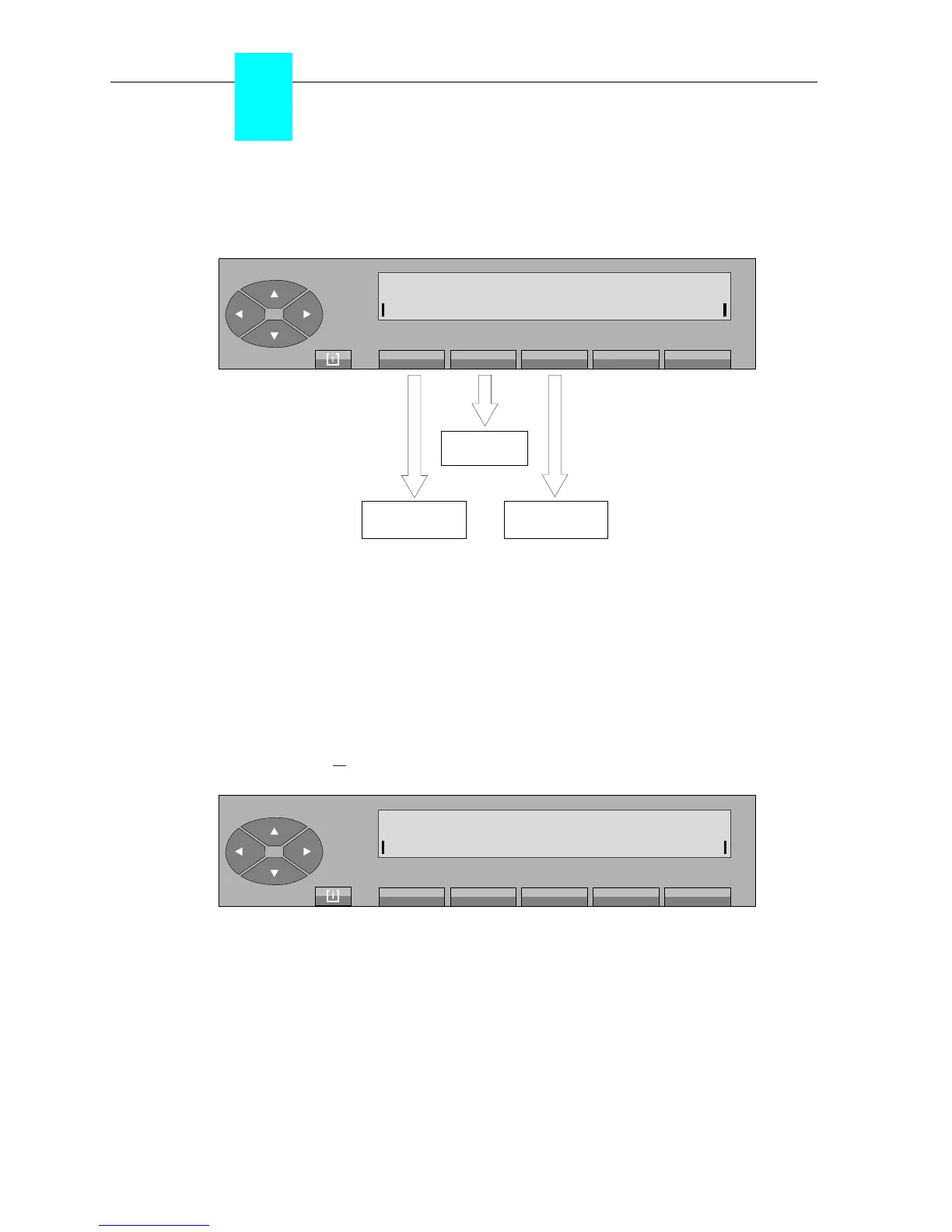
Pressing the «Prog» key provides access to the following sub-menus:
Melody to set the call ringing melody and its volume level on the attendant set.
Keys to program the keys and individual repertory.
Cntrst to adjust the display contrast.
▼ Ringing - Melody - Volume level
The call ringing melody on the attendant set can be selected from 16 available melodies. Each
melody has 7 different volume levels.
On pressing the « » fixed key, followed by «Prog» and «Melody» keys, the screen displays:
On pressing the «Level +» or «Level -» keys, the melody programmed in the attendant set will
be played through the loudspeaker continuously.
Prev activates the call ringing melody of row -1.
Level + and Level - used to modify the volume level.
Next activates the call ringing melody of row +1.
Back returns to the initial screen and automatically stores the melody played
via the loudspeaker.
call ringing melody
programming
display
contrast
individual
repertory
Extn programming mode
Melody Keys Cntrst
[ i ]
Melody programming
Prev Level+ Level- Next Back



 To Next Page