Management from the attendant set
3BA 19875 ENAA - Ed. 02 - April 2000 - Alcatel 4035 - Attendant set 3-7
▼ Programming the individual repertory
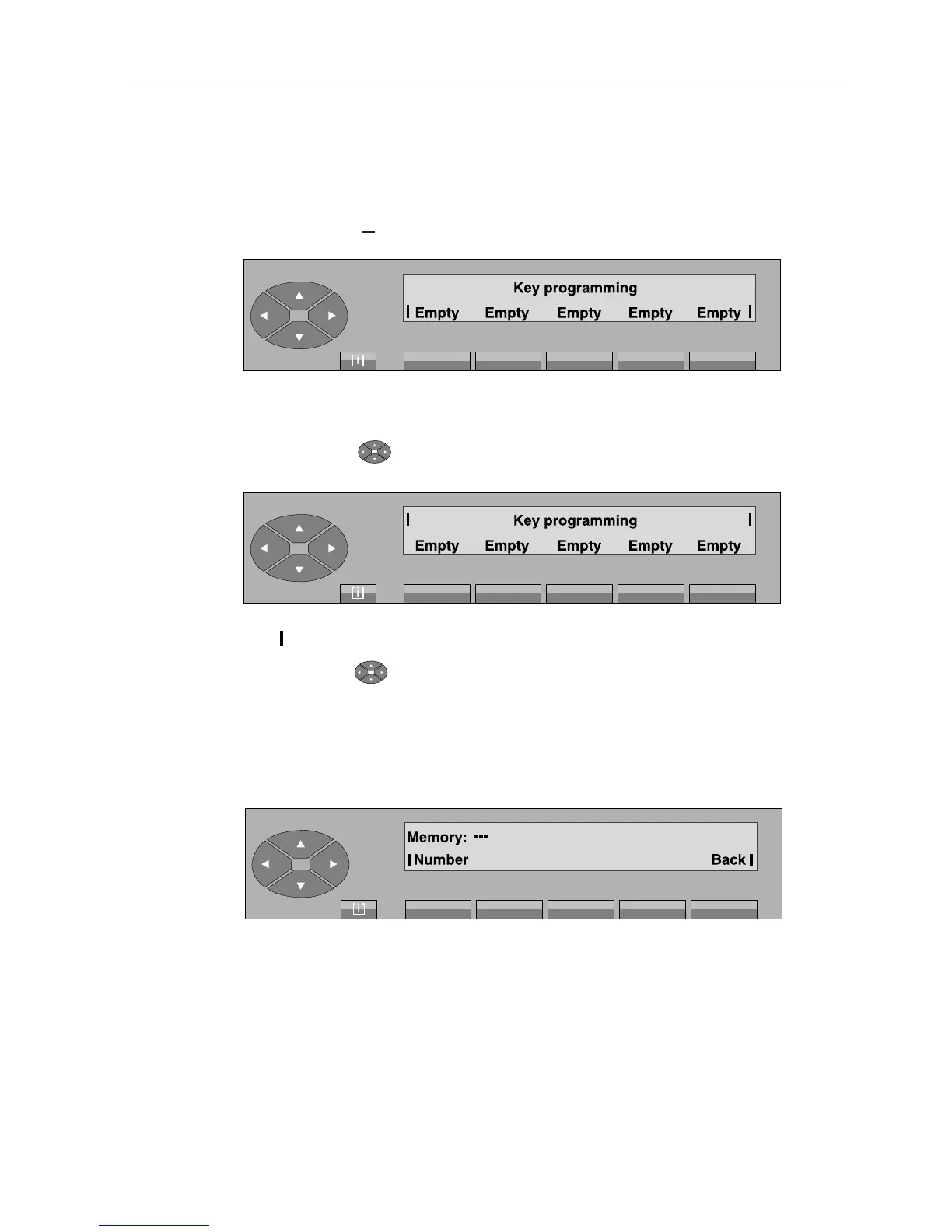
On pressing the « » fixed key, followed by «Prog» and «Keys» keys, the screen displays:
Initial menu
On pressing the « » key, the second screen is displayed:
The « » identifiers flash to indicate that it involves additional screens.
By pressing the « » key, you can view 5 successive screens before returning to the initial
screen.
• Programming a repertory key
After pressing the «empty» key that the attendant wants to program, the screen displays:
Number to enter the number required (repertory, prefix, external, abbreviated).
Back return to the initial screen.
--- «empty» in the case of a key that is not programmed, or name of the key.
[ i ]



 To Next Page