Chapter 3 Management from the attendant set
3-8 3BA 19875 ENAA - Ed. 02 - April 2000 - Alcatel 4035 - Attendant set
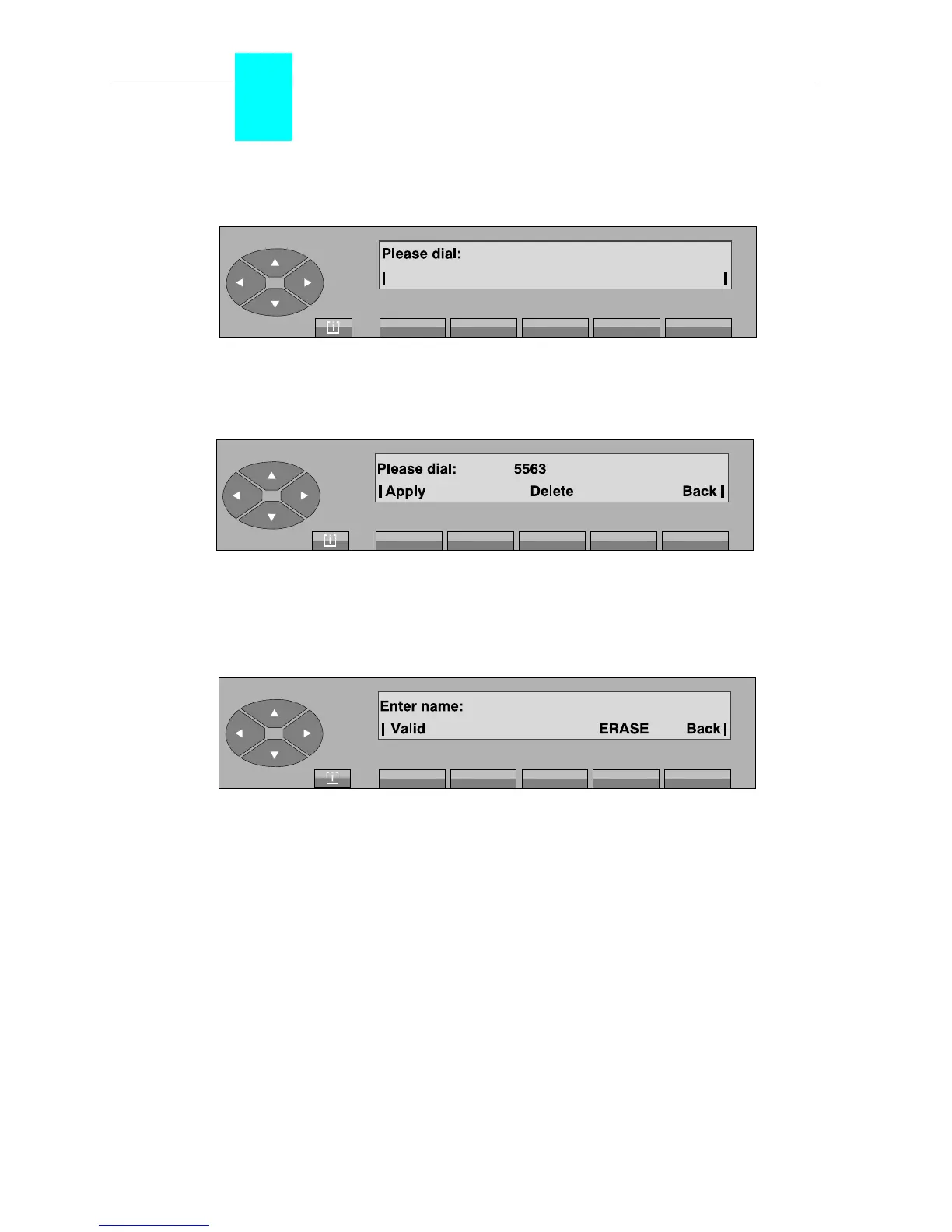
On pressing the «Number» key, the following is displayed:
The attendant can enter the number which will be assigned to this key.
Example:
Delete erases the number programmed.
Back used to return to the initial screen.
Apply confirms the number dialled and the screen displays:
The attendant enters, via the alphabetical keyboard, the name associated with the number and
confirms this by pressing the «Valid» key. If the name does not change, the same name is given
again.
ERASE erases the name programmed.
Back used to return to the initial screen.



 To Next Page