Management from the attendant set
3BA 19875 ENAA - Ed. 02 - April 2000 - Alcatel 4035 - Attendant set 3-27
Pressing the « » key provides access to the «Next» and «Back» functions.
Featur modification of the operating category.
Baring modification of the public network access category.
Charge authorisation or inhibition of charging ticket output.
Conect modification of the connection category.
CstCtr modification of the cost centre.
Next to move to the next set.
Back to return to the initial menu.
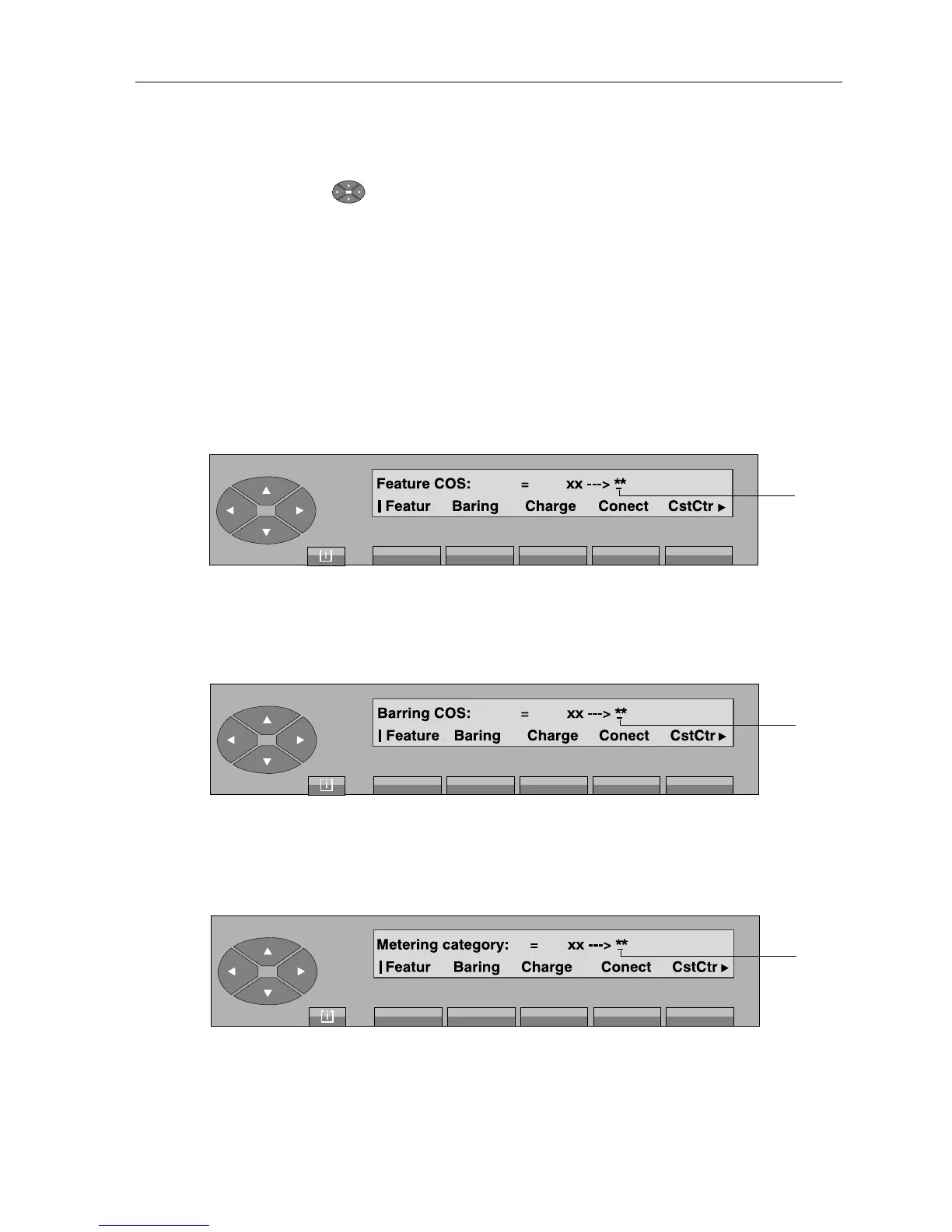
On pressing the «Featur» key, the following is displayed:
The attendant enters the new value (00 to 31). As soon as the second digit is received, the screen
displays «Programming accepted». To exit, press the «Back» key.
On pressing the «Baring» key, the following is displayed:
The attendant enters the new value (00 to 31). As soon as the second digit is received, the screen
displays «Programming accepted». To exit, press the «Back» key.
On pressing the «Charge» key, the following is displayed:
The attendant enters the new value (00 or 01). As soon as the second digit is received, the screen
displays «Programming accepted». To exit, press the «Back» key.
Cursor
position
Cursor
position
Cursor
position



 To Next Page