Chapter 3 Management from the attendant set
3-28 3BA 19875 ENAA - Ed. 02 - April 2000 - Alcatel 4035 - Attendant set
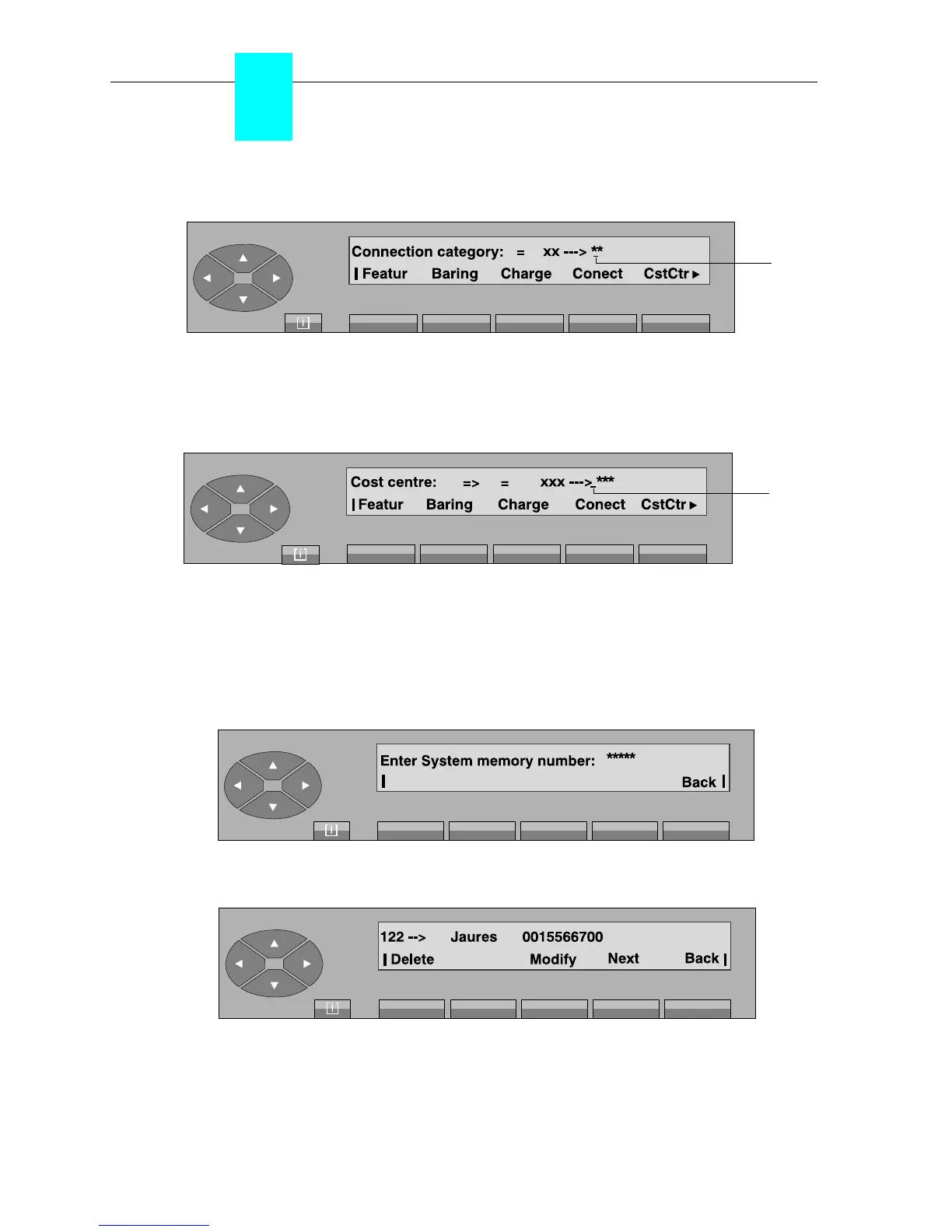
On pressing the «Conect» key, the following is displayed:
The attendant enters the new value (00 to 31). As soon as the second digit is received, the screen
displays «Programming accepted». To exit, press the «Back» key.
On pressing the «CstCtr» key, the following is displayed:
The attendant enters the new value. As soon as the last digit is received, the screen displays
«Programming accepted». To exit, press the «Back» key.
3-2-2-5 External abbreviated dialling
Press the «SysMem» key to modify the abbreviated numbers. The following screen is displayed:
After entering the row of the number, (0000 to 14999), the following, for example, is displayed:
Delete used to delete the content of the number and return to the initial menu.
Modify used to modify the content of the number (external number and/or name).
Next used to complete the row of the next required abbreviated number.
Cursor
position
Cursor
position



 To Next Page