C 10
1 / 2
Alcatel Vacuum Technology France --- IPUP A100 Instruction manual
Operating mode
DIFFERENT CONTROL MODES
According to the monitoring configuration and wiring, the pump can
be:
l controlled remotely using the Amat SPI connector,
l controlled remotely by serial link (RS 232 / RS 485),
l controlled locally with a hand held display module by pressing the
control key (the star appears).
The pump can be equipped with a hand held display module,
connected in front of the frame.
This hand held display module allows the user to:
l set / modify pump parameters,
l review operation parameters,
l start/stop the pump (POWER START and CONTROL REMOTE
DISABLED)
l start/stop the N
2
purge if parameters are configured.
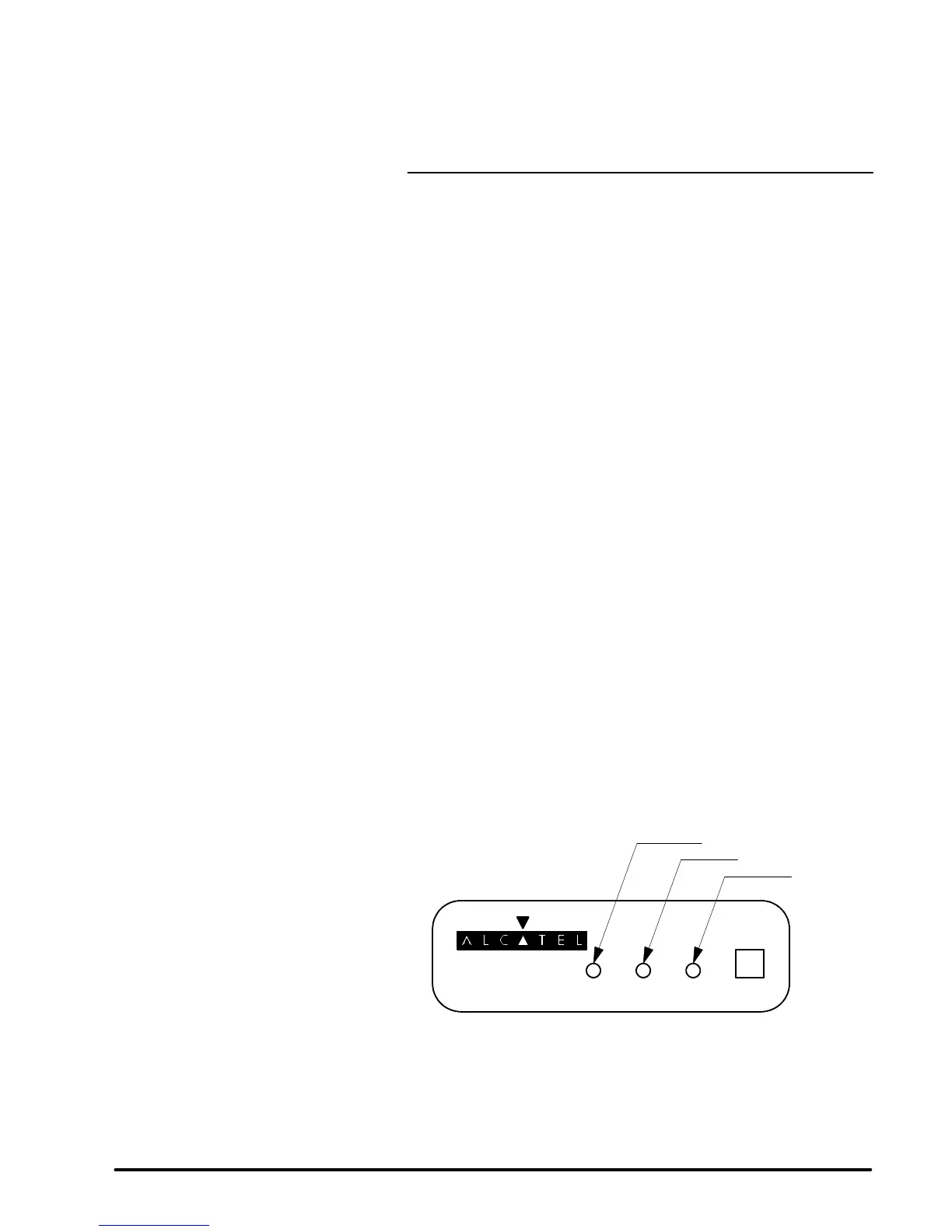
The indicator lights located on the cover indicates the status of the
pump.
ON WARNING HAZARD KEYBOARD
redLED
yellow LED
green LED
l Green on = pump is running and no problems,
l Yellow on and green on = warning,
l Red on = hazard.
Pump will automatically shutdown and will not restart until corrected.


 To Next Page