Chapter 5: Editing Mixes
40 QS6 Reference Manual
(Level, Pitch, Effect, etc.) If a Function Group has more than one parameter, use the
[
▲
PAGE] and [PAGE
▲
] buttons to locate a specific parameter. The Mix Edit
functions and Channels are written in blue above or below each numbered button, on
the line labeled MIX.
Each channel of a Mix may be enabled or disabled, without changing any of its
parameter settings. When a channel is disabled, its marker (⁄) will not appear in the
bottom right corner of the display. You can set levels, effect levels and bus
assignments, pitch transposition, keyboard ranges (if making a split or layer), and
MIDI parameters for each individual channel. A Mix also uses the Effect Patch
associated with one of its 16 Programs.
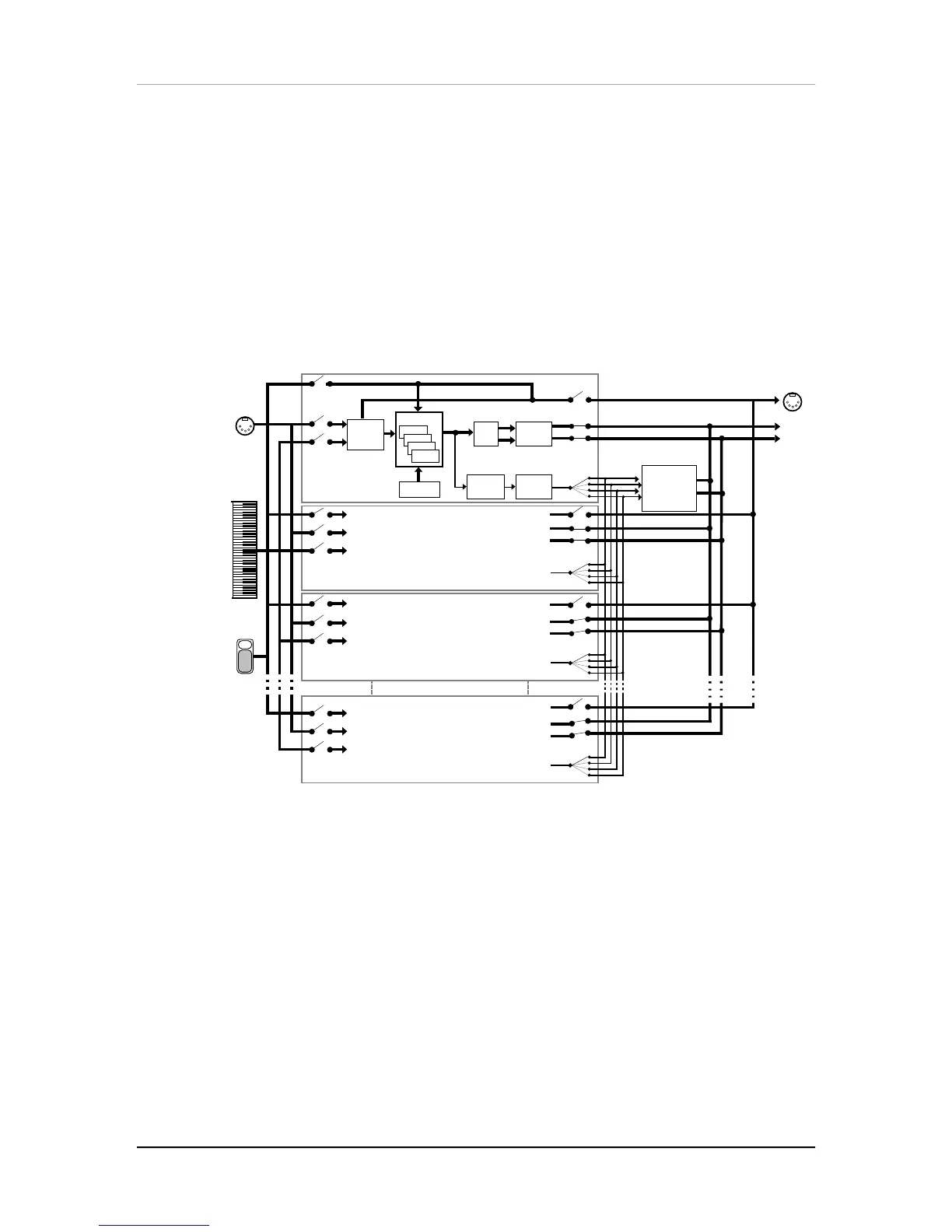
Here is a simplified diagram of the signal path in Mix mode.
Keyboard
Mode =
NORMAL
Program
Range
Channel 1
Channel 2
Channel 3
Channel 16
MIDI
Input
Pan
Sends
1—4
Main
Effects
Level
Effects
Buss
Main
Effects
Processor
(reverb, delay,
chorus, etc.)
Pitch
MIDI
Outpu
MIDI
Out
MIDI In
Keyboard
Sound 1
Sound 2
Sound 3
Sound 4
Pedals
Pedals
Output
UNDERSTANDING THE EDIT BUFFERS
In Mix mode, there are 16 edit buffers (one for each channel), plus another buffer for
the Mix parameters (Level, Pitch, Range, etc.), and yet another buffer for the Effects
Processor. When you select a Mix from memory, it is copied into the Mix Edit buffer,
the 16 Programs of that Mix are copied into the 16 edit buffers, and the Effect from
one of the 16 Programs is copied into the Effects buffer. If you make changes to the
Mix, they are only temporarily kept in the edit buffer until a new Mix is selected from
memory. Therefore, you MUST store your edited Mix if you want to keep it.
If in the course of making a Mix, you enter Program Edit mode (by pressing [EDIT
SELECT]) and edit one or more Programs in the Mix, the edits you make are entered
into a separate buffer for each Program in the Mix. Note, however, that you DO have
to
store
each edited Program into the User bank (in the same or different Program
number location) before selecting a different Mix, or your changes will be lost. The
same goes for editing the Effects, which will be stored with its associated Program. If
you select another Mix before storing, your changes will be lost.



 To Next Page