Editing Programs: Chapter 6
QS6 Reference Manual 49
• When each sound is likely to be used by itself by other setups. For example, if
you are programming three different keyboard splits, each of which uses the
same left-hand bass patch, it makes sense to use Mix Play Mode.
• When you want different sounds to respond to different MIDI channels.
QS6 SIGNAL FLOW
T
HE FOUR SOUNDS OF A PROGRAM
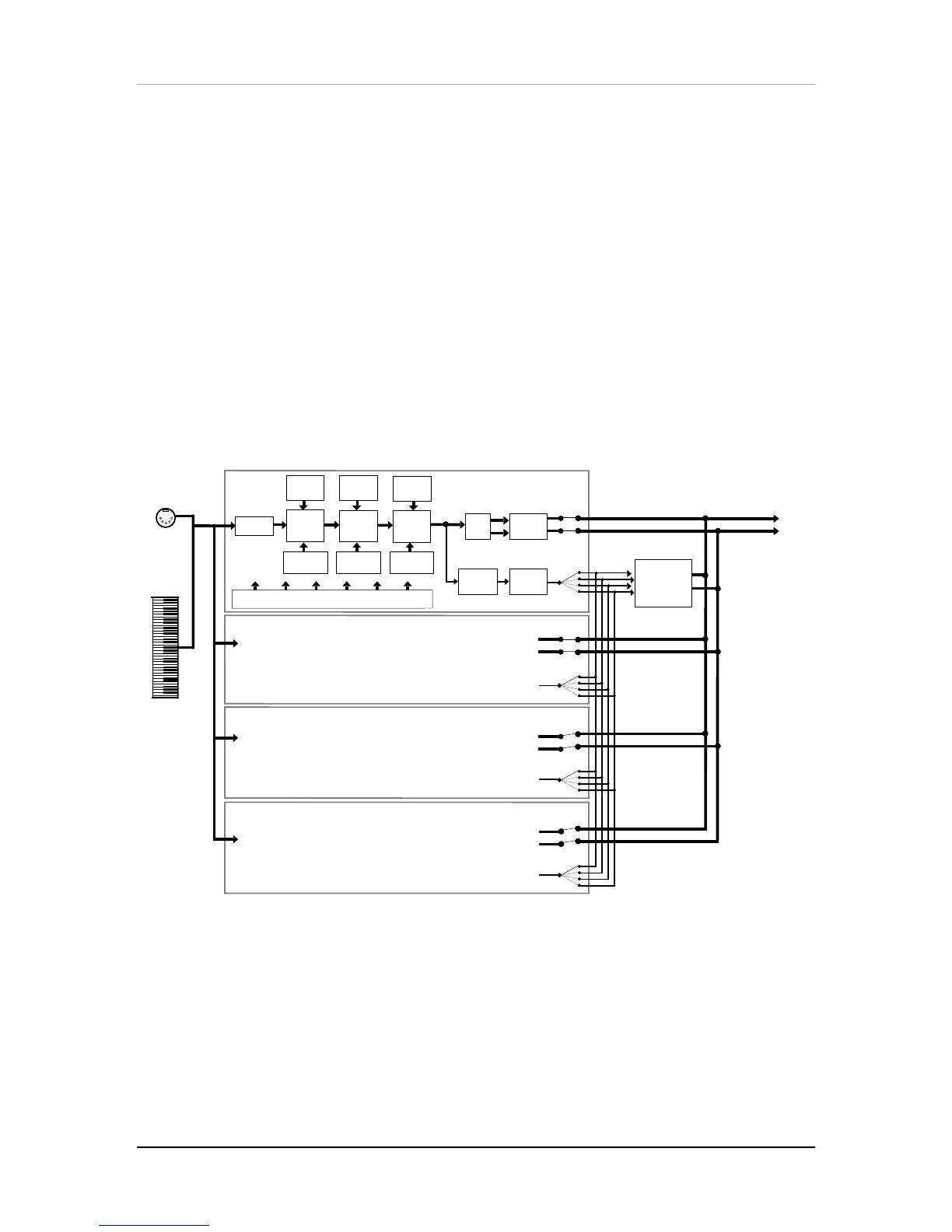
Each Program is made up of at least one to four sounds. A sound is made up of
several components including a voice (the original sound material) which passes
through a low-pass filter and an amplifier. The voice, filter and amp modules each
have direct modifiers (Pitch LFO, Filter LFO, Amp Envelope) which affect how each
will function in the Program. You can layer these sounds together, or divide them into
regions of the keyboard, or a combination of these things.
The following diagram illustrates the signal flow within each QS6 Program.
Keyboard
Filter
Sound 1
Sound 2
Sound 3
Sound 4
MIDI
Input
Pan
Sends
1—4
Main
Effects
Level
Effects
Buss
Main
Effects
Processor
(reverb, delay,
chorus, etc.)
Output
Amp
Voice
Range
Pitch
LFO
Filter
LFO
Amp
LFO
Assignable Modulation Sources
(velocity, aftertouch, modulation wheel, pitch bend, etc.)
Pitch
Envelope
Filter
Envelope
Amp
Envelope
When editing a Program, use the [00] - [30] buttons to select the sound layer you
want to edit.
Let’s look at each module’s function in detail.



 To Next Page