Chapter 5: Editing Mixes
44 QS6 Reference Manual
SETTING THE RANGE AND MIDI SWITCHES
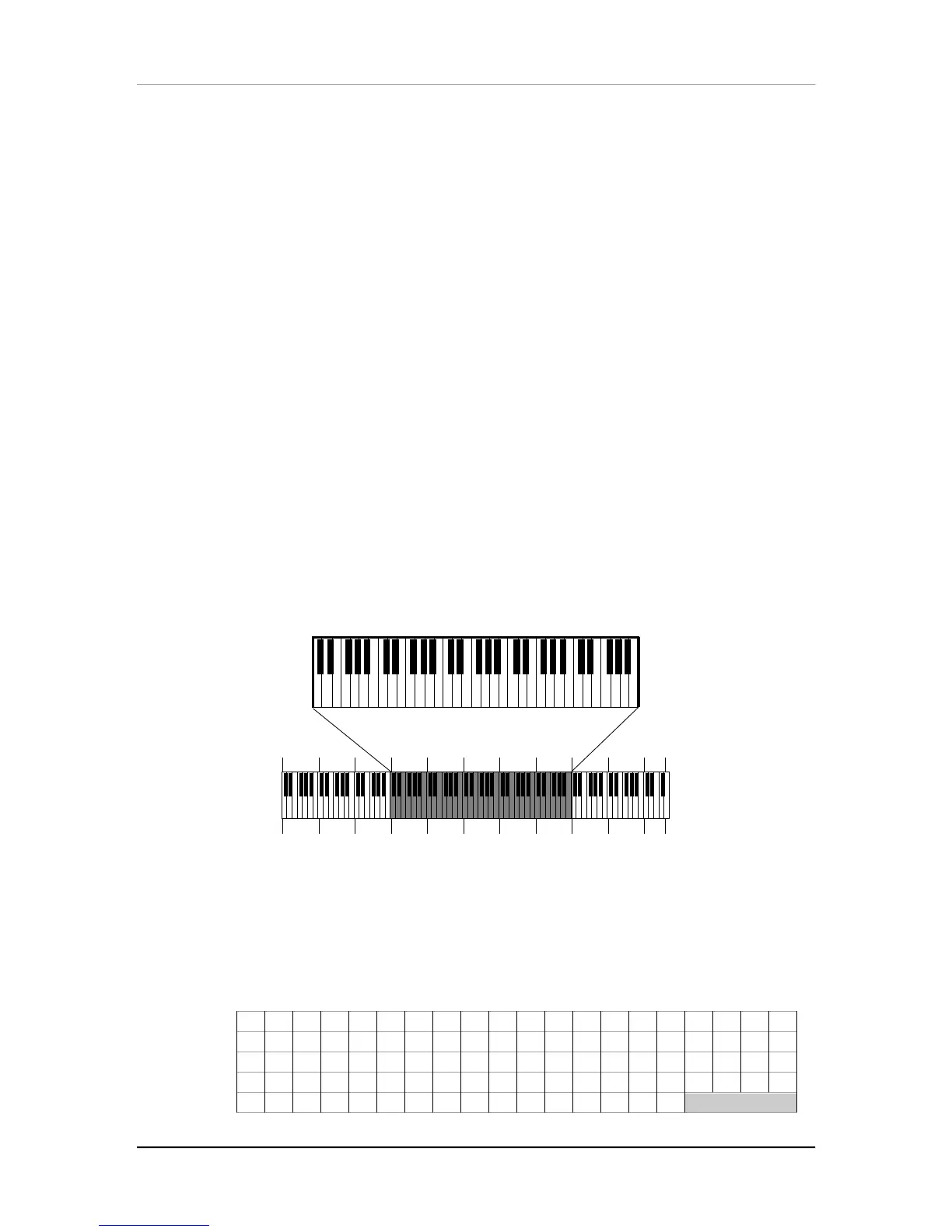
The Range function (press [110]) allows you to restrict each MIDI channel to a
specific range of the keyboard. This is ideal for creating splits (e.g., bass in the lower
octave and a half, piano in the middle three octaves, and strings in the upper octave).
When you start to setup a MIX, it may be confusing if many of the channels have
their Keyboard parameter turned off. In order to hear anything on a particular
channel, enable Keyboard control and set the Range so that the low note and high
note values are set beyond where you want to play. Look at the lower right section of
the display. A small block (‰)will appear next to any active MIDI channels as you
play notes or send notes to the QS6 from a sequencer on those channels.
Lower Limit (MIDI note 000 to 127/ C-2 to G8) Page 1
Specifies the lowest note of the sound’s keyboard range. You can set the lower limit
by holding the [110] button and tapping the key on the keyboard you want to set as
the lowest note in the range.
High Limit (MIDI note 000 to 127/ C-2 to G8) Page 2
Specifies the highest note of the sound’s keyboard range. You can set the high limit
by holding the [110] button and tapping the key on the keyboard you want to set as
the highest note in the range.
J
If the lower limit is set above the high limit, there will be no sound from this program
layer.
C-2
0
C-1
12
C0
24
C1
36
C2
48
C3
60
C4
72
C5
84
C6
96
C7
108
C8
120
12
QS6 Keyboard Range
Program Sound Range
G8
NAMING A MIX
The Name function (press [120]) allows you to change the name of the Mix. The Mix
name can be up to 10 characters long. Use the [
▲
PAGE] and [PAGE
▲
] buttons to
position the cursor and the [CONTROLLER A] slider to select the character. Here is a
chart of available characters:
! " #$%&’ ( ) *+, - . / 0123
456789: ; <=>?@ABCDEFG
HI JKLMNOPQRSTUVWXYZ[
¥] ^_` abcdef ghi j kl mno
pqr st uvwxyz{| } ƨ



 To Next Page