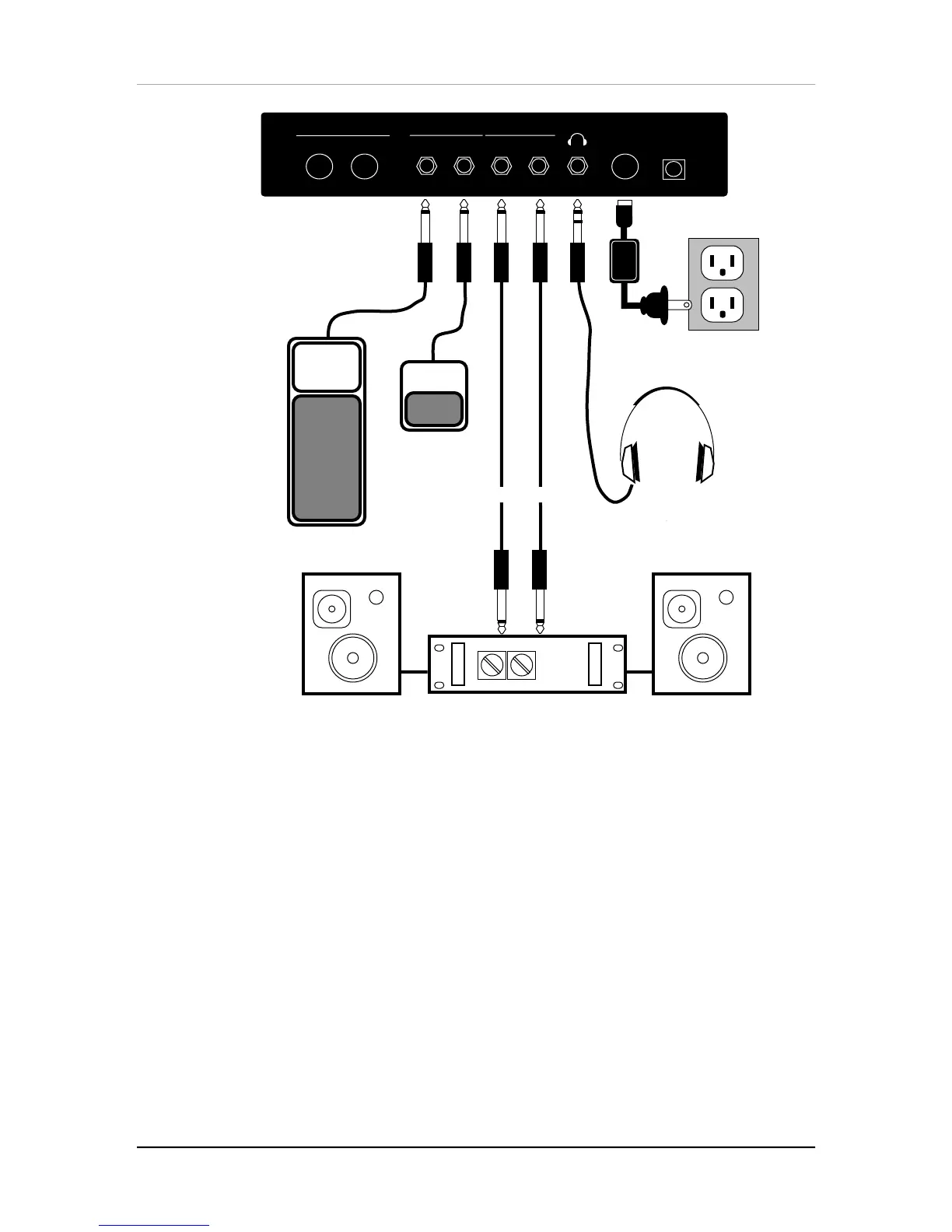
Chapter 1: Setting Up
8 QS6 Reference Manual
9 VAC
Stereo Amp
Stereo Headphones
AC Receptacle
1/4" Audio Cables
MIDI
INOUT LEFT RIGHT
OUTPUTFOOT PEDAL
POWER
ON/OFF
Expression Pedal
Pedal Switch
PEDAL 1 SUSTAIN
ABOUT AUDIO CABLES
The connections between the QS6 and your studio are your music’s lifeline, so use
only high quality cables. These should be low-capacitance shielded cables with a
stranded (not solid) internal conductor and a low-resistance shield. Although quality
cables cost more, they do make a difference. Route cables to the QS6 correctly by
observing the following precautions:
• Do not bundle audio cables with AC power cords.
• Avoid running audio cables near sources of electromagnetic interference such as
transformers (such as the QS6’s Power Supply), monitors, computers, etc.
• Do not place cables where they can be stepped on. Stepping on a cable may not
cause immediate damage, but it can compress the insulation between the center
conductor and shield (degrading performance) or reduce the cable’s reliability.
• Avoid twisting the cable or having it make sharp, right angle turns.
• Never unplug a cable by pulling on the wire itself. Always unplug by firmly
grasping the body of the plug and pulling directly outward.



 To Next Page