- 14 -
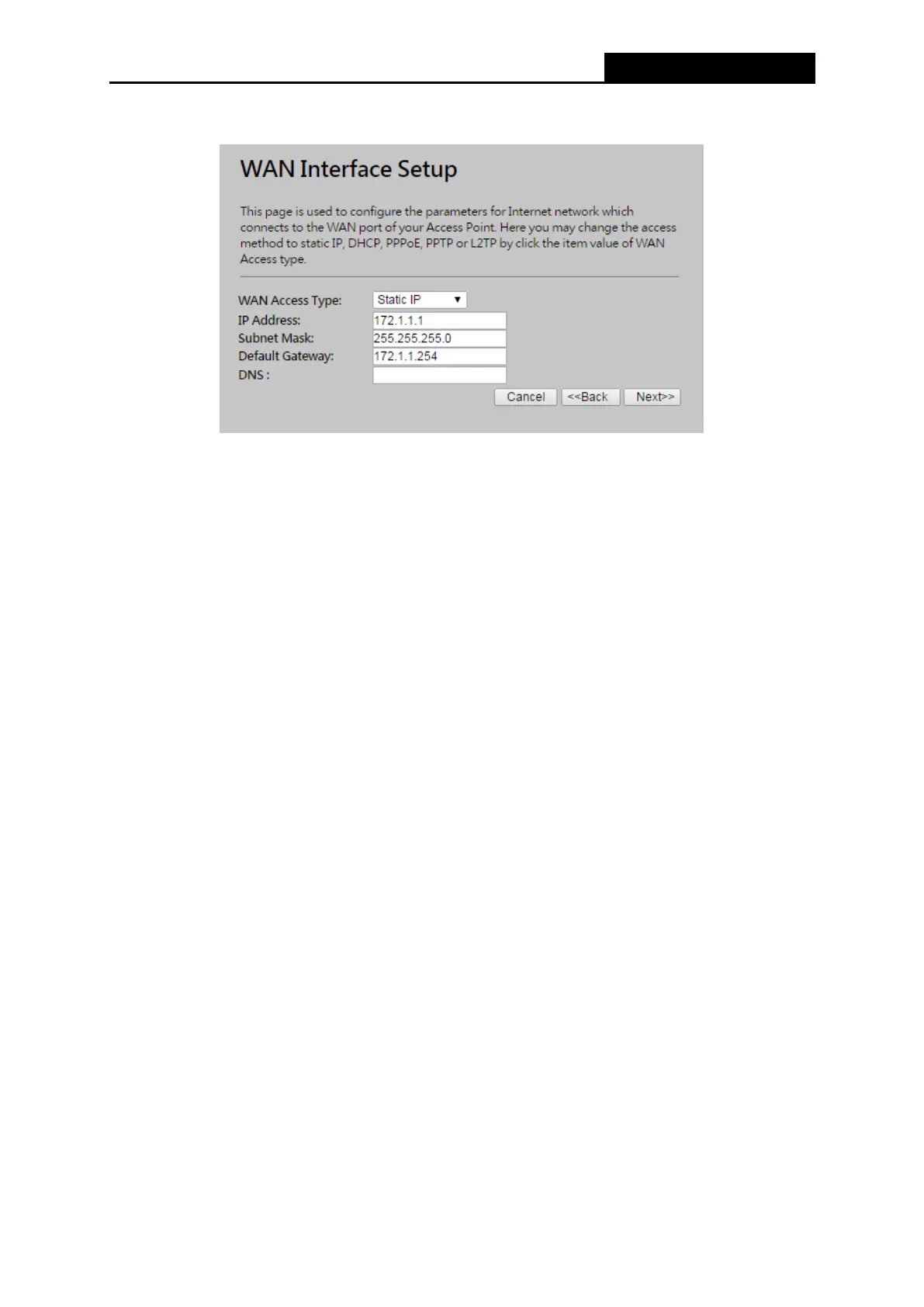
Figure 3-10 Quick Setup - Static IP
IP Address - This is the WAN IP address as seen by external users on the Internet
(including your ISP). Enter the IP address into the field.
Subnet Mask - The Subnet Mask is used for the WAN IP address, usually
255.255.255.0.
Default Gateway - Enter the gateway IP address into the box if required.
8. Primary DNS - Enter the DNS Server IP address into the box if required.



 To Next Page