8028 SIP Doorphone (G2) FW 3.2
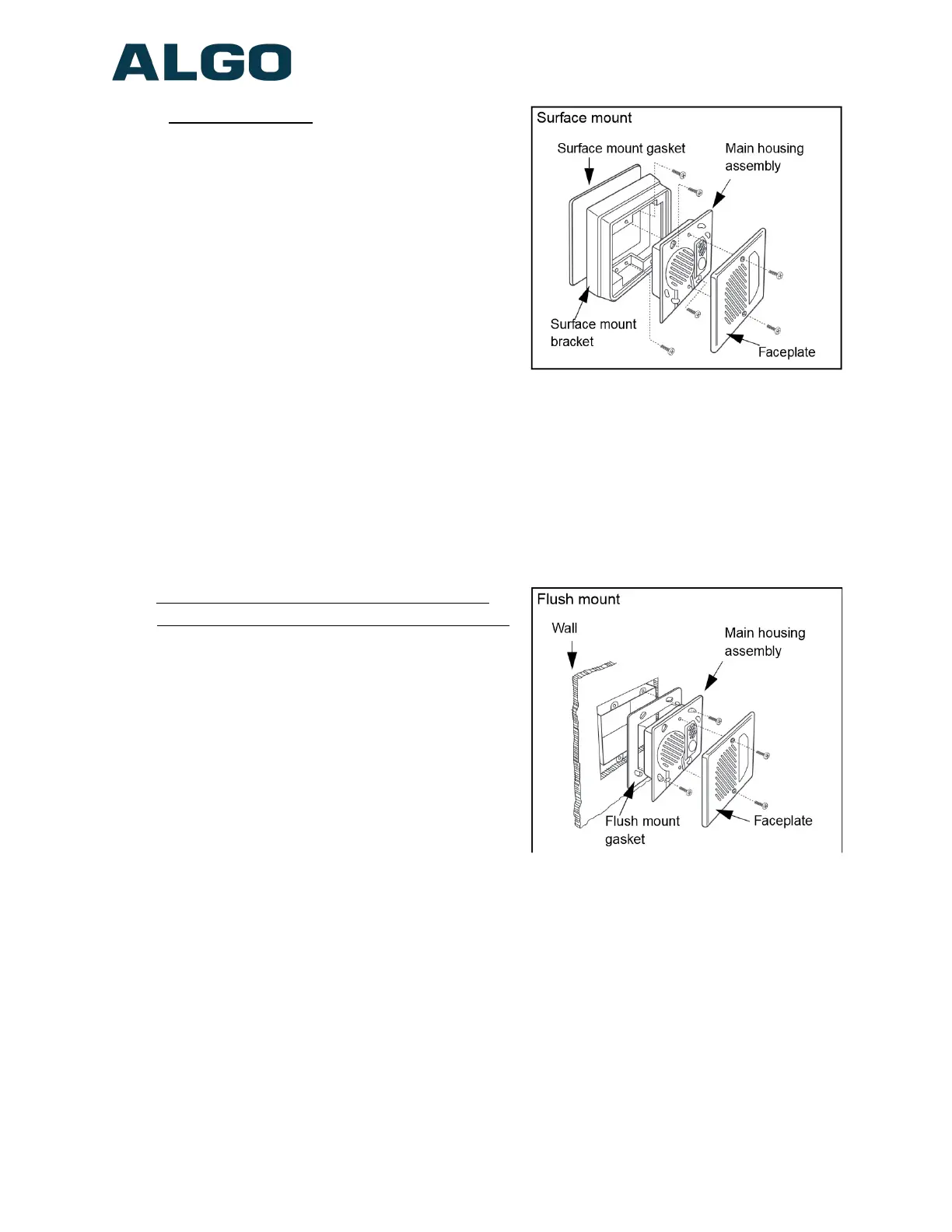
For surface mount:
◦ Discard the smaller flush mount
gasket.
◦ Verify the correct orientation of the
surface mount gasket.
◦ Thread the wires through the center
hole of the larger surface mount
gasket, then through the surface
mount bezel.
◦ Attach the surface mount bezel to the
wall with drain slot DOWN and gasket
behind. The purpose of the gasket is
to prevent water ingress behind the bezel or into the wall cavity. If the wall
surface is irregular then a sealant may be required to prevent water intrusion. Do
not block the water drainage slot located on the bottom edge of the bezel.
◦ Connect the wire pair to the Door Station “CTRL” terminals. Wiring is polarity
independent.
◦ Fasten the Door Station to the surface mount bezel and install faceplate
For two-gang flush mount (or surface mount
using Algo 3100 or electrical box with conduit):
◦ Discard the larger surface mount
gasket and bracket.
◦ Place the surface mount gasket onto
the rear of the door station against the
flange.
◦ The purpose of the gasket is to
prevent water ingress behind the Door
Station or into the wall cavity. If the
wall surface is irregular then a sealant
may be required to prevent water
intrusion. Do not clock the water drainage slot located on the bottom front edge
of the Door Station.
◦ Connect the wire pair to the Door Station “CTRL” terminals. Wiring is polarity
independent.
◦ Fasten the Door Station to the electrical box and install faceplate.
Document 90-00104
05/21/2020
Page 13
Algo Communication Products Ltd
4500 Beedie St Burnaby BC Canada V5J 5L2
www.algosolutions.com
(604) 454-3792
support@algosolutions.com



 To Next Page