8028 SIP Doorphone (G2) FW 3.2
Reboot the Device
Reboots the device.
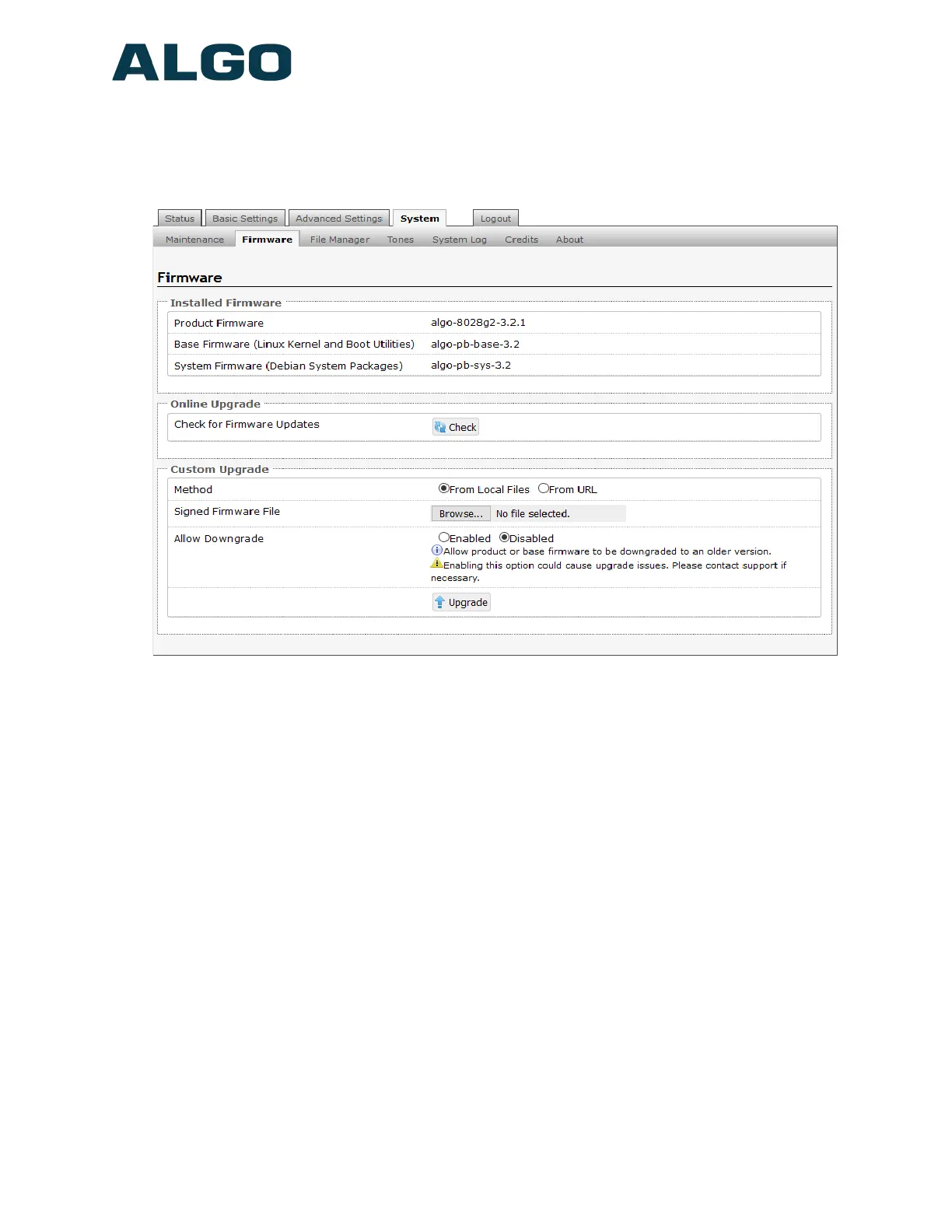
System Tab - Firmware
Check for Firmware Updates
Automatically check for new firmware version. Please note internet connection is required.
Method
Specify whether the firmware files will be downloaded from the local computer or a remote
URL.
Signed Firmware File
Point to the SFW file provided by Algo.
Allow Downgrade
Allow product or base firmware to be downgraded to an older version. Only use this under
advice of Algo technical support.
How to upgrade the 8028 SIP Doorphone Firmware
1. From the top menu, click on System, then Firmware.
2. In the Upgrade section, click on Choose File and select the 8028 SIP Doorphone
(G2) firmware file to upload. Note that a SFW file must be loaded.
3. Click Upgrade
Document 90-00104
05/21/2020
Page 50
Algo Communication Products Ltd
4500 Beedie St Burnaby BC Canada V5J 5L2
www.algosolutions.com
(604) 454-3792
support@algosolutions.com



 To Next Page