8028 SIP Doorphone (G2) FW 3.2
The specific configuration file will only be downloaded by the 8028 SIP Doorphone with
the MAC address specified in the configuration file name. Since all the necessary settings
can be included in this file, the 8028 will be ready to work immediately after the
configuration file is downloaded. The MAC address of each 8028 SIP Doorphone can be
found on the back label of the unit.
For more Algo SIP endpoint provisioning information, see:
www.algosolutions.com/provision
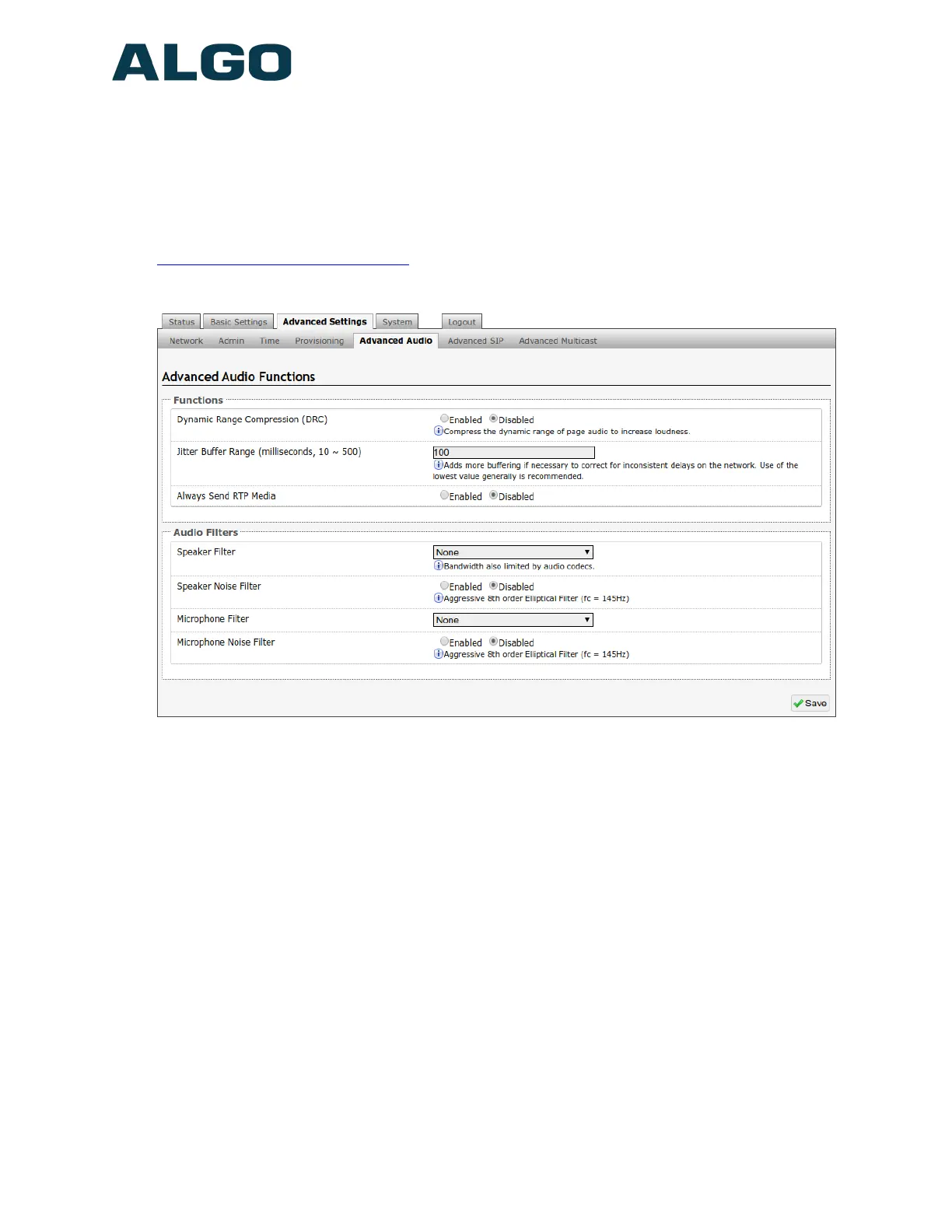
Advanced Settings Tab – Advanced Audio
Dynamic Range Compression (DRC)
If enabled, compresses the dynamic range of page audio to increase loudness.
Jitter Buffer Range
The jitter buffer removes the jitter in arriving network packets by temporarily storing them.
This process corrects the inconsistent delays on the network. It is recommended to use
the lowest value.
Speaker Filter
Applies a high-pass filter to the speaker output. Used to reduce audio artifacts like
humming or buzzing by filtering out unwanted frequencies.
Speaker Noise Filter
Enables heavy filtering below 145Hz to reduce mains induced noise (fans).
Document 90-00104
05/21/2020
Page 42
Algo Communication Products Ltd
4500 Beedie St Burnaby BC Canada V5J 5L2
www.algosolutions.com
(604) 454-3792
support@algosolutions.com



 To Next Page