8028 SIP Doorphone (G2) FW 3.2
Extension to Dial
Enter the phone number that will be dialed when the call button on the door station is
pressed. This can also be a Hunt Group number. Ensure that voice mail is not reached.
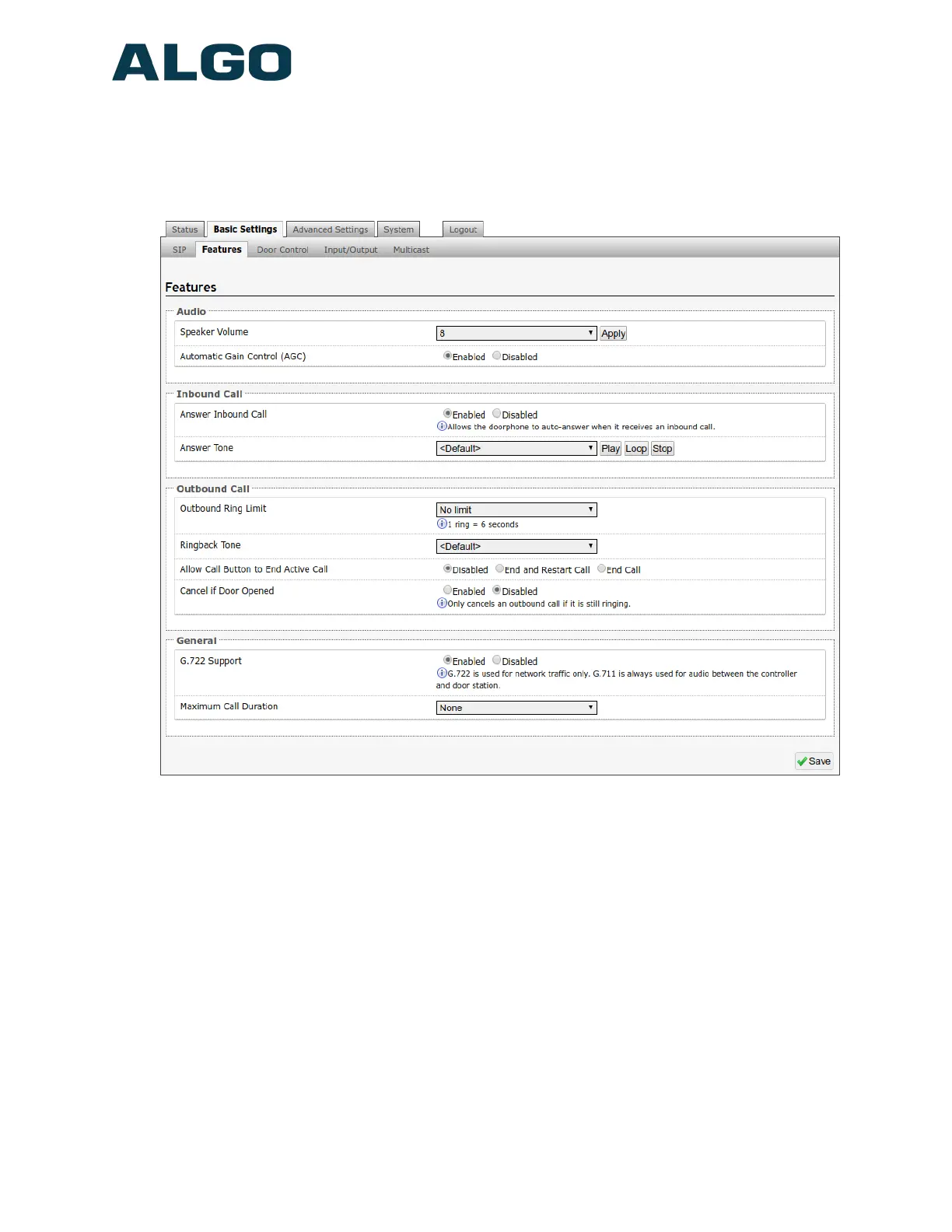
Basic Settings Tab – Features
Speaker Volume
Select speaker audio level of the 8028 from 1 (lowest) to 10 (highest).
Automatic Gain Control (AGC)
Normalizes the audio level. This ensures audio level heard at the speaker is always at a
consistent level, independent of the phone that is used to answer the call.
Answer Inbound Call
Allow the 8028 to auto-answer an inbound call. By default, this functionality is activated.
Answer Tone
Select a tone to be played over the speaker when the intercom answers an inbound call.
Use only Default, or custom uploaded file. The other pre-installed tone files all contain
Document 90-00104
05/21/2020
Page 25
Algo Communication Products Ltd
4500 Beedie St Burnaby BC Canada V5J 5L2
www.algosolutions.com
(604) 454-3792
support@algosolutions.com



 To Next Page