8028 SIP Doorphone (G2) FW 3.2
Web Interface Advanced Settings
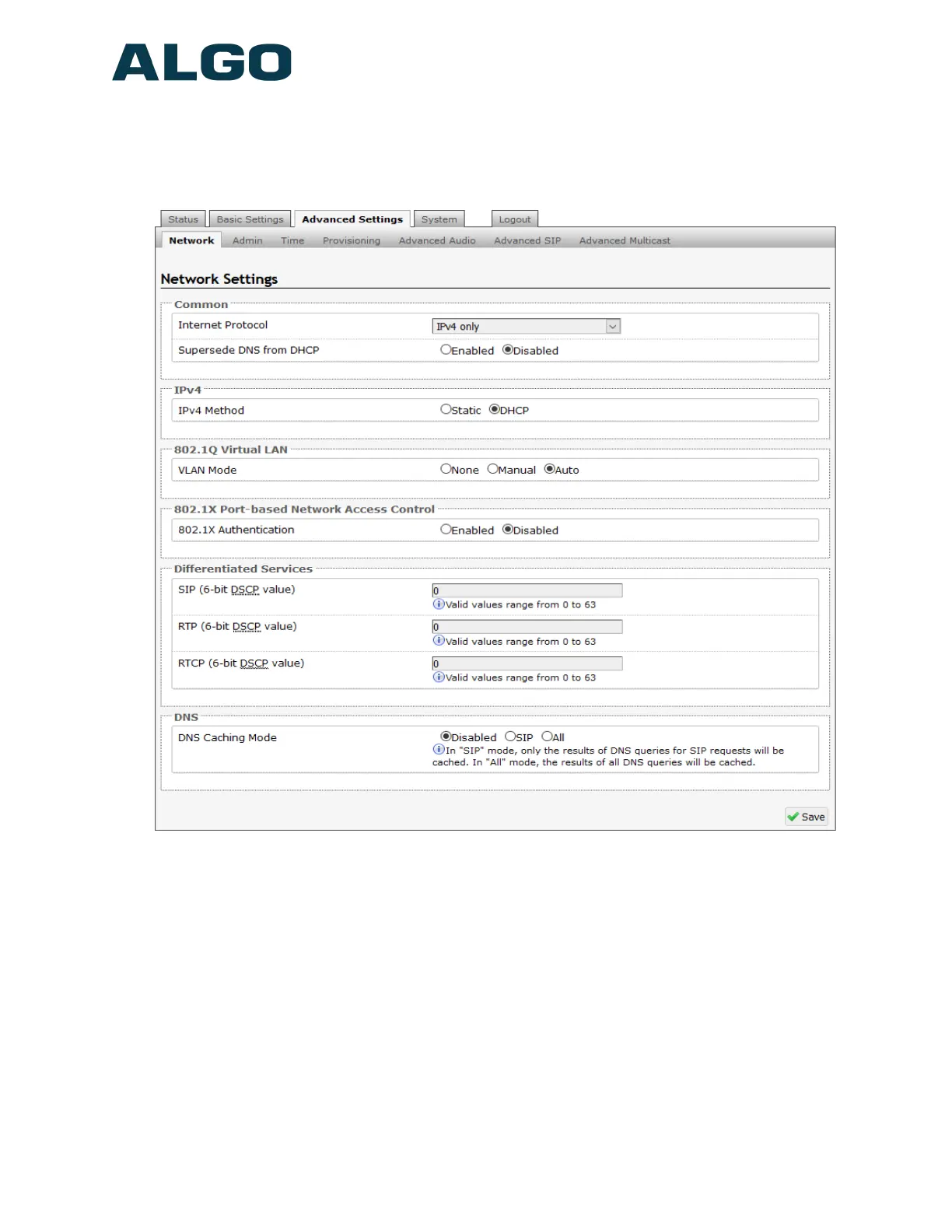
Advanced Settings Tab - Network
Internet Protocol
Select between IPv4 only or IPv4 and IPv6.
Supersede DNS from DHCP
Ignore DNS server received from DHCP to use a static one instead.
IPv4 Method
DHCP is an IP standard designed to make administration of IP addresses simpler. When
DHCP is selected, it will automatically configure the IP addresses for each 8028 on the
network. Alternatively the 8028 can be set to a static IP address.
Document 90-00104
05/21/2020
Page 34
Algo Communication Products Ltd
4500 Beedie St Burnaby BC Canada V5J 5L2
www.algosolutions.com
(604) 454-3792
support@algosolutions.com



 To Next Page