24V 0.3A
8028 SIP Doorphone (G2) FW 3.2
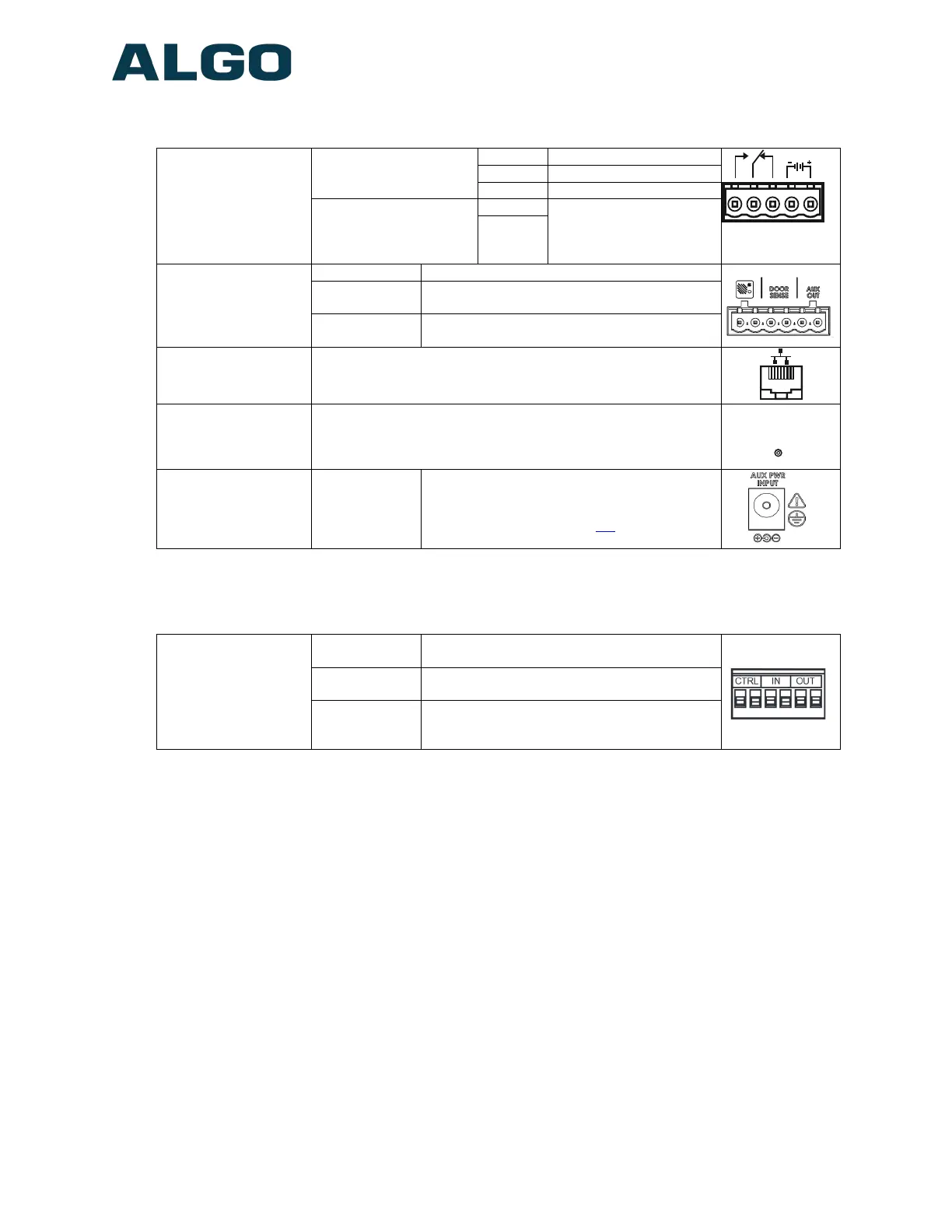
Wiring Connections (Controller)
Controller
5 Position
Removable Terminal
Block
Relay (30V 1A)
NO Normally Open
C Common
NC Normally Closer
24V Auxiliary Power
Output
(PoE+ or optional
power supply needed)
PWR -
0.25A – Power Supply
0.5A - PoE+
PWR +
Controller
6 Position Terminal
Block
Door Station Connect to CTRL terminal of Door Station
Door Sensor
Input to Controller (e.g. Door Contact,
Doorbell Switch); Max 1kOhm
Aux Out
Output from Controller
Max 50mA 30V
Ethernet Jack
RJ45 Jack
Connect to LAN with access to SIP-compliant Proxy Server.
Reset Button
To return all settings to a factory default, power up the unit
and wait until the Power Led flashes, and then press and hold
the reset button until the LED start to double flash.
Do not press the reset button until the LED flashes.
RESET
Power Jack
Optional
Power
Supply
This is an optional power jack if not using
PoE/PoE+. Also use for earth GND. (Please
refer to power options on p.9)
Wiring Connections (Door Station)
Door Station
6 Position Terminal
Block
CTRL
Connect to Door Station terminal of
Controller
IN
Dry Contact Input to Door Station (e.g. Door
Contact, Doorbell Switch); Max 1kOhm
OUT
Internal opto-coupler with 2V drop from
Door Station (e.g. Gate Control);
Max 50mA 30V
Auxiliary Dry Contact Outputs
Both the Controller and the Door Station provide a dry contact output for connection to
auxiliary devices. Maximum switching capacity is 30 V 50 mA.
The Door Station's output contains an internal opto-coupler, not a true relay, so it will incur
a voltage drop of about 2V.
Default operations are as follows:
Doorphone Controller Output = In-Use (commonly used for camera control)
Door Station Output = Call Button Press (commonly used to activate a secondary
doorbell)
Other options for Doorphone Controller output include Ring and Call Button Press. Other
options for Door Station output include In-Use and Door Control.
Document 90-00104
05/21/2020
Page 16
Algo Communication Products Ltd
4500 Beedie St Burnaby BC Canada V5J 5L2
www.algosolutions.com
(604) 454-3792
support@algosolutions.com



 To Next Page