15The full instruction manual can be found on the CD which accompanied the DVR.
Proper startup and shutdown procedures are crucial for
extending the life of the device. The hard drive spins at
around 7000rpm, cutting power to the DVR stops the hard
drive instantly which can cause damage. When shut down
correctly the hard drive slows down gradually to prevent this.
Power Up
With the DVR plugged into the mains socket,
power the DVR using the switch on the rear.
The power LED on the front of the DVR should show green
indicating the device is getting power.
Shutdown
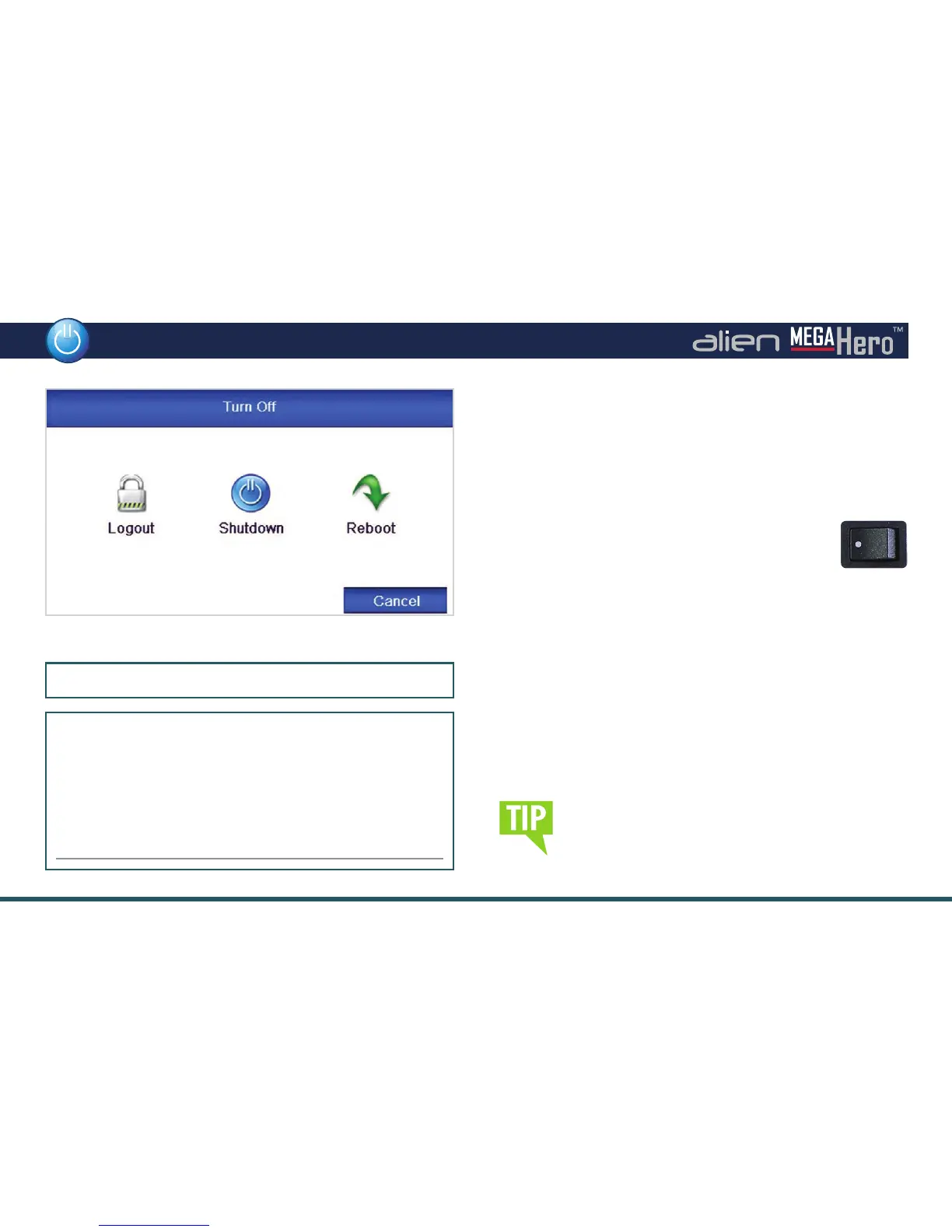
To power down the DVR, enter the ‘Turn O ’ menu. Click
the ‘Shutdown’ button then click the ‘Yes’ button. When
instructed, turn o the Power switch on the rear of the device.
From the Turn O menu you can also Logout or Reboot
the DVR.
Shutdown Interface
Default Admin Password: 555555
New Password Reminder
If you decide to change the default password, please feel
free to use this box to write down a password reminder to
jog your memory.
Prevent loss of your recorded footage caused by
power cuts by tting a UPS with your DVR.
Power Up & Shutdown



 To Next Page